Best GaN Charger for MacBook Pro 2026: 14 and 16 Inch Picks
Compare 100W and 140W GaN chargers for 14-inch and 16-inch M4 and M5 MacBook Pro models, with official Apple fast-charge requirements today.
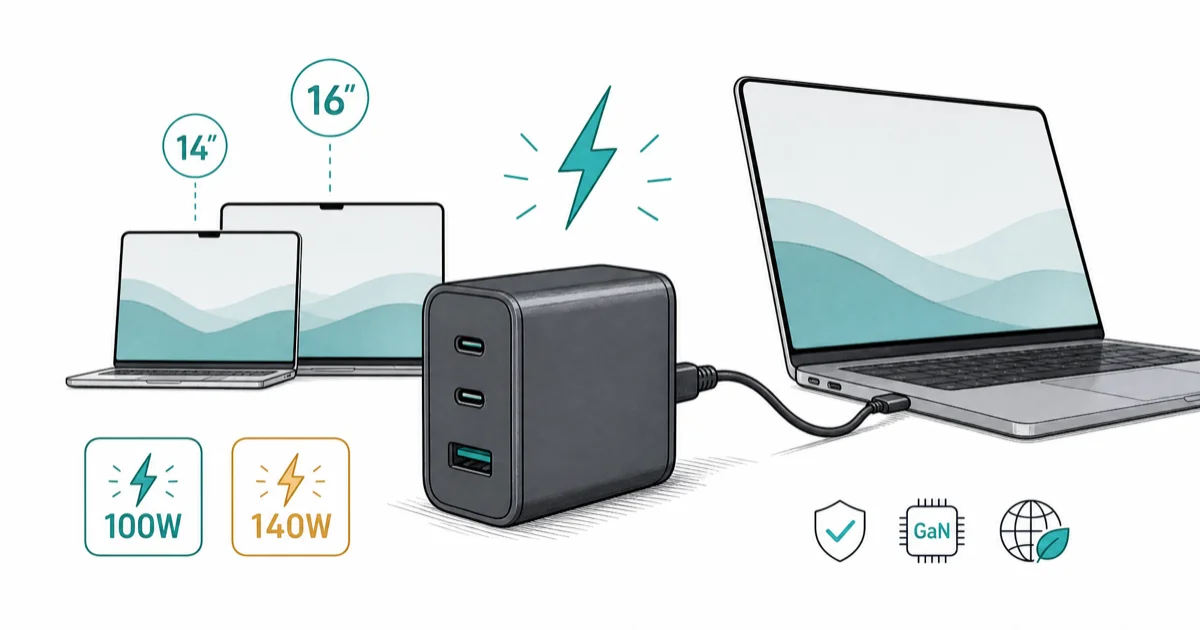
Quick AnswerA 96W-or-higher USB-C PD source fast-charges current 14-inch MacBook Pro models, so a 100W three-port GaN charger is a practical match. Current 16-inch models need a 140W USB PD source for fast charging.
The best GaN charger for a MacBook Pro matches the laptop’s actual peak draw, not the biggest number on the box. This guide separates 14-inch and 16-inch MacBook Pro charging because the right wattage changes by size.
- Current 14-inch MacBook Pro models fast-charge on a 96W-or-higher USB-C PD source, so a 100W GaN brick is a practical match
- Current 16-inch M4 and M5 Pro or Max models use a 140W USB-C Power Adapter for fast charging
- A 100W charger still charges a 16-inch model, but it stays below the 140W fast-charge requirement
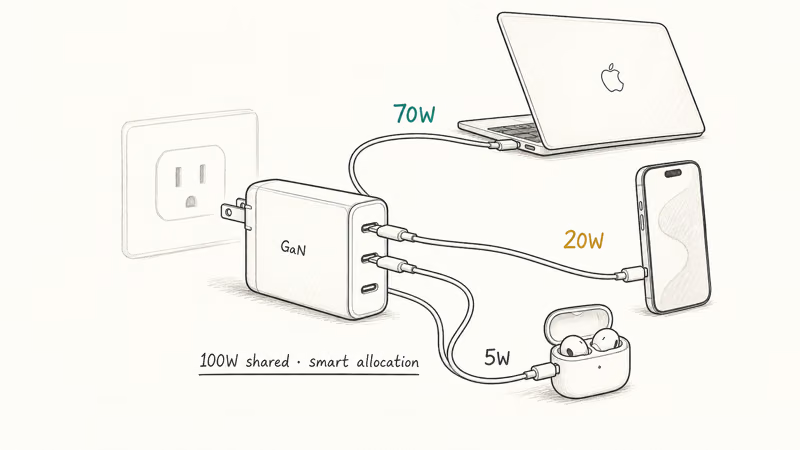
- A single 100W three-port GaN charger covers a MacBook Pro, an iPhone, and earbuds from one outlet on the road
- Cable choice matters: a 100W brick paired with a 60W cable caps you at 60W regardless of the charger rating
#How Much Wattage Does Your MacBook Pro Actually Need?
The honest answer depends on which model sits on your desk, and it’s the single decision that drives every other charger pick.
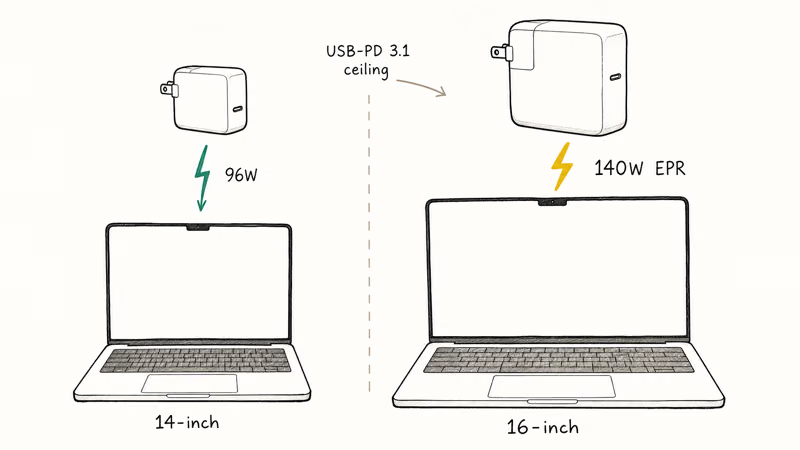
According to Apple’s 14-inch M5 specifications, the base configuration includes a 70W adapter and can be configured with a 96W adapter. Apple’s 14-inch M4 Pro and M4 Max specifications state that a 96W-or-higher adapter enables fast charging.
Apple’s 16-inch M5 Pro and M5 Max specifications list a 140W USB-C Power Adapter for fast charging. The 16-inch M4 generation lists the same wattage.
The current 16-inch models only reach Apple’s fast-charge mode with a 140W-or-higher USB PD source.
A 100W USB-C PD charger is the practical target for 14-inch models that fast-charge at 96W or higher, while a current 16-inch MacBook Pro needs a 140W source for fast charging.
So the rule is simple. Use a 100W-class brick for a current 14-inch MacBook Pro and a 140W brick for current 16-inch fast charging. A lower-wattage source can still charge the laptop, but macOS may report a slow charger and charging can lag under load.
#Best 100W GaN Charger for the 14-Inch MacBook Pro
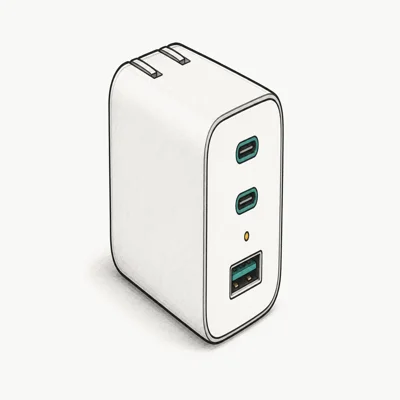
According to Anker’s A2343 specifications, it has two USB-C ports, one USB-A port, and 100W output.
- 100W output suits 14-inch MacBook Pro models that ship with a 96W adapter
- Shared output adjusts when a second device plugs in
- Folding prongs and a slim foot-shaped body fit a laptop sleeve pocket
Last updated on May 26, 2026
As an Amazon Associate fone.tips earns from qualifying purchases. Prices and availability on Amazon are accurate as of the date above and subject to change.
The Prime is the one we recommend for travel because its three ports cover a laptop, phone, and accessory from one outlet. Our broader best GaN charger roundup covers single-port and 140W options if you only ever charge the laptop.
If you want the same wattage with five ports, the UGREEN Nexode 100W 5-Port is the desk-first alternative. The extra ports help when a desk has a hub, headphones, and a phone all wanting power at once.
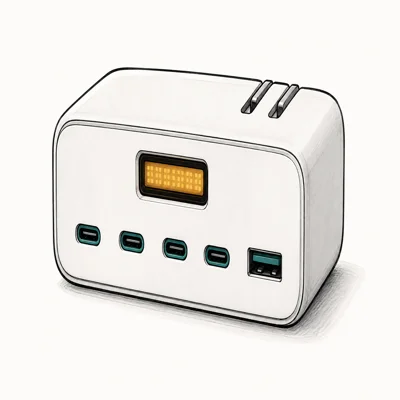
- Pushes full 100W to laptop port when only the MacBook is plugged in
- Four USB-C plus one USB-A covers a laptop and four accessories
- Five ports keep a multi-device desk setup connected
Last updated on May 26, 2026
As an Amazon Associate fone.tips earns from qualifying purchases. Prices and availability on Amazon are accurate as of the date above and subject to change.
With one device connected, UGREEN can provide 100W; five connected devices share that total.
The Anker is the more compact three-port travel pick, while the UGREEN trades portability for two additional ports at a desk. Our Anker vs UGREEN charger comparison breaks down the warranty and recall histories on both brands.
#The 140W Case for the 16-Inch MacBook Pro
Apple’s 140W USB-C Power Adapter is its first-party fast-charge option for the 16-inch MacBook Pro. Apple’s fast-charge guide says supported MacBook Pro models can reach about 50% in around 30 minutes with the appropriate adapter and cable.
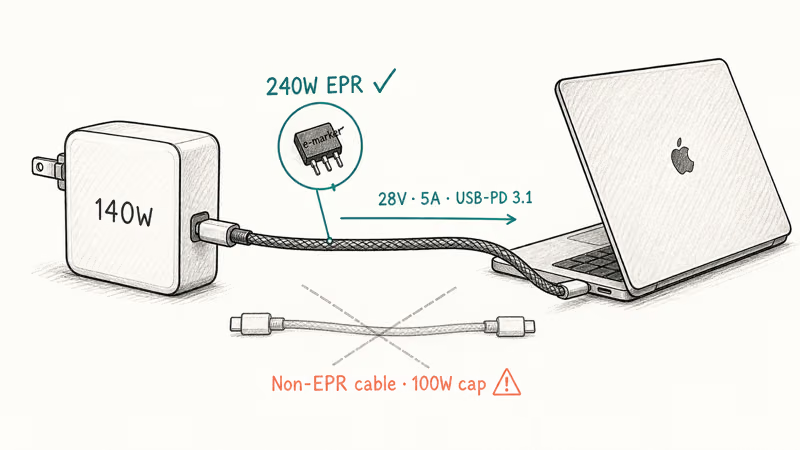
Apple’s fast-charge guide lists MagSafe 3 or a 240W USB-C cable for supported 16-inch models.
The decision is straightforward: the Apple 140W brick is the safest desk choice, and a 100W GaN brick like the Anker Prime is a fine travel adapter for both 14-inch and 16-inch users.
#Budget Pick for Single-Port Travel
For one device in an overnight bag, the Anker Nano II 65W is a compact budget option. It stays below the 96W fast-charge requirement of current 14-inch MacBook Pro models, but it can still charge the laptop more slowly and power an iPhone or iPad through the day.
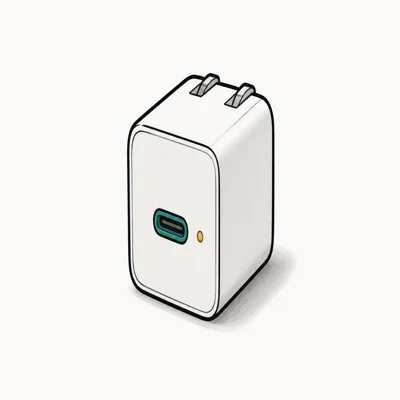
- Smallest GaN brick that still delivers full iPhone fast-charge wattage
- Folding prongs and matchbox footprint slot into a pocket
- Trickle charges a 14-inch MacBook Pro overnight at 65W
Last updated on May 26, 2026
As an Amazon Associate fone.tips earns from qualifying purchases. Prices and availability on Amazon are accurate as of the date above and subject to change.
At 65W, current 14-inch models charge below Apple’s fast-charge recommendation.
#Cable Choice: The Hidden Wattage Cap
A 100W GaN charger is only as fast as the slowest link in the chain. That link is almost always the cable.
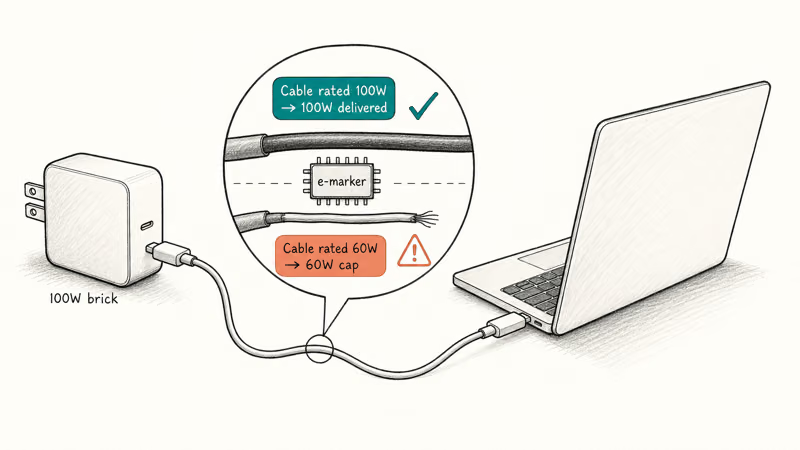
Cables negotiate their own max wattage with the laptop using e-marker chips, and the spec drops to whatever the cable supports. The USB-IF USB-C Power Delivery specification confirms that PD chargers and cables negotiate per-port wattage at connection, and a cable rated for 60W will cap a 100W charger at 60W. Apple’s bundled MacBook cable is rated for the laptop it shipped with.
A 60W-rated USB-C cable can cap a 100W charger at 60W, so buy a known 100W-rated cable with the brick.
If you’re buying a fresh GaN charger, budget for a known 100W-rated USB-C-to-USB-C cable in the same order. The same cable-rating principle applies on phones too, which our iPhone fast charging guide covers in more depth. For supported 16-inch configurations, Apple lists the MagSafe 3 cable or a 240W USB-C charge cable for fast charging.
#Travel vs Desk: Which Setup Works for You?
How you use your MacBook Pro should decide your charger, not the laptop’s size on paper.
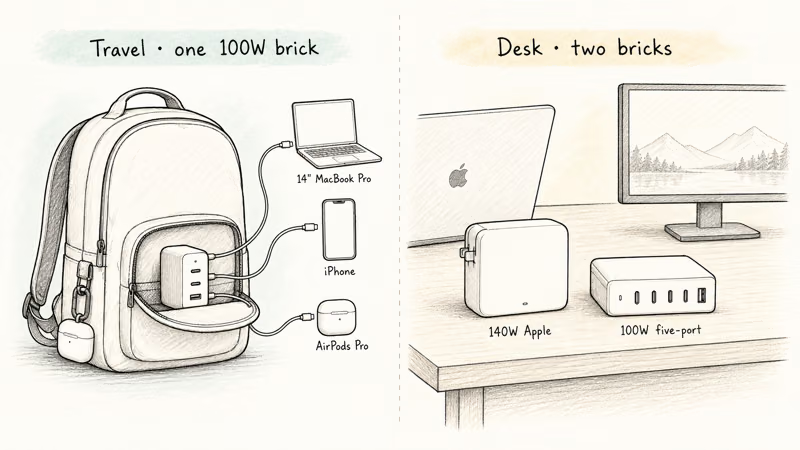
A frequent traveler with a current 14-inch MacBook Pro is well served by a 100W three-port GaN charger like the Anker Prime. It handles the laptop, the phone, and earbuds from one outlet. A 16-inch owner can use the same 100W brick for slower charging or step up to a 140W travel brick to retain fast charging.
A desk-bound user with a 16-inch model is best served by two bricks: the Apple 140W at home for full-speed recharging, and a UGREEN Nexode 100W 5-Port in the office bag for slower charging.
If your laptop refuses to charge at any speed even with the right brick, our walkthrough on why a MacBook Pro stops charging covers model-appropriate troubleshooting. A persistent issue paired with a service battery warning on macOS usually points to the battery or charging system rather than the wall adapter alone.
#Bottom Line
For the 14-inch MacBook Pro, the three-port Anker Prime 100W (A2343) is our top pick. It meets Apple’s 96W-or-higher fast-charge requirement and adds two ports for travel.
For the 16-inch MacBook Pro, use a compatible 140W USB PD source and an Apple-listed fast-charge cable to target about 50% in around 30 minutes. A 100W GaN brick like the Anker Prime is a useful second adapter when slower charging is acceptable on the road. Match the wattage and cable to the laptop so the replacement doesn’t silently cap charging speed.
#Frequently Asked Questions
Will a 65W GaN charger damage a 14-inch MacBook Pro?
No. USB-C Power Delivery negotiates a safe wattage between the charger and the laptop at connect time, so a 65W brick won’t push voltage the laptop can’t handle. It’ll just charge slower than the bundled 96W adapter. That negotiation is why the laptop charges more slowly rather than accepting unsafe voltage.
Can I use the 16-inch MacBook Pro’s 140W brick with a 14-inch model?
Yes. USB Power Delivery negotiates the power the Mac accepts, so a compatible 140W adapter doesn’t force excess power into a 14-inch model.
What is the difference between USB-PD and USB-PD 3.1 EPR?
USB Power Delivery’s Standard Power Range covers power levels through 100W, while USB PD 3.1 Extended Power Range adds higher-voltage profiles for 140W, 180W, and 240W charging. A regular 100W PD charger can charge a 16-inch MacBook Pro but can’t meet its 140W fast-charge requirement. Use an adapter and cable combination listed for that fast-charge mode.
Do GaN chargers actually run cooler than older bricks?
GaN power stages can be more efficient and compact than older silicon designs, but case temperature still depends on the charger’s size, load, and thermal design. Compare certified output and protection features rather than assuming every GaN brick will feel cool.
Is a multi-port GaN charger worth the extra cost?
For travel, yes. A 100W three-port brick replaces the laptop adapter plus a phone wall charger plus a watch charger, saving outlet space and weight in the bag. For a single-location desk, a single-port 96W brick is cheaper and won’t split power across ports unexpectedly when you plug in a second device. Decision rule: more than one outlet on the road equals multi-port; permanent desk install equals single-port.
Why does my MacBook Pro say “not charging” even on a 100W GaN brick?
Check the cable, the port, and the charger’s shared-power allocation. A lower-rated cable or a second device drawing from the same brick can reduce the wattage macOS sees; a known-good 100W or 240W USB-C cable helps isolate the cause.
Can I leave a GaN charger plugged in all the time?
Yes, if the charger is certified for your region and used as directed. For long-term desk use, pick a reputable model with documented thermal, overcurrent, and overvoltage protections instead of relying on an unsupported idle-power claim.

Best Laptop for Running LLMs in 2026: Memory Comes First
The best laptop for running LLMs is a memory purchase first. Compare MacBook unified memory against NVIDIA laptop VRAM, and see what each tier really runs.

Pixel 11 vs Pixel 10: What Changed and Who Should Upgrade
Pixel 11 vs Pixel 10: same screen and camera resolution, new Tensor G6, 25W wireless, and Gemini Intelligence. Here is who should actually upgrade.

Best Power Bank for iPad in 2026: Pro, Air, and Mini
Best power bank for iPad in 2026. Compare mAh tiers and USB-C PD wattage for iPad Pro, Air, and mini, plus airline Wh math, cables, and travel tips.

Best Power Bank With Built-In Cable: Top 2026 Picks
Best power bank with built-in cable picks for 2026. Compare single USB-C, multi-connector, and retractable laptop banks, plus airline Wh math.