Discord Account Hacked: Recovery Steps and Prevention Tips
Step-by-step guide to recover a hacked Discord account, secure it with 2FA, and prevent future compromises. Includes Discord support contact process.
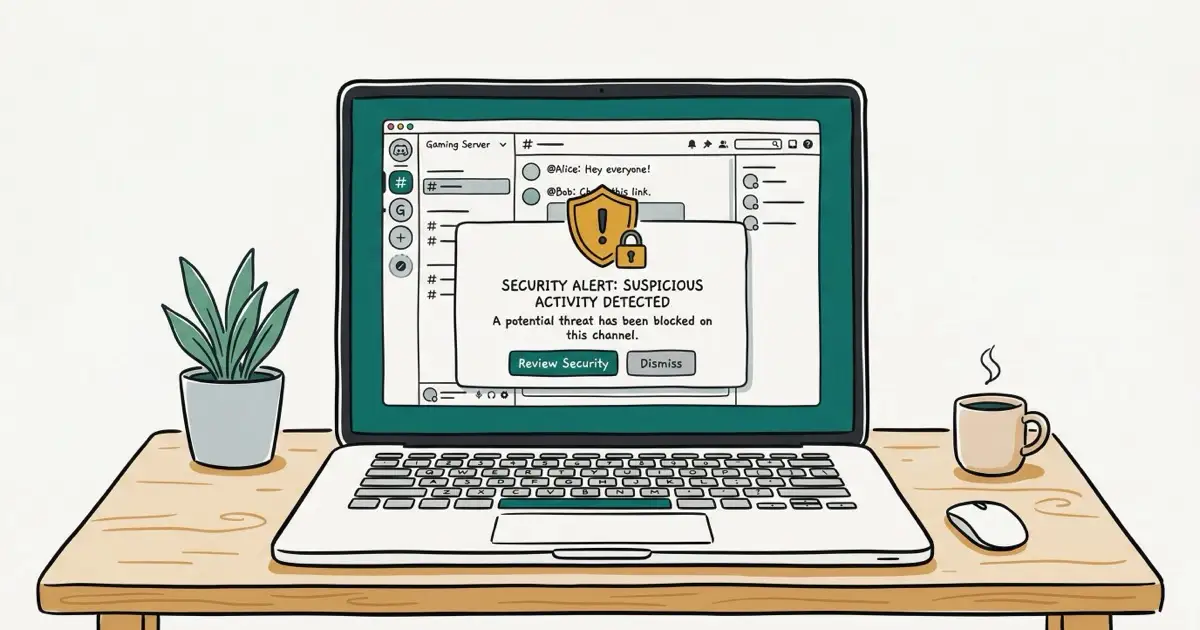
Quick AnswerChange your Discord password immediately at discord.com/login. If you're locked out, use the password reset email or submit an account recovery request at dis.gd/contact. After regaining access, enable two-factor authentication and remove any unauthorized connections.
Discord accounts get compromised through phishing links, reused passwords, and malicious bots more often than most people expect. Whether you still have access or you’re completely locked out, the recovery process follows the same sequence. This guide covers exactly what to do at each stage and how to prevent it from happening again. Using these methods on devices or accounts you don’t own may violate applicable laws and platform terms.
- Change your password immediately if you still have access
- Warn friends your account may be sending phishing links
- Enable two-factor authentication after regaining access
- Revoke unauthorized app connections in User Settings
- If locked out, submit a recovery request at dis.gd/contact for a 24 to 72 hour response
#Immediate Actions When Your Account Is Hacked
Time matters. The faster you act, the less damage can be done with your account.
#Warn Your Friends and Contacts First
Tell your close contacts immediately. Hacked Discord accounts are routinely used to send phishing links to friends, typically disguised as “free game” offers with malicious downloads attached. A quick message prevents the attack from spreading through your network.
#Change Your Password
Go to User Settings > My Account > Change Password. Use at least 16 characters.
According to Bitwarden, a password manager can generate and store strong passwords for you. If you can’t log in because the hacker changed your password, click Forgot your password? on the login screen and reset it through your email.
#Enable Two-Factor Authentication
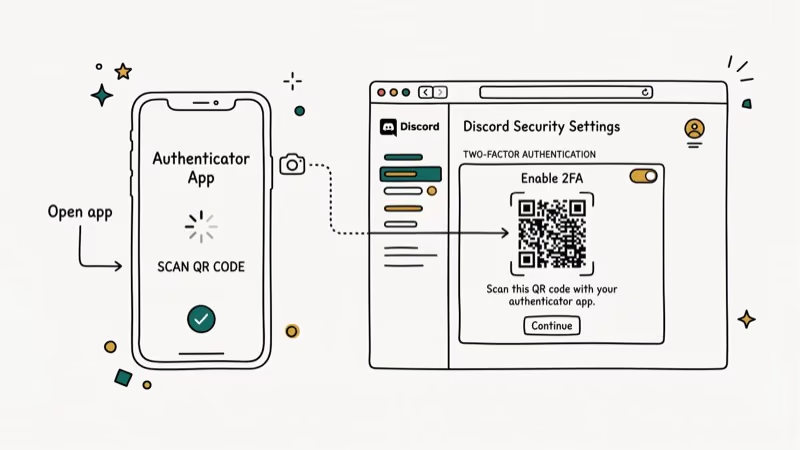
Once you’ve regained access, enable 2FA before doing anything else. Go to User Settings > My Account, click Enable Two-Factor Auth, and scan the QR code with an authenticator app. Google Authenticator is one common option. Enter the code to confirm.
Discord’s safety center confirms that 2FA reduces account compromise risk significantly, requiring both a password and a 6-digit code that rotates every 30 seconds. With it active, an attacker needs both your password and the current 6-digit rotating code to log in, which expires every 30 seconds. Save your backup codes somewhere secure in case you lose access to your authenticator app.
#Check Your Email Account
If your Discord was hacked, your email may have been targeted too. Security best practices recommend treating your linked email as compromised whenever your Discord account is taken over. Look for password reset emails you didn’t request, login notifications from unfamiliar locations, and changes to your recovery settings. Change your email password and enable 2FA on it as well.
#Remove Unauthorized Connections
Go to User Settings > Authorized Apps and revoke any apps or bots you don’t recognize. Also check User Settings > Connections and remove any linked accounts (Spotify, Twitch, Steam) the hacker may have added.
#Scan Your Computer for Malware
Many Discord hacks originate from malware, particularly token grabbers hidden in “free game” or “mod” downloads. Run a full scan with Malwarebytes or a similar tool to ensure your system is clean.
#How to Recover a Locked-Out Discord Account?
If the hacker changed both your email and password, you’ll need Discord’s help to regain access.
#Submit an Account Recovery Request
According to Discord’s support form, you should select Hacked Account as the category. Provide as much identifying information as possible: your original email address, Discord username and user ID, payment receipts if you had Nitro, and the approximate date you created the account.
Discord support typically responds within 24 to 72 hours. Check your spam folder for their reply, as automated responses sometimes get filtered.
#After You Regain Access
Change your password first, then enable 2FA before opening any servers or DMs. Review your server list for any new servers the hacker may have joined using your account. Check your recent DMs and message anyone who received spam with an apology and a warning not to click any links sent from your account.
#How to Prevent Future Discord Account Hacks?
#Use a Strong, Unique Password
Don’t reuse passwords across services. Breach-tracking services like HaveIBeenPwned hold billions of leaked account records that anyone can search, meaning attackers can test any leaked password against Discord in seconds. If a site you use gets breached, your Discord account is at risk the same day.
A password manager generates and stores unique passwords, eliminating the reuse problem entirely.
#Be Cautious with Links and Downloads
The most common Discord attack starts with a phishing link sent by a compromised friend’s account. Never click links promising free Nitro, game cheats, or beta access, especially if the message seems out of character for the sender.
Never run .exe, .bat, or .js files shared through Discord. Token grabbers work in under 3 seconds.
#Don’t Scan Unknown QR Codes
A common social engineering attack tricks you into scanning a QR code that secretly confirms a Discord login on the attacker’s device. Only scan QR codes shown on the official discord.com login page. Never scan codes from images sent in Discord messages or DMs, regardless of who sends them.
#Review App Permissions Regularly
Check Authorized Apps regularly and remove unused bots or apps. Excess permissions increase your attack surface.
#Warning Signs Your Discord Account Was Hacked
These are the main indicators: messages you didn’t send, new servers you didn’t join, unfamiliar linked accounts in Connections, and login alerts from unknown devices or locations. Treat any one of them as enough reason to secure the account.
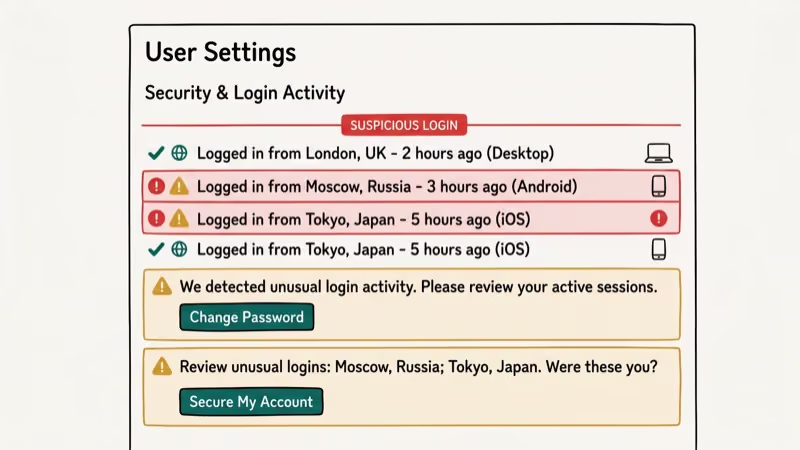
Change your password immediately if any of these match. A single unfamiliar sent message warrants treating it as a confirmed compromise.
#Protecting Your Discord Payment Information
If you had a credit card or PayPal linked to Discord for Nitro subscriptions, check your payment history immediately. Go to User Settings > Subscriptions to see all active plans and User Settings > Billing to review transaction history. Contact your bank to dispute any unauthorized charges and remove your payment method from Discord until you’re confident the account is fully secured.
#Troubleshooting Related Discord Issues
If you’re dealing with other Discord problems after recovery, these guides may help:
- Discord Not Opening for app launch failures
- Discord Stream No Sound for audio issues
- Discord Awaiting Endpoint for voice connection errors
- Discord Screen Share for streaming setup
- Discord Account Age to verify when any account was created
#Bottom Line
Change your password first if you still have access, then enable two-factor authentication before doing anything else. If locked out, submit a recovery request at dis.gd/contact and include as much account information as possible. After recovery, scan your computer for malware if you downloaded any files before the hack. Going forward, 2FA is the single most effective defense against repeat attacks.
#Frequently Asked Questions
How do Discord accounts usually get hacked?
The most common methods are phishing links, token grabbers in downloaded files, and credential stuffing from other leaks. Phishing is widely recognized as the leading cause of account compromises across major platforms, and Discord is a frequent target due to its large gaming community.
Can someone hack my Discord with just my username?
No. Your username alone isn’t enough. Attackers need your password, your session token, or access to your email address. Enable two-factor authentication to add a layer of protection beyond just your password.
What is a Discord token and how do hackers steal it?
A Discord token is a session identifier that keeps you logged in without requiring your password each time. If someone obtains it, they can access your account immediately. Tokens are typically stolen through malware (token grabbers) hidden in suspicious downloads. Changing your password invalidates the existing token.
How long does Discord support take to respond?
Discord support typically responds within 24 to 72 hours for hacked account reports. Including your original email address, user ID, and Nitro payment receipts in your initial message speeds up the verification process.
Will enabling 2FA really protect my account?
Two-factor authentication blocks login even when someone has your password. It doesn’t prevent token theft from malware, but changing your password after any suspected compromise invalidates stolen tokens. It’s the most practical single step you can take.
Should I delete my hacked account and start fresh?
Only as a last resort. If Discord support can’t recover your account, or if the hacker used it for serious violations that got you banned from servers, starting fresh may be necessary. Otherwise, recovering and securing your existing account is better because you keep your server memberships and friend list.
Can a hacked Discord account affect my other accounts?
Yes, if you reused the same password. Change passwords on every service where you used the same or similar credentials. Check haveibeenpwned.com to see which of your emails appear in known data breaches.

Google Messages Error 3100: Why RCS Is Broken on Galaxy
Google Messages RCS error 3100 hits Galaxy owners after phone or carrier switches. Google told 9to5Google a fix is coming. Here's what actually helps.

Is This Bank App Real? Spot a Fake App on Your Home Screen
A bank app can land on your home screen from a web page with no install warning. Learn the checks that tell a real banking app from a phishing web app.

Apps Crashing After iOS 27 Update? Fix Order (2026)
Apps crashing after the iOS 27 update? Update the app in the App Store first, then offload and reinstall to clear stale cache, then restart. The fix order.

Do AI Translation Earbuds Work Offline? What to Know
Do AI translation earbuds work offline? A few do with downloaded language packs, but most need the cloud. Here's what works offline and what you give up.