The GameCube controller, despite being over two decades old, continues to captivate gamers with its unique design and functionality. For PC gamers looking to relive the nostalgia or experience the controller’s renowned ergonomics, we’ve compiled a comprehensive guide to the best GameCube controllers for PC in Best GameCube Controllers for PC in 2026: Top Picks for Nostalgic Gaming.
#Why Use a GameCube Controller for PC Gaming?
Before diving into our top picks, let’s explore why you might want to use a GameCube controller for PC gaming:
- Nostalgia factor: Relive your favorite GameCube games on PC with authentic controls.
- Ergonomic design: Many gamers find the GameCube controller exceptionally comfortable for long gaming sessions.
- Ideal for certain genres: The controller excels in fighting games, platformers, and emulated GameCube titles.
For those interested in exploring the vast library of GameCube games on PC, check out our guide to the best GameCube emulators for an optimal gaming experience.
#Top GameCube Controllers for PC
#1. Original Nintendo GameCube Controller
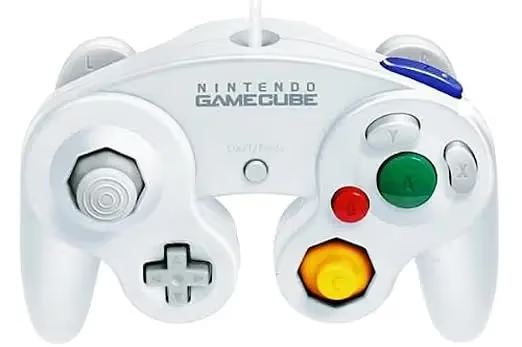
The classic choice for purists, the original Nintendo GameCube controller offers unparalleled authenticity and quality.
Pros:
- Classic design and feel
- High build quality
- True analog triggers
Cons:
- Requires an adapter for PC use
- Can be expensive due to limited availability
If you’re a collector, you might be interested in our article on the rarest GameCube games to complement your controller.
#2. PowerA GameCube Style Wired Controller
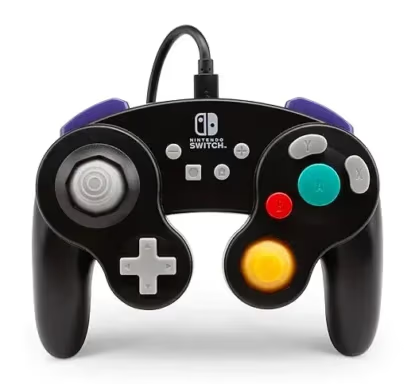
An affordable and accessible option that brings the GameCube layout to modern PCs.
Pros:
- USB-C connectivity for easy plug-and-play
- Additional buttons for modern gaming
- Affordable price point
Cons:
- Lacks true analog triggers
- Build quality may not match the original
#3. Retro Fighters BattlerGC
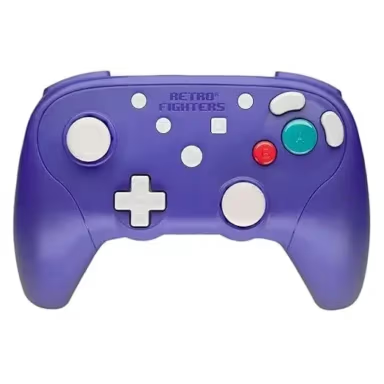
A modernized take on the GameCube controller with enhanced ergonomics and wireless functionality.
Pros:
- Ergonomic design for comfortable long-term use
- Wireless with 2.4 GHz technology
- Pressure-sensitive analog triggers
Cons:
- More expensive than wired options
- May feel different from the original GameCube controller
For those looking for alternatives to premium controllers, check out our list of SCUF alternatives for more options.
#4. Exlene Wired Controller for GameCube
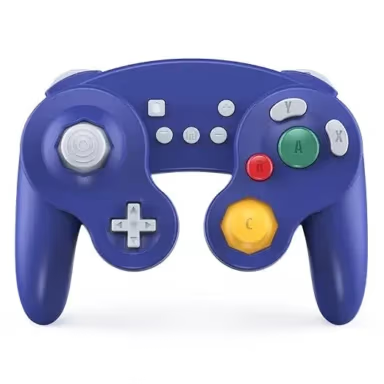
A third-party wired controller that mimics the GameCube design for use on PC and Switch.
Pros:
- Affordable option
- USB-C connectivity for easy PC use
- Includes rumble feature
Cons:
- Build quality may not match the original
- Some users report less sensitive triggers
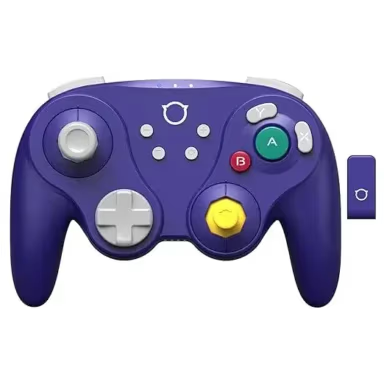
#5. Nyxi Wizard Joycons
A versatile option that combines GameCube-style controls with Joy-Con functionality.
Pros:
- Can be used wirelessly or attached to Switch
- Mechanical triggers for precise control
- Adjustable and illuminated buttons
Cons:
- Not a traditional GameCube controller design
- Primarily designed for Switch, may require additional setup for PC
For more information on third-party Joy-Cons, visit our article on 3rd party Joy-Con alternatives.
#Best Adapters for GameCube Controllers on PC
To use original GameCube controllers or certain third-party options, you’ll need an adapter. Here are two top choices:
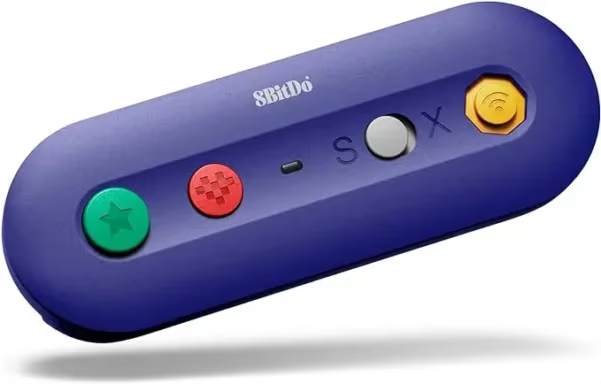
#1. 8BitDo G Bros. Adapter
A versatile wireless adapter that supports both GameCube and Wii controllers.
Pros:
- Wireless Bluetooth connectivity
- Easy setup for PC and Switch
- Includes additional buttons for modern functionality
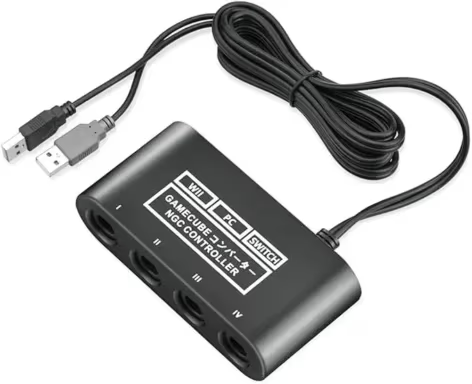
#2. CLOUDREAM Adapter
An affordable wired adapter that supports up to four GameCube controllers.
Pros:
- Supports multiple controllers
- Compatible with PC and Switch
- Plug-and-play functionality
#How to Set Up a GameCube Controller on PC
Setting up your GameCube controller on PC is generally straightforward:
- Connect your adapter to a USB port on your PC.
- Plug your GameCube controller into the adapter.
- For most adapters, Windows should automatically recognize the controller.
- If not, you may need to install specific drivers from the manufacturer’s website.
- Once connected, configure the controller in your game or emulator settings.
Pro tip: For the best experience with GameCube games, consider using the Dolphin emulator, which offers excellent compatibility and customization options for GameCube controllers.
#Optimizing Your GameCube Controller Experience on PC
To get the most out of your GameCube controller on PC:
- Customize button mappings: Many games and emulators allow you to remap buttons to your preference.
- Adjust sensitivity settings: Fine-tune analog stick and trigger sensitivity for optimal control.
- Use emulator-specific features: Emulators like Dolphin offer advanced settings for GameCube controllers, including rumble support and trigger thresholds.
GameCube controllers are particularly popular for fighting games. Check out our list of the best fighting games for Dreamcast to put your controller to the test.
#FAQs About GameCube Controllers for PC
Q: Can I use a GameCube controller for all PC games? A: While many games support controller input, some may require additional software like JoyToKey to map controller inputs to keyboard and mouse commands.
Q: Do wireless GameCube controllers have noticeable input lag on PC? A: Modern wireless controllers typically have minimal lag, but wired options may offer slightly better responsiveness for competitive gaming.
Q: Are third-party GameCube controllers as good as the original for PC gaming? A: Many third-party options offer excellent quality and additional features, but purists may prefer the feel of original Nintendo controllers.
Q: How can I spot a fake GameCube controller? A: While this article focuses on GameCube controllers, our guide on spotting fake PS4 controllers offers general tips that can be applied to identifying counterfeit GameCube controllers as well.
#Conclusion: Choosing the Right GameCube Controller for Your PC Gaming Needs
Selecting the best GameCube controller for PC gaming comes down to personal preference, budget, and intended use. For the most authentic experience, the original Nintendo GameCube controller with a quality adapter is hard to beat. However, modern alternatives like the PowerA wired controller or the Retro Fighters BattlerGC offer excellent performance with additional features and easier connectivity.
Consider factors such as wired vs. wireless, build quality, and additional buttons when making your choice. With the right controller, you can enjoy a perfect blend of nostalgia and modern gaming performance on your PC.