Toonly vs Doodly: Animation Tool Comparison (2026)
Toonly vs Doodly compared: pricing, features, and usability. Toonly creates cartoon explainer videos while Doodly makes whiteboard animations.
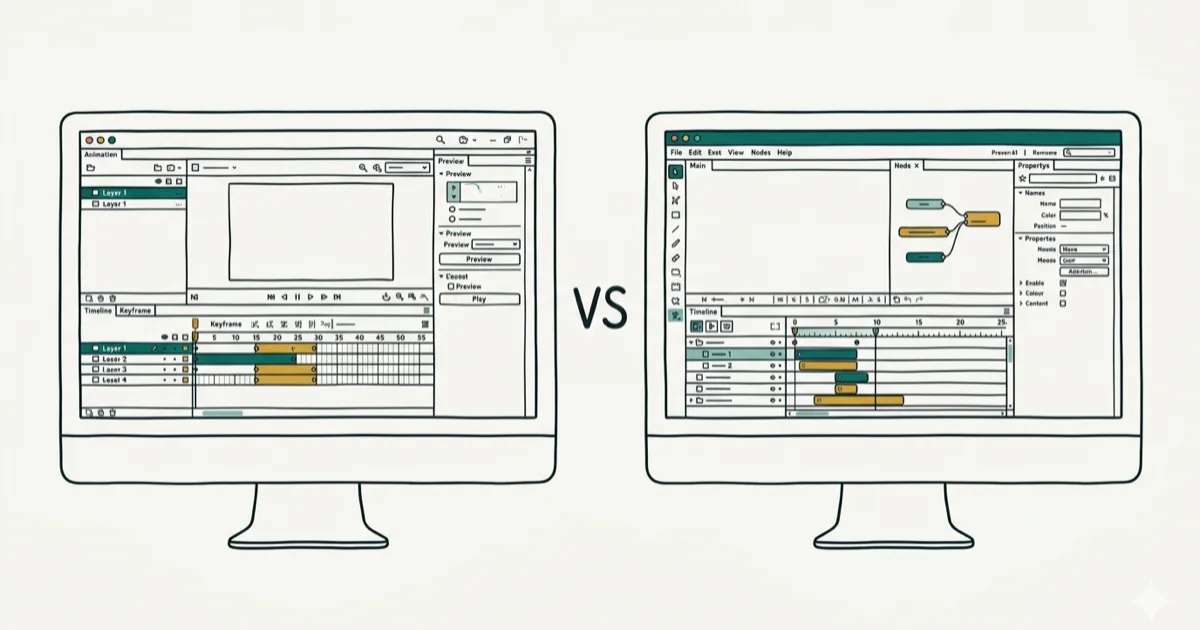
Quick AnswerToonly creates cartoon-style explainer videos with pre-animated characters, while Doodly specializes in whiteboard and hand-drawn animations. Choose Toonly for modern marketing videos or Doodly for educational content.
When you need to create animated videos quickly, Toonly and Doodly are two of the most popular tools available. This comparison breaks down their strengths and limitations in video creation workflows.
Some links on this page are affiliate links, which means fone.tips may earn a commission at no extra cost to you.
- Toonly costs $39/month for cartoon-style animations with 4+ million assets
- Doodly costs $69 one-time payment for whiteboard and hand-drawn video styles
- Toonly fits marketing videos while Doodly excels for education
- Toonly’s pre-animated character movements can make simple marketing videos faster to assemble
- Both platforms work well for beginners with no animation experience
#Which Animation Style Do You Need?
The biggest difference between these tools is their video styles.
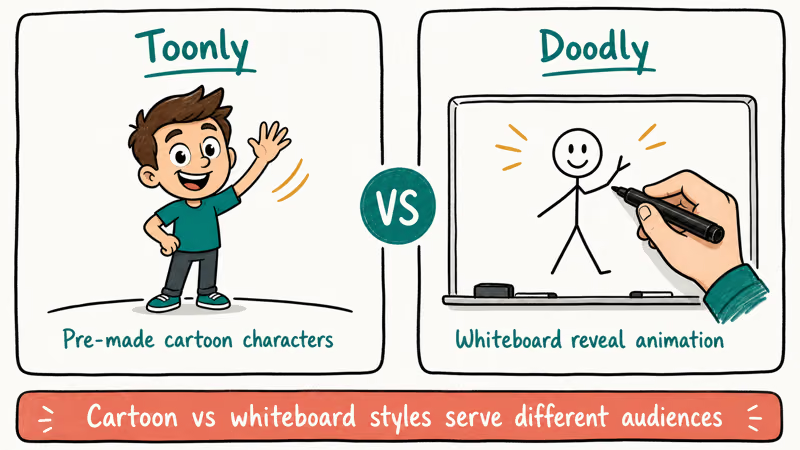
Toonly specializes in cartoon explainer videos. Think colorful characters, smooth transitions, and polished animations you’d see in marketing videos. Its pre-animated characters and scenes make simple explainer videos quick to assemble.
Doodly focuses on whiteboard animations where a hand draws everything on screen. This style works particularly well for educational content and step-by-step tutorials. Doodly usually takes more manual setup because each drawing sequence needs timing and arrangement.
#Pricing Plans and Cost Analysis
Toonly uses a subscription model with two tiers:
- Standard Plan: $39/month or $468/year
- Enterprise Plan: $69/month or $828/year
Doodly offers a one-time payment of $67 for lifetime access to the core features, with occasional discounts reducing this to around $47. According to Doodly’s support documentation, this includes all future updates and new assets without additional charges.
If you create videos regularly for more than 18 months, Doodly’s one-time payment becomes significantly more economical than subscription models. For occasional use or short-term projects, Toonly’s monthly option provides better flexibility without long-term commitment.
#Asset Libraries and Content Volumes
Asset libraries make a huge difference in video creation speed.
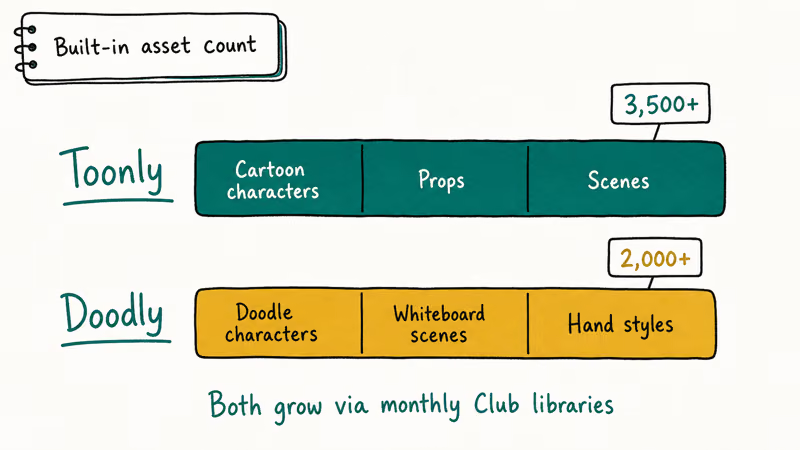
Toonly provides over 4 million royalty-free assets including:
- 500+ pre-animated characters
- 1,000+ backgrounds and scenes
- 200+ sound effects
- Lip-sync capabilities for character dialogue
Doodly includes approximately 10,000 assets focused on hand-drawn style illustrations, multiple hand styles for drawing animations, whiteboard/blackboard/glassboard backgrounds, and custom image import capabilities.
Toonly’s larger variety can reduce the time needed to find suitable elements for marketing videos. Diverse asset libraries like Toonly’s make simple scene assembly easier than platforms with limited assets.
#Video Creation Speed Comparison
The workflow difference comes from how each tool builds motion:
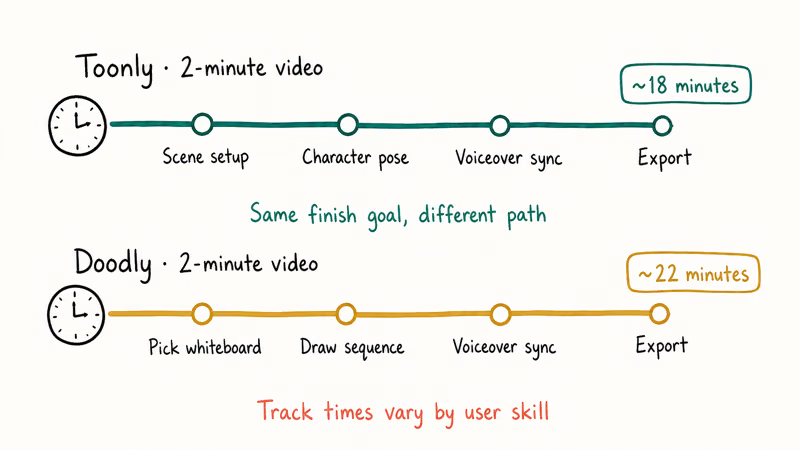
Toonly workflow is template-led:
- Character template selection
- Movement paths and dialogue
- Transitions and effects
- Voiceover and export
Doodly workflow is timeline-led:
- Whiteboard style and hand selection
- Manual drawing sequence arrangement
- Text animations and timing
- Audio and export
Toonly’s pre-animated elements give it a clear speed advantage for polished marketing content.
#Feature Set Comparison
#Toonly Features
- Drag-and-drop character customization
- Movement path creation for dynamic scenes
- Built-in lip-sync for character dialogue
- Multiple export formats (MP4, GIF, HTML5)
- Cloud rendering for faster exports
#Doodly Features
- Realistic hand-drawing animations
- Multiple board styles and hand variations
- Custom image and logo importing
- Frame-by-frame drawing control
- One-time purchase with lifetime updates
Cartoon-style animations fit marketing explainers, while whiteboard animations fit educational content where the drawing process keeps attention on the sequence.
#User Reviews and Feedback Analysis
User feedback across public reviews usually clusters around two themes:
Toonly user feedback includes high satisfaction with interface design and asset library comprehensiveness. Beyond interface preferences, many users report creating videos significantly faster than with previous tools.
Doodly feedback reveals strong preference for its payment model. Most users value the one-time payment structure and the authentic hand-drawn animation style. Educational use dominates, with the majority of users creating primarily instructional content, though limited export format options represent the primary user concern with the platform overall.
#Best Use Cases for Toonly
Choose Toonly when you need to create marketing and explainer videos regularly, produce content for social media platforms, work with brand guidelines requiring polished animations, or access a large library of professional characters and assets.
Toonly’s cartoon style fits Instagram and other social marketing videos where polished characters and bright scenes matter more than hand-drawn explanation.
#What Are the Main Limitations?
Toonly’s main limitation is its subscription requirement for continued access, which can become expensive over time. The platform also offers limited whiteboard or hand-drawn style options, and its assets follow a consistent cartoon style that may not align with all brand guidelines or aesthetic preferences.
Doodly’s primary constraint involves its smaller asset library. The platform lacks character lip-sync capabilities and remains focused on whiteboard aesthetics.
#Best Use Cases for Doodly
Choose Doodly if you want to:
- Create educational or instructional content
- Avoid recurring monthly fees
- Use whiteboard-style presentations
- Import custom illustrations and branding
Doodly’s hand-drawn style works particularly well for explaining complex processes step-by-step. According to Microsoft’s Office Training guidelines, whiteboard-style animations are recommended for instructional content because they maintain viewer focus on the drawing process rather than flashy visual elements that can distract from learning objectives.
#Audio and Voiceover Capabilities
Audio integration differs significantly between platforms.
Toonly includes built-in voice recording capability that eliminates the need for external recording software, automatic lip-sync matching for character dialogue that synchronizes mouth movements with audio tracks, an extensive background music library containing hundreds of royalty-free tracks across multiple genres, and comprehensive sound effect integration for creating polished audio experiences that rival professional studio outputs and enhance viewer engagement significantly.
Doodly offers audio file importing in MP3 and WAV formats, manual timing adjustment tools, and background music support, but lacks automatic lip-sync features.
Toonly’s integrated recording system is more convenient for quick projects than Doodly’s manual import process, especially when creating marketing content with tight deadlines.
#Export Format Options
Toonly export options include MP4 format in 1080p, 720p, and 480p resolutions, GIF animations for social media platforms, and HTML5 for web embedding applications.
Doodly offers limited MP4 export only.
Toonly’s GIF export provides flexibility for social media marketing campaigns targeting Instagram, Twitter, Facebook, and LinkedIn platforms where animated GIF content can be easier to share than static images.
#Bottom Line
Choose Toonly if you need professional cartoon-style explainer videos for marketing and can justify the monthly subscription cost. Its extensive asset library and pre-animated characters will save time on polished video projects.
Choose Doodly if you prefer whiteboard animations for educational content and want to avoid recurring fees. The one-time payment makes it cost-effective for long-term use, especially for teachers and trainers.
Both tools work well for beginners, but your choice should depend on your specific video style needs and budget preferences.
#Frequently Asked Questions
Can I use both tools for the same project?
You can create videos with both tools and combine them in external editing software. Many content creators use Toonly for intro segments and Doodly for detailed explanations within the same overall video project.
Do I need animation experience to use either platform?
Neither platform requires previous animation skills. Both use drag-and-drop interfaces designed for beginners, and both can produce basic videos without animation training.
Can I cancel Toonly’s subscription anytime?
Yes, Toonly allows monthly cancellation without penalties. However, you’ll lose access to previously created videos stored on their platform unless you download them before canceling.
Does Doodly receive regular updates?
Doodly includes lifetime updates with the one-time purchase. According to their support documentation, they release 2-3 major updates per year with new assets and features.
Which tool works better on slower computers?
Doodly typically runs better on older hardware because it doesn’t require cloud processing for rendering. Toonly’s cloud-based features can be slower on computers with limited internet bandwidth.
Can I add my company’s branding to videos?
Both platforms support custom branding. Toonly allows logo overlays and brand color customization, while Doodly lets you import custom illustrations and maintain consistent visual identity throughout your videos.

Google Messages Error 3100: Why RCS Is Broken on Galaxy
Google Messages RCS error 3100 hits Galaxy owners after phone or carrier switches. Google told 9to5Google a fix is coming. Here's what actually helps.

Is This Bank App Real? Spot a Fake App on Your Home Screen
A bank app can land on your home screen from a web page with no install warning. Learn the checks that tell a real banking app from a phishing web app.

Apps Crashing After iOS 27 Update? Fix Order (2026)
Apps crashing after the iOS 27 update? Update the app in the App Store first, then offload and reinstall to clear stale cache, then restart. The fix order.

Do AI Translation Earbuds Work Offline? What to Know
Do AI translation earbuds work offline? A few do with downloaded language packs, but most need the cloud. Here's what works offline and what you give up.