Best Laptop for Revit in 2026: Workload-Based Guide
Choose a Revit laptop by Autodesk’s 2026 workload tiers. Compare current mobile workstations, memory, graphics, storage, cooling, and upgrade needs.
Quick AnswerFor professional Revit work, start with a current mobile workstation such as the Lenovo ThinkPad P16v Gen 3 and match the exact configuration to Autodesk’s 32GB value or 64GB performance tier.
Choose a Revit laptop by workload, not by a gaming badge or an old roundup rank. Autodesk’s 2026 tiers make memory, graphics, and project size the starting point; the exact configuration matters more than the product-family name.
- Lenovo’s current ThinkPad P16v Gen 3 configuration pairs 32GB RAM with an 8GB RTX PRO GPU, matching Autodesk’s Revit 2026 value-tier memory and video-memory targets.
- Autodesk lists 16GB RAM for Revit 2026’s entry tier, 32GB for its balanced value tier, and 64GB for large, complex models.
- Autodesk recommends checking tested graphics hardware and drivers; an unlisted GPU may work, but Autodesk may not have verified its test results.
- The old HP Pavilion Gaming and Lenovo IdeaPad Gaming 3 configurations don’t meet Autodesk’s 16GB entry-tier memory target and aren’t current Revit recommendations.
- Use a real project during the return window because cooling, memory pressure, linked files, and visualization plugins can expose limits that a short benchmark misses.
#Understanding Revit’s System Requirements
Before diving into specific laptop recommendations, it’s essential to understand what Revit demands from your hardware. Autodesk provides both minimum and recommended specifications, but for optimal performance, you’ll want to aim higher than the bare minimum.
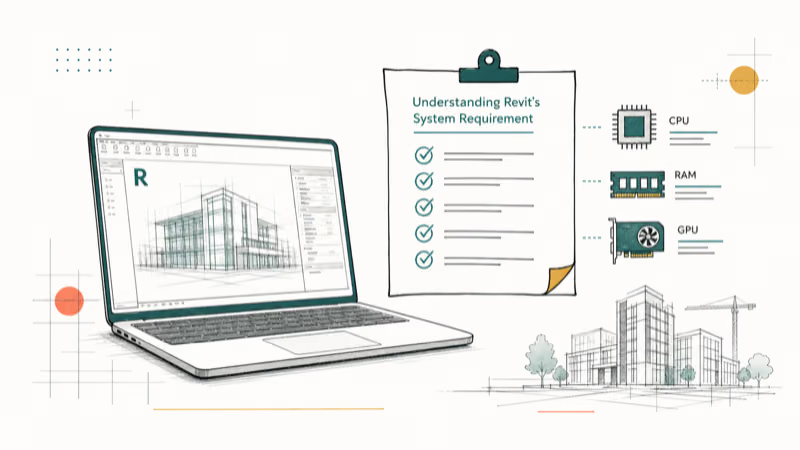
According to Autodesk’s current Revit 2026 system requirements, the entry tier starts at 16GB RAM, the balanced value tier calls for 32GB or more, and the performance tier for large, complex models calls for 64GB or more. Autodesk also lists 6GB of video memory for the value tier and 8GB for the performance tier.
Autodesk’s certified graphics hardware page states that listed hardware vendors tested Autodesk products and Autodesk product teams reviewed the results. Unlisted graphics cards and drivers may work, but Autodesk says it hasn’t verified those test results.
Microsoft’s Windows 11 system requirements also apply. Confirm the exact processor and Windows version before purchase.
#Key Components:
- CPU: Favor strong sustained single-core performance while remembering that Autodesk says Revit uses multiple cores for many tasks.
- GPU: Match video memory to Autodesk’s 4GB entry, 6GB value, or 8GB performance tier, then check the certified-hardware list.
- RAM: Use Autodesk’s 16GB, 32GB, and 64GB tiers as entry, balanced, and large-model starting points.
- Storage: Choose an SSD with enough free space for local projects, linked files, caches, exports, and visualization assets.
- Display: Prioritize readable resolution, brightness, and color consistency for your drawings and work environment.
#A Current Workstation Pick and the Legacy Context
The old gaming-laptop recommendations are historical context, not 2026 buys. The ThinkPad P16v Gen 3 is the current manufacturer-sourced workstation replacement in this update.
#Why the old gaming-laptop list is no longer a buying list
The former version ranked the Lenovo Legion Pro 7i, Asus ROG Strix G16, Acer Predator Helios 300, ASUS TUF F16, HP Pavilion Gaming, and Lenovo IdeaPad Gaming 3 as products to buy. This update removes those purchase links and configurations from the ranking because their age, availability, and seller-specific specifications were not reverified on current manufacturer pages.
They may still run Revit if you already own one, but a family name isn’t enough to judge a BIM workstation. Check the exact CPU, installed memory, GPU video memory, driver support, cooling, and project behavior against Autodesk’s current requirements.
#Budget Reality Check
#HP Pavilion Gaming: legacy reference only
The former HP Pavilion Gaming recommendation had 8GB RAM, which is below Autodesk’s current 16GB entry-tier requirement for Revit 2026. It’s not a current Revit recommendation, and this page no longer links it as a product to buy.
Why it was removed:
- The cited 8GB configuration misses Autodesk’s entry-tier memory target
- The model family and marketplace price aren’t stable enough for a 2026 buying slot
- A memory upgrade doesn’t solve an aging battery, limited warranty, or an unknown cooling history
#Lenovo ThinkPad P16v Gen 3
The Lenovo ThinkPad P16v Gen 3 replaces the discontinued IdeaPad Gaming 3 in this list. It’s a current mobile workstation aimed at professional AEC workloads, not a repurposed budget gaming recommendation.
Lenovo’s official ThinkPad P16v Gen 3 listing identifies part 21RS0031US as an ISV-certified mobile workstation for AEC work. The listed configuration has 32GB RAM and an 8GB NVIDIA RTX PRO 2000 Blackwell Laptop GPU, clearing Autodesk’s current Revit 2026 value-tier targets for both memory and video memory.
Key Specs:
- CPU: Intel Core Ultra 7 255H
- GPU: NVIDIA RTX PRO 2000 Blackwell Laptop GPU with 8GB GDDR7
- RAM: 32GB DDR5-6400
- Storage: 1TB PCIe Gen 5 SSD
- Display: 16″ WUXGA IPS, 60Hz
Pros:
- ISV-certified mobile-workstation platform for AEC applications
- Meets Autodesk’s 32GB value-tier memory target in the cited configuration
- Professional RTX graphics with 8GB of video memory
Cons:
- Exact configurations and availability can change, so verify the part number
- A professional workstation may cost more than a consumer gaming laptop
We don’t quote a price here because Lenovo’s live offers change. Match the exact part number and configuration to your workload before ordering.
#Key Features to Look for in a Revit Laptop
When choosing a laptop for Revit, prioritize these features:
- Processor behavior: Compare sustained performance and cooling, not only the advertised boost clock.
- Graphics support: Match Autodesk’s video-memory tier and verify any visualization plugin separately.
- Memory capacity: Start with the Autodesk tier for your workload and confirm whether memory can be upgraded.
- Storage headroom: Leave room for active projects, linked files, caches, exports, and render assets.
- Display quality: Choose resolution, brightness, and color consistency for the drawings you review.
- Cooling system: Test sustained behavior with a real project. Our laptop overheating guide explains the warning signs.
#Can You Get Both Portability and Revit Performance?
While performance is crucial for Revit, consider your mobility needs:
- Desktop Replacements: Higher-power chassis can provide more cooling headroom but sacrifice portability.
- Mobile Workstations: Options like the Lenovo ThinkPad P16v Gen 3 pair professional graphics and ISV certification with a portable chassis.
- Ultrabooks: While less common for Revit, some high-end ultrabooks can handle lighter Revit tasks if mobility is a top priority.
#Additional Considerations
- Port Selection: Ensure the laptop has enough ports for external monitors, peripherals, and storage devices.
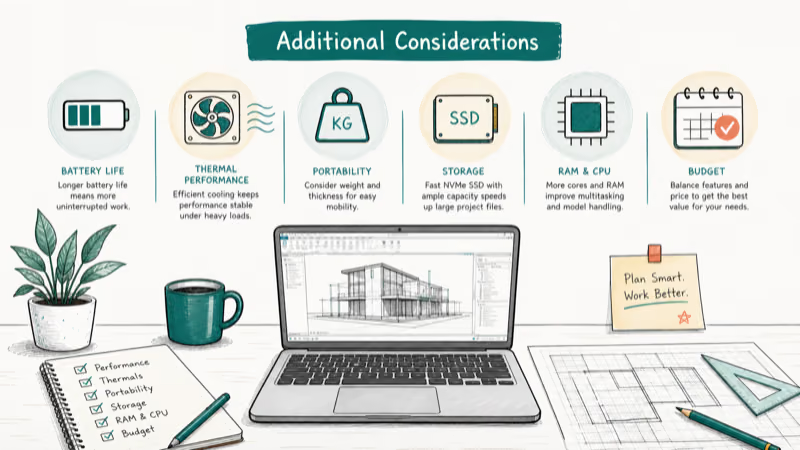
- Build Quality: Look for laptops with durable construction, especially if you’ll be moving between job sites.
- Warranty and Support: Consider extended warranties for peace of mind, especially for higher-end models.
#How Can You Optimize Revit Performance on Your Laptop?
- Keep your graphics drivers updated.
- Use SSDs for both your OS and Revit projects.
- Close unnecessary background applications.
- Adjust Revit’s graphics settings based on your hardware capabilities.
- Consider upgrading RAM if you’re working with large, complex models.
#Comparison Table of Revit Laptop Configurations
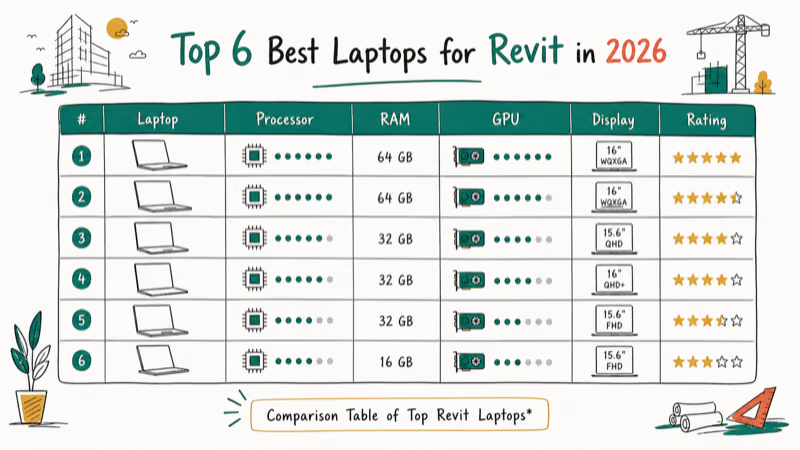
How the current verified configuration maps to Autodesk’s Revit 2026 tiers
| Reference point | Memory | GPU memory | Role in this guide |
|---|---|---|---|
| Revit entry tier | 16GB | 4GB minimum | Baseline for entry-level models |
| Revit value tier | 32GB or more | 6GB | Balanced Autodesk target |
| Revit performance tier | 64GB or more | 8GB | Large, complex models |
| ThinkPad P16v Gen 3 part 21RS0031US | 32GB | 8GB | Current workstation pick; meets or exceeds the two value-tier figures |
#Bottom Line
Choose the Revit workload tier first, then match an exact configuration. For professional AEC work, the current Lenovo ThinkPad P16v Gen 3 is the only model newly recommended in this update because its official listing and specifications were checked against Autodesk’s 2026 targets.
The older gaming configurations remain reference points for hardware you may already own. They aren’t current buying endorsements, and the discontinued IdeaPad Gaming 3 and sub-minimum HP Pavilion configuration no longer have purchase links.
Test one real project, its linked files, and your usual plugins inside the return window.
For adjacent workflows, compare these guides:
- Laptops for AutoCAD and laptops for computer science
- Laptops for game development and video-editing laptops under $1,000
- Laptops for DJing
#Frequently Asked Questions
Can I run Revit on a MacBook?
Revit is designed for Windows. Autodesk’s requirements describe Parallels for both Intel and Apple-silicon Macs, but Boot Camp dual-booting applies only to Intel-based Macs, not Apple-silicon models. For production BIM work, choose a Windows workstation unless your firm has already validated its Revit version, plugins, licensing, and project workflow inside the virtual machine.
How often should I upgrade my laptop for Revit?
There’s no fixed upgrade cycle. Replace or upgrade the laptop when your real projects exceed its memory, graphics, storage, cooling, or support limits.
Is a dedicated GPU necessary for Revit?
Not for every entry-level model, but Autodesk’s current value and performance tiers call for dedicated graphics with 6GB and 8GB of video memory. Visualization plugins can raise their own requirements, so check the plugin vendor as well as Revit before choosing a GPU.
Can I use an external GPU with my laptop?
Only some laptops, enclosures, GPUs, drivers, and visualization workflows support an external GPU cleanly. Don’t plan a Revit purchase around an eGPU until the laptop maker, enclosure vendor, GPU driver, and software vendor all confirm the exact combination; an internal supported GPU is the safer route.
How much storage do I need for Revit projects?
Size the SSD for your active projects, linked files, local caches, exports, and visualization assets, then leave enough free space for updates and temporary files.
Does Revit benefit from more CPU cores or higher clock speed?
Prioritize strong single-core performance, but don’t use a 5GHz marketing number as a hard floor. Autodesk recommends the highest single-core base clock available and notes that Revit uses multiple cores for many tasks, so compare sustained performance and cooling as well as peak boost speed.

Best Laptop for Running LLMs in 2026: Memory Comes First
The best laptop for running LLMs is a memory purchase first. Compare MacBook unified memory against NVIDIA laptop VRAM, and see what each tier really runs.

How to Run a Local LLM on Windows: A 2026 Setup Guide
Run a local LLM on Windows with LM Studio or Ollama. Pick a model that fits your GPU memory, keep every prompt offline, and skip the monthly bill.
Bluetooth Not Working on Snapdragon X? Fixes for 2026
Bluetooth not working on your Snapdragon X Copilot+ PC? Generic audio, mice, and keyboards work, but vendor apps often lack an ARM build. Fixes inside.

Docker Desktop and WSL2 Not Working on Snapdragon X? Fix It
WSL2 runs fine on Snapdragon X, but Docker Desktop ARM is Early Access and throws WSL errors. Use WSL2 plus native ARM64 Ubuntu and Docker Engine.