How to Change Text Message to iMessage on iPhone 2026
Switch text messages to iMessage on iPhone in under a minute. Toggle iMessage, stop SMS fallback, and fix common activation issues safely on iOS.
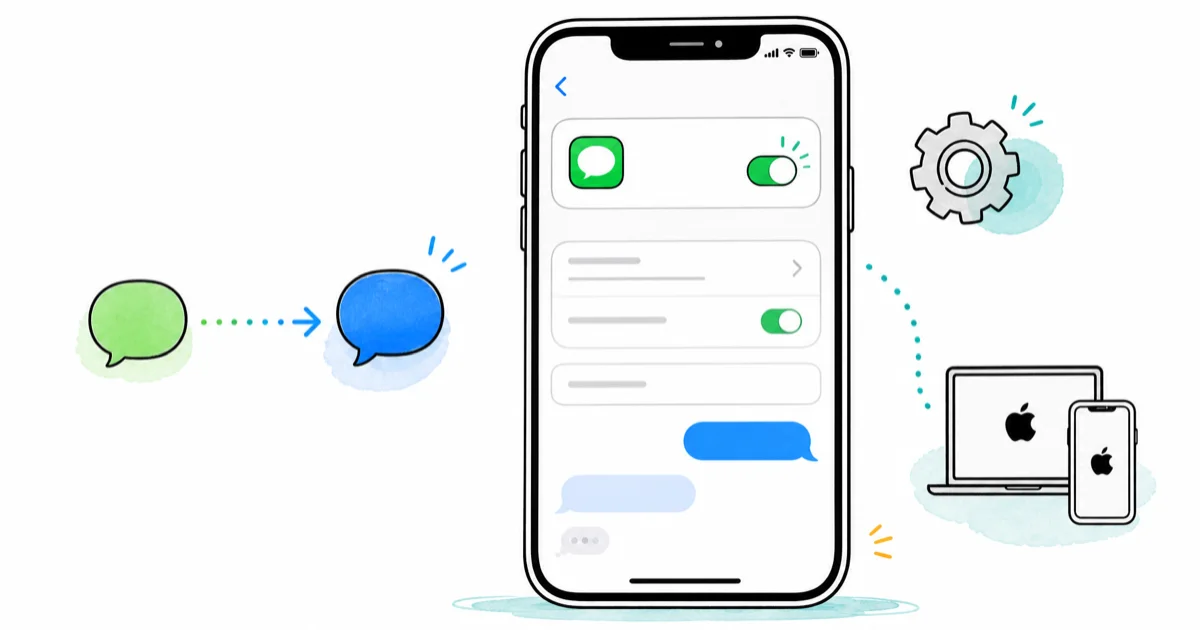
Quick AnswerOpen Settings, tap Messages, and toggle iMessage on. Once activated, your iPhone automatically sends to other Apple devices as blue iMessage bubbles instead of green SMS.
Changing a text message to iMessage on iPhone takes one toggle and only a moment. When the toggle works, your green SMS bubbles turn blue for every Apple-to-Apple thread on the device.
- Turn on iMessage by opening Settings, tapping Messages, and flipping the iMessage switch; your iPhone activates over Wi-Fi or cellular before blue bubbles appear
- iMessage sends through Apple’s servers using your Wi-Fi or cellular data, while SMS routes through your carrier and counts against your texting plan
- A green bubble means SMS or MMS; a blue bubble means iMessage, which gives you read receipts, typing indicators, and end-to-end encryption
- iMessage only works between Apple devices, so texts to Android phones always send as green SMS or MMS regardless of your settings
- Turn off Send as SMS in Messages settings if you want every chat to stay on iMessage and skip carrier fallback when Apple’s servers go down
#How Do You Switch From Text Message to iMessage?
Open Settings, scroll to Messages, and tap the iMessage toggle until it goes green. Your iPhone then registers your number with Apple’s iMessage servers.
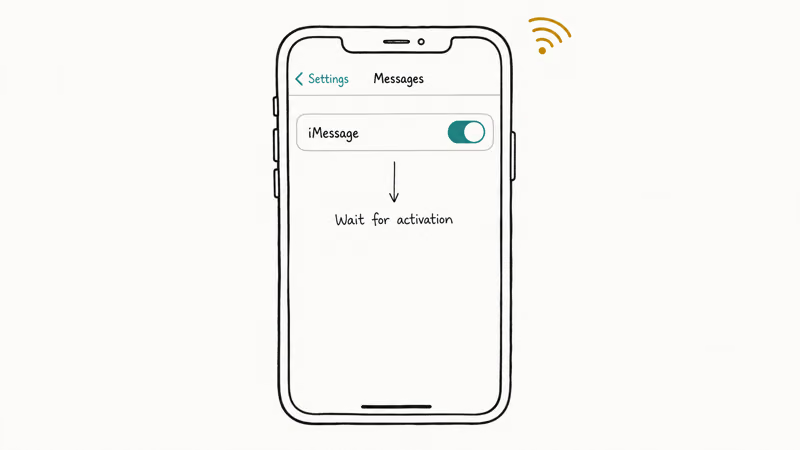
According to Apple’s current Messages data privacy page, messages are protected with end-to-end encryption between sender and recipient, which is why iMessage troubleshooting starts with activation and Apple ID ownership rather than carrier SMS settings. After activation, threads with other Apple users flip to blue automatically. Threads with Android phones, landlines, or numbers that aren’t on iMessage stay green and route through your carrier.
If activation hangs on “Waiting for activation,” check the iMessage needs to be enabled error guide for fixes. A common first step is toggling Airplane Mode briefly, then re-enabling Wi-Fi and iMessage.
#What’s the Difference Between iMessage and SMS?
iMessage and SMS look identical inside the Messages app, but the two delivery paths have nothing in common. SMS travels through your cellular carrier’s signaling network and ships plain text, with no encryption and a hard 160-character limit per message. iMessage rides over Wi-Fi or cellular data, supports media up to 100MB, and encrypts every message end-to-end.
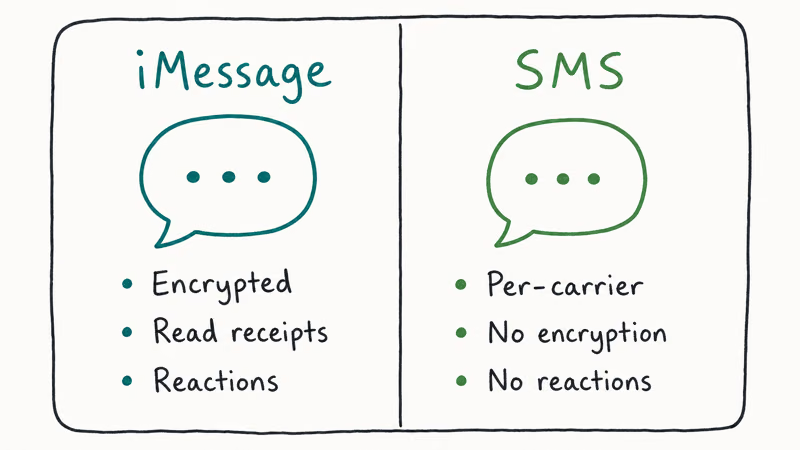
| Feature | iMessage (blue) | SMS / MMS (green) |
|---|---|---|
| Network | Wi-Fi or cellular data | Carrier 4G/5G signaling |
| Encryption | End-to-end, key-pair based | None |
| Media size | Up to about 100MB per attachment | Carrier-dependent, often under 1MB |
| Read receipts | Optional toggle | Not supported |
| Cost | Free (uses your data) | Counts against your texting plan |
| Cross-platform | Apple devices only | Any phone with cellular service |
For everyday messaging between Apple users, iMessage is the clear pick: free, encrypted, and full-resolution media. Group chats with even one Android participant flip the whole thread to MMS, which is why “everyone gets green bubbles” is the default symptom of a mixed-OS group.
Want a deeper breakdown of mixed delivery? The explainer on what “Sent as SMS via Server” means covers the fallback chain Apple uses when iMessage can’t reach a recipient.
#Activating iMessage on a New iPhone
When you set up a fresh iPhone, iMessage usually activates during the Apple ID step. If it didn’t, finish the steps below in order. The first one fixes most stuck activations.
- Open Settings, tap Messages, and turn iMessage off.
- Confirm your phone number is visible under
Settings>Phone>My Number(the SIM has to be active). - Sign out of your Apple ID at Settings > [your name] > Sign Out, restart the iPhone, then sign back in.
- Re-enable iMessage from
Settings>Messages. - Wait up to 24 hours if your phone number was recently ported to a new carrier, because Apple has to revalidate carrier records.
Apple recommends waiting up to 24 hours for iMessage activation to complete and checking the System Status page in the meantime. If iMessage shows a yellow or red indicator there, the problem is on Apple’s side and no amount of fiddling on your phone fixes it.
Carrier provisioning speed can dominate the timing. Recently ported numbers, brand-new SIMs, and some MVNO profiles may need longer before the iMessage checkmark appears.
#Stop iMessage From Falling Back to SMS
The Send as SMS toggle controls what happens when iMessage can’t deliver. Turn it on and your iPhone ships the message as a paid carrier SMS to keep the chat moving. Turn it off and the message sits unsent until iMessage reconnects.
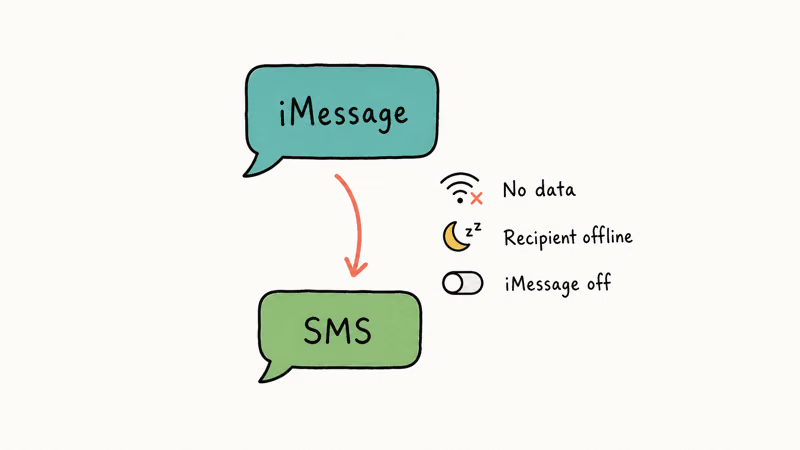
To change it, open Settings > Messages and tap Send as SMS. Green allows fallback; gray locks you to iMessage.
Leaving Send as SMS on can protect urgent texts during a Wi-Fi or data outage. The trade-off is possible SMS charges if your plan isn’t unlimited.
If a thread stays green even with iMessage on, your recipient may be on Android, may have iMessage off, or may have a broken activation. A temporary outage on Apple’s side does the same thing for a few minutes. The iMessage not working guide walks through the diagnostic checks.
#Fix Common iMessage Activation Problems
iMessage activation breaks for one of four reasons: a stale Apple ID session, a bad cellular registration, a clock skew between your phone and Apple’s servers, or a temporary Apple outage. The fastest fix path matches the symptom.
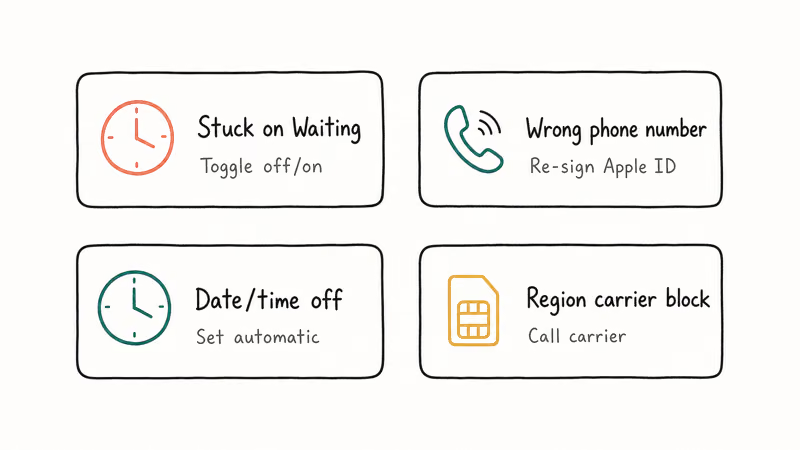
If iMessage shows “Waiting for activation” for over 24 hours, your iPhone hasn’t received the SMS handshake Apple needs to confirm your number. Sign out of your Apple ID, set the date and time to automatic at Settings > General > Date & Time, then sign back in. If your carrier blocks the activation SMS (some MVNOs do), call them and ask for a profile reset.
If the activation message shows “Could not sign in. Check your network connection,” your iPhone can’t reach Apple’s identity servers. Toggle Airplane Mode for 30 seconds, then re-enable Wi-Fi. The fix iMessage doesn’t say Delivered guide covers the delivery-stage failures that look similar.
According to Apple’s Messages data privacy page, iMessage ties message delivery to Apple ID and phone-number state. After an Apple ID reset, you’ll re-activate iMessage from scratch on every device tied to that ID.
#Use iMessage Across iPad, Mac, and Apple Watch
Once iMessage is live on your iPhone, signing into the same Apple ID on iPad, Mac, and Apple Watch pulls every conversation onto each device.
Messages in iCloud syncs the actual history. Delete a thread on Mac and it disappears on iPhone within seconds. Without Messages in iCloud, each device keeps its own local copy.
To enable cross-device sync, open Settings > [your name] > iCloud > Messages on iPhone and turn the toggle on. Do the same in Messages > Settings > iMessage > Enable Messages in iCloud on Mac. Apple Watch and iPad inherit the thread list automatically as long as the same Apple ID is active.
Messages in iCloud can bring conversations to Mac quickly once the same Apple ID is active. The walkthrough for reading iMessage on Mac covers the setup if you skipped iCloud sync.
#Bottom Line
Turn on iMessage in Settings > Messages and leave Send as SMS on if you live in an area with patchy Wi-Fi. The first toggle gets you free encrypted messaging between Apple devices; the second keeps you reachable when iMessage can’t connect. If activation hangs past 24 hours, sign out of your Apple ID and back in before calling your carrier. That sequence targets the most common stuck-activation state.
iPhone tips & tricks
#Frequently Asked Questions
Why are my messages green instead of blue?
Green bubbles mean the message went out as SMS or MMS through your carrier: iMessage isn’t on, the recipient is on Android, or the connection to Apple’s servers dropped during sending. Open Settings > Messages > iMessage to check the toggle. If it’s already on, the recipient is the most likely cause. Toggling it off and back on triggers a fresh activation handshake that often clears stuck threads.
How long does iMessage take to activate?
Apple expects activation in under 24 hours, though many carrier lines complete it faster. MVNOs and ported numbers occasionally need a full day.
Does iMessage work without Wi-Fi?
Yes, iMessage uses your cellular data plan when Wi-Fi isn’t available. The data cost is tiny: a typical text message uses well under 1 KB. Heavy media (video, large photos) does eat into data, so check your plan before sending video from cellular.
Can I send iMessage to an Android phone?
No. iMessage is locked to Apple’s ecosystem, so messages to Android phones fall back to SMS or MMS automatically and turn green in the Messages app.
Why does iMessage say “Waiting for Activation”?
Apple is still validating your phone number with your carrier. Common causes are a brand-new SIM, a recently ported number, time and date set manually, or a blocked outgoing SMS to Apple’s activation gateway. Set date and time to automatic, restart the iPhone, and give it up to 24 hours.
How do I stop iMessage from sending as SMS?
Open Settings > Messages and turn off Send as SMS. Your iPhone won’t fall back to paid SMS, but messages can hang in the queue if data drops.
Will turning iMessage off delete my existing messages?
No. Toggling iMessage off only stops new messages from sending over Apple’s network. Your existing thread history stays inside the Messages app on your iPhone unless you also turn off Messages in iCloud and reset the device. To save your history before any reset, see the guide on how to export iMessages to PDF.
How to Transfer Data to a New iPhone Without iCloud
Move everything to your new iPhone without iCloud: Quick Start device-to-device transfer, wired migration, and encrypted Finder or iTunes backups.
Best Wireless Earbuds for iPhone in 2026: USB-C Era Picks
Best wireless earbuds for iPhone in 2026, comparing AirPods Pro 3, Sony WF-1000XM6, Bose QC Ultra, and Anker Liberty 4 NC on the USB-C iPhone lineup.
iPhone Keyboard Lag? 7 Proven Fixes for iOS 26 (2026)
Fix iPhone keyboard lag with 7 proven fixes for iOS 26. Covers restart, storage, predictive text, third-party keyboards, and dictionary reset.
How to Block Porn on an iPhone: A Guide for Parents
Learn how to block porn on iPhone using Screen Time, DNS filtering, and safe browsers. Step-by-step guide for parents to protect kids' devices.