How to Change Your Name on Tinder: A Comprehensive Guide
Tinder names cannot be edited after signup. Learn how to delete and recreate your account, what data is lost, and how to restore a subscription.
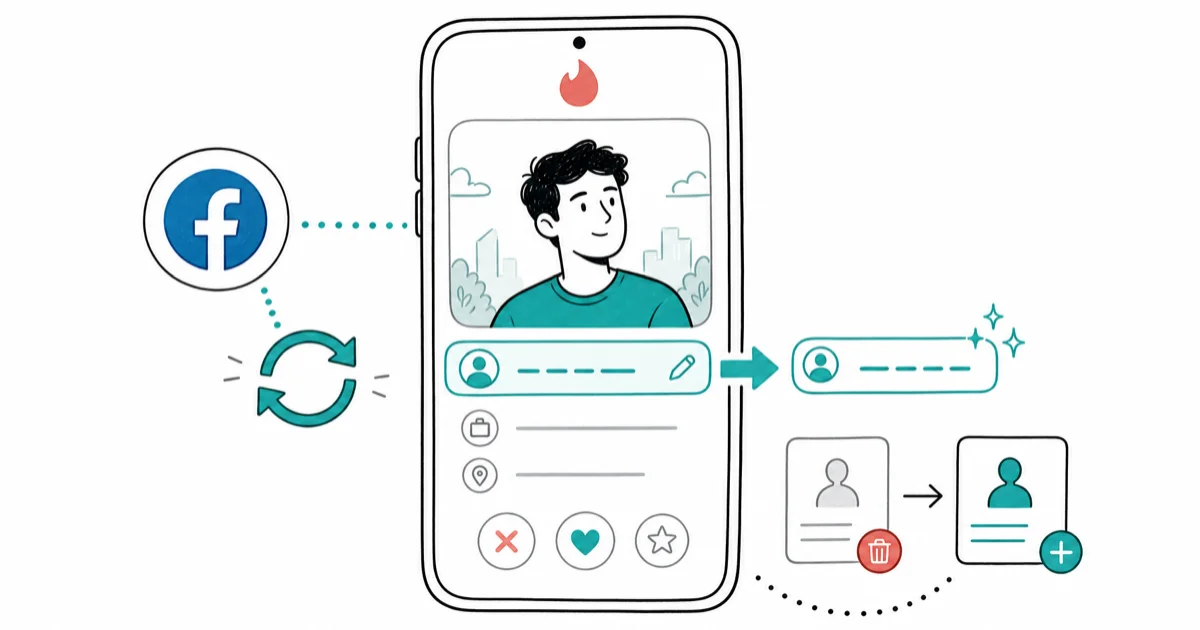
Quick AnswerTinder does not let you edit your name after account creation. To change it, delete your account and create a new one with the correct name.
Are you looking to update your identity on Tinder? Whether you’re seeking increased privacy, want to use a nickname, or simply need a fresh start, changing your name on Tinder can have a significant impact on your online dating experience. This comprehensive guide will walk you through the process, explore alternatives, and provide expert tips to optimize your Tinder profile.
Using these methods on devices or accounts you don’t own may violate applicable laws and platform terms.
- Tinder doesn’t allow direct name editing within the app after account creation.
- Changing a linked Facebook profile won’t update the name on an existing Tinder account.
- Deleting your account and creating a new one is Tinder’s only supported way to correct your name.
- Account deletion removes matches, messages, consumable purchases, and other account data.
- A Tinder subscription can be restored and used on the new account, but consumable purchases such as Super Likes and Boosts can’t be restored.
#Can You Actually Change Your Name on Tinder?
According to Tinder’s current name and age policy, your name and age can’t be updated after you create an account. If either one is wrong, Tinder tells you to delete the account and start over.
This limitation applies universally, regardless of whether you signed up with Facebook, Google, or a phone number.
The restriction applies to the existing Tinder profile, regardless of how you signed up. Updating information on a connected service doesn’t provide a separate name-editing route.
#What Are Your Options for Changing Your Tinder Name?
There is one supported way to change your Tinder name: delete the account and create a new one with the correct name.
#Why Changing Your Facebook Name Doesn’t Work
Changing your Facebook name won’t unlock or overwrite the name field on an existing Tinder profile. Tinder’s policy doesn’t list Facebook syncing as a workaround. The name remains fixed until you delete the Tinder account and start over.
#Deleting and Recreating Your Tinder Account
This method applies to every signup method:

- Open the Tinder app and tap your profile icon
- Tap on “Settings” (gear icon in the top-left corner)
- Scroll down and select “Delete Account”
- Confirm the deletion when prompted
- Create a new account and enter the correct name during signup
Pros:
- Allows for a complete identity change
- Useful for those who signed up with a phone number
Cons:
- Loses all existing matches and conversations
- Resets your ELO score and algorithm data
- Requires recreating your entire profile
Subscriptions are different from consumable purchases. Tinder’s purchase restoration guide states that subscriptions and non-consumable purchases can be restored. Super Likes and Boosts can’t be restored after they’re consumed or lost with the old account.
It’s important to note that if you’ve been banned from Tinder, simply changing your name won’t restore your access. According to XDA Developers, hardware bans are linked to device identifiers, not just names. In such cases, you may need to learn how to get unbanned from Tinder through official channels.
#Considerations Before Changing Your Tinder Name
Before proceeding with a name change, weigh these critical factors:
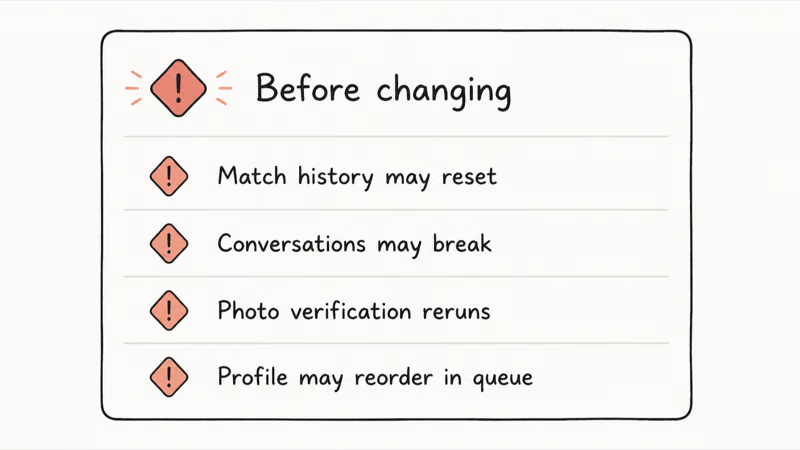
Data Loss Risks Deleting the account erases its matches, messages, consumable purchases, and profile data.
Algorithm Reset Impact
Tinder’s sophisticated matching algorithm learns your preferences over months of usage. Creating a new account completely resets this personalization data, potentially affecting match quality for several weeks.
Time Investment Required Setting up a new profile is time-intensive. You’ll need to select photos, craft your bio, and configure all settings from scratch.
New Account Restrictions Tinder limits new accounts to prevent spam.
Technical Considerations GPS problems occasionally occur after account recreation. If you experience location detection issues, check our guide on fixing Tinder location wrong issues.
#Alternative Solutions for Name Changes
If you can’t rebuild, consider these alternatives:
- Keep the Current Name: If the error is minor, keeping the existing account avoids losing matches, messages, and consumable purchases.
- Adjust Privacy Settings: Tinder offers various privacy options. You can hide your age or distance, or even use the “Show me on Tinder” toggle to control your visibility without changing your name.
- Explore Other Dating Apps: Platforms like Bumble or Hinge may offer more flexibility in profile management, allowing name changes without account deletion.
- Upgrade Your Account: Consider if Tinder Gold is worth it for your dating goals. While it won’t allow you to change your name, it offers features that might enhance your overall experience.
#Best Practices for Tinder Profile Names
When choosing a name for your Tinder profile, keep these tips in mind:
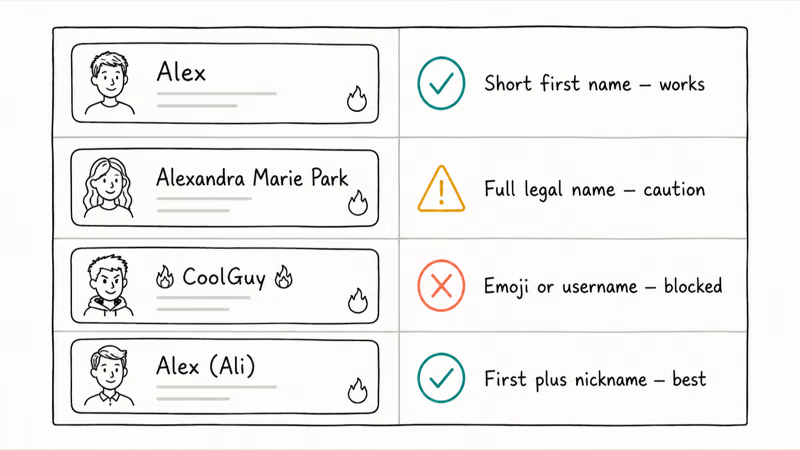
- Authenticity: Use a name that reflects your true self. Deception can lead to uncomfortable situations when meeting matches in person.
- Uniqueness: Consider using a unique variation of your name to stand out, but avoid anything too outlandish that might deter potential matches.
- Privacy Balance: Strike a balance between privacy and approachability. Using only a first name is common and can protect your full identity.
- Avoid Controversial Names: Steer clear of names that could be perceived as offensive or inappropriate. Remember, your name is often the first thing potential matches see.
- Consistency: If possible, use a name that’s consistent with your other social media profiles. This can help validate your identity to potential matches.
#Troubleshooting Common Issues
Users may encounter several issues when attempting to change their Tinder name:
- Name Not Updating After a Facebook Change: This is expected under Tinder’s current policy. A connected Facebook name change doesn’t edit an existing Tinder profile.
- Problems Creating a New Account: If you’re having trouble creating a new account after deletion, try using a different email address or phone number. Tinder may retain some information to prevent abuse.
- Dealing with Lost Matches and Data: Unfortunately, there’s no way to recover lost matches or conversations after account deletion. Consider reaching out to important connections through other means before deleting your account.
- Account Under Review: If your account is under review by Tinder, you may not be able to make changes. Wait for the review process to complete before attempting to modify your profile.
#The Impact of Your Tinder Name on Dating Success
Your Tinder name can significantly influence your success on the platform. Distinctive names tend to stand out more than generic ones like “Mike” or “Sarah.”
Key factors include:
First Impressions - Your name creates immediate associations before matches read your bio.
Memorability - Distinctive names help you stand out in a crowded field of profiles.
Conversation Starters - Interesting names give matches natural opening lines.
Cultural Associations - Names carry implicit meanings that affect perception.
#Bottom Line
To change your Tinder name, delete the account and create a new one. Changing a Facebook name won’t update the existing Tinder profile. You’ll lose matches, messages, consumable purchases, and other profile data, but you can restore an eligible subscription on the new account.
#Frequently Asked Questions
Can I change my name on Tinder without deleting my account?
No. Tinder doesn’t allow direct name changes or a Facebook-sync workaround. You must delete and recreate the account with the desired name.
How often can I change my name on Tinder?
Tinder doesn’t provide a name-change control or a change-frequency limit. Every correction requires deleting the account and creating a new one.
Will changing my name affect my existing matches?
Creating a new account means losing matches, messages, consumable purchases, and other information tied to the deleted profile. An eligible subscription can be restored on the new account.
Can I use a nickname instead of my real name?
You can’t replace the current name with a nickname without deleting the account. Enter the name you want during new-account signup because Tinder won’t let you edit it later.
Does changing my name reset my Tinder algorithm data?
Creating a new account removes the information tied to the deleted profile, including its matches and other account data. Tinder doesn’t provide a supported name-only edit that preserves the profile.
How do I restore a subscription after recreating my account?
For an Apple ID or Google Play purchase, open Tinder and go to Profile > Settings > Restore Purchases. For eligible web, PayPal, or direct credit-card purchases, sign in at Tinder.com and enter the Restore Token from the purchase confirmation email under Manage Account.
Can I search for someone on Tinder without an account?
While Tinder doesn’t officially support this, there are limited methods to find someone on Tinder without registering. However, these approaches have significant limitations and ethical considerations.
Which Tinder purchases won’t transfer to the new account?
Consumable purchases don’t restore. Tinder lists Super Likes and Boosts as examples. Subscriptions and non-consumable purchases can be restored through the supported purchase flow.
By understanding Tinder’s policies and following these guidelines, you can effectively manage your identity on the platform while maximizing your chances of making meaningful connections. Remember, your name is just one part of your overall profile – focus on creating an authentic and engaging presence to truly stand out in the world of online dating.

Google Messages Error 3100: Why RCS Is Broken on Galaxy
Google Messages RCS error 3100 hits Galaxy owners after phone or carrier switches. Google told 9to5Google a fix is coming. Here's what actually helps.

Is This Bank App Real? Spot a Fake App on Your Home Screen
A bank app can land on your home screen from a web page with no install warning. Learn the checks that tell a real banking app from a phishing web app.

Apps Crashing After iOS 27 Update? Fix Order (2026)
Apps crashing after the iOS 27 update? Update the app in the App Store first, then offload and reinstall to clear stale cache, then restart. The fix order.

Do AI Translation Earbuds Work Offline? What to Know
Do AI translation earbuds work offline? A few do with downloaded language packs, but most need the cloud. Here's what works offline and what you give up.