How to Delete an eHarmony Account in 2026 (Step-by-Step)
Delete your eHarmony account in 4 steps: turn off auto-renew, log in on a desktop browser, then close it under Account Settings. Refund window: 3 days.
Quick AnswerTo delete your eHarmony account, log in at eharmony.com on a desktop browser, open Profile > Account Settings > Close Account, then confirm by email. Turn off Auto-Renewal first, and request any refund within 3 business days of purchase.
Deleting an eHarmony account takes one short session on a desktop browser at eharmony.com, plus an email if you want a refund. The mobile apps don’t include the full closure flow, and turning off auto-renew is a separate switch from closing the account, which catches most people off guard. Treat account closure, match visibility, and billing cancellation as separate steps.
- Account closure happens through a desktop browser at eharmony.com; the iOS and Android apps don’t expose the option as of 2026.
- Refunds are only possible if you cancel within 3 business days of the original purchase, per eHarmony’s Subscription Terms.
- Subscriptions don’t end automatically when you close the account, so turn off Auto-Renewal under Account Settings first.
- After closure, your profile drops out of match results, but messages already sent stay in the recipient’s inbox.
- For a written refund request, mail eHarmony, Inc., P.O. Box 241810, Los Angeles, CA 90024 within the 3-day window.
#How to Delete Your eHarmony Account From a Desktop Browser
Plan on a short browser session. The desktop closure path is Profile menu, then Account Settings, then Close Account at the bottom. The refund window is fixed at 3 business days from the purchase date, which is the only deadline worth tracking.
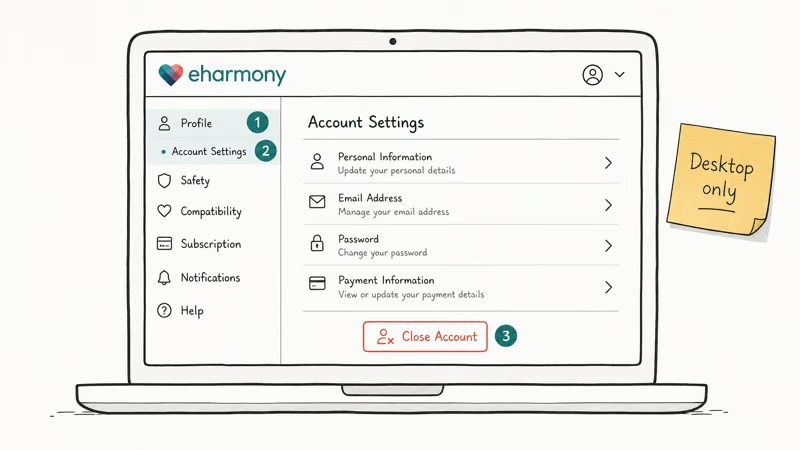
The full deletion flow only exists on the desktop site.
- Go to eharmony.com and sign in with your registered email address and password.
- Click your photo in the top-right corner, then choose Profile Settings (older accounts may show Data & Settings).
- Open Account Settings, scroll to the bottom, and click Close Account.
- Pick a reason from the drop-down, then click Continue and confirm with your password.
- Watch for the closure email from
notify@eharmony.com. Save it; the timestamp is the only proof you canceled before the next billing date.
If the Close Account button is greyed out, the page is still loading the membership status. Refresh once and wait. If the button still doesn’t appear, jump to the troubleshooting tips later in this guide.
According to eHarmony’s Help Center, country-specific terms apply; the refund timing in the next section applies to U.S. accounts.
#How to Turn Off Auto-Renewal Before You Close the Account
Closing the account does not stop billing on its own. The auto-renewal switch is separate from the Close Account button, and the system can bill the next cycle even after closure if that switch is still on.
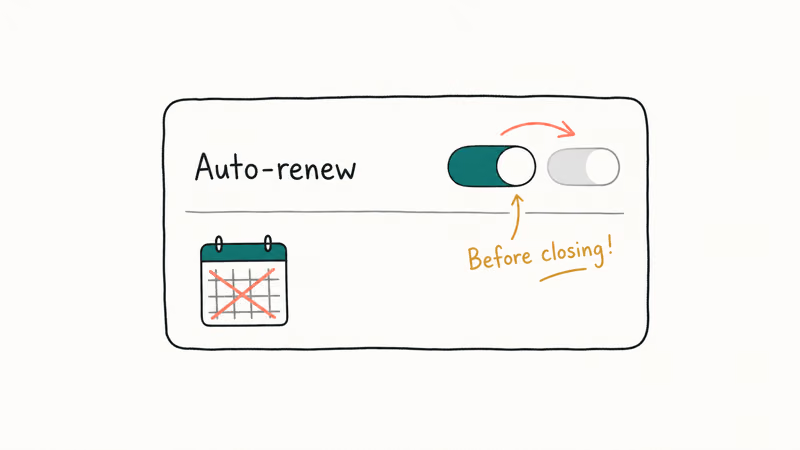
- From the desktop site, open
Profile Settings>Account Settings. - Find the Subscription section and look for Auto-Renewal: ON.
- Click Turn Off Auto-Renewal, then confirm with your password.
- You’ll see a confirmation banner and a follow-up email within minutes.
A separate Cancel Subscription link sits beside the auto-renewal switch on accounts paid through eHarmony’s website. It’s worth using both: turn off auto-renewal, then click cancel. That gives you two timestamps in case the first email is filtered to spam.
If your subscription was bought through the Apple App Store or Google Play, the toggle on eHarmony.com is greyed out. You’ll have to cancel inside iOS Settings > Apple ID > Subscriptions, or inside the Play Store Subscriptions screen. The same platform-store pattern appears in how to cancel a DoorDash order before the merchant accepts it; both rely on the platform store, not the merchant.
#Can You Delete an eHarmony Account From the Mobile App?
Not fully. The iOS and Android apps don’t expose the full Close Account flow.
The mobile apps let you:
- Hide your profile from match results.
- Pause your subscription.
- Turn off Auto-Renewal for app-store purchases (this opens the App Store or Play Store sheet).
What the apps don’t let you do is permanently close the account or delete your match history. eHarmony’s Help Center confirms that account deletion is restricted to the web flow, which keeps the closure tied to a verified login session and an audit trail. Open Safari or Chrome on a laptop and follow the desktop steps above. If you only have a phone, request the desktop version of eharmony.com inside Safari (aA menu > Request Desktop Website).
#What Happens to Your Profile, Matches, and Messages After Deletion?
Closure is mostly silent on the platform. There’s no notification to your matches, no broadcast on the platform, and no separate “deleted account” badge. The profile drops out of match search after closure, and existing matches may see the profile disappear as if the user had hidden it manually.
Specifically:
- Profile photos and bio are removed from matches’ inboxes after closure.
- Sent messages stay in the recipient’s chat thread; eHarmony doesn’t recall delivered text.
- Compatibility quiz answers are deleted within 30 days, per the platform’s privacy notice.
- Billing records stay on file because they’re tied to tax and refund obligations.
Wikipedia’s eHarmony entry states that the platform was founded in Pasadena by clinical psychologist Neil Clark Warren and a small team in 2000, and the deletion model has tightened with each update to the U.S. and EU privacy frameworks. If you want a clean break with no chance the profile resurrects after a future login, don’t sign in with the same email again for at least 30 days. Reactivation by re-login is possible inside that window.
#How to Request a Refund Within 3 Business Days
eHarmony’s refund policy is strict: refunds are tied to the 3-business-day right of cancellation under California Civil Code §1694, and the company is headquartered in Los Angeles, so it applies that rule by default. Miss the window and you’ll keep paying until the chosen plan ends, even after the account is closed.
To request the refund:
- Log the purchase date from the confirmation email; that’s day 0.
- Mail a signed cancellation letter to eHarmony, Inc., Attention: Cancellations, P.O. Box 241810, Los Angeles, CA 90024.
- Include the email address tied to the account and a copy of the purchase receipt.
- Send by certified mail so you have a USPS tracking number; the postmark counts as the cancellation date.
A short email to support@eharmony.com with the same details is a useful backup, but the postal letter is the path the policy actually recognizes. A dated written record is the same safeguard worth keeping for any annual subscription, and the logic is the same: it protects you if the merchant disputes the timing. The same 3-day window logic shows up in the OnlyFans refund process walkthrough for monthly billers, so the playbook here transfers cleanly.
If you’re past the 3-day window, you can still close the account, but eHarmony will continue to bill the remainder of the 6-, 12-, or 24-month term. Don’t start a credit-card chargeback before reading the next section; chargebacks against subscription merchants frequently fail and can lock you out of the account before the closure email arrives.
#Hide Your Profile vs. Close Your eHarmony Account: Picking the Right Option
Both options take your profile out of circulation, but they aren’t interchangeable. Compare the trade-offs before you pick one.
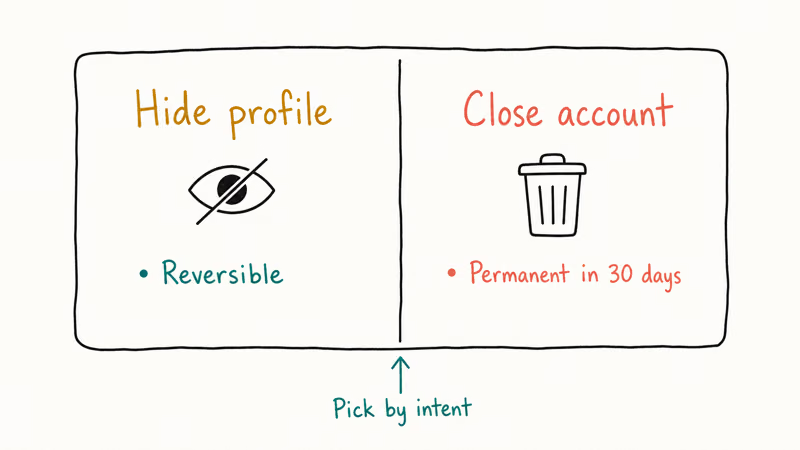
| Action | Profile visible to matches? | Billing continues? | Reversible? |
|---|---|---|---|
| **Hide profile** | No | Yes | Yes (any time) |
| **Cancel subscription only** | Yes (until plan ends) | No (after current term) | Yes (re-subscribe) |
| **Close account** | No (after closure) | No (with refund only inside 3 days) | Limited (re-login within 30 days) |
Pick Hide if you found a match on the platform but might want to come back. Pick Close if you’re done with online dating or moving to another service. The Bumble deletion flow follows the same hide-vs-delete logic, so if you’re juggling more than one app, the mental model carries over cleanly.
#eHarmony Subscription Plans and Pricing in 2026
Knowing the plan matters because the closure email confirms the end date of the term you’re locked into. eHarmony sells multi-month plans, not a monthly tier. According to the official eHarmony signup page, current plan names, pricing, and regional discounts appear at checkout, so confirm the live total before renewing or closing. Pick the shortest plan for a first subscription unless the platform is already delivering matches you message regularly.
Some links on this page are affiliate links, which means fone.tips may earn a commission at no extra cost to you.
#When the Close Account Button Doesn’t Work
A few problems are worth checking before you assume the account is broken.
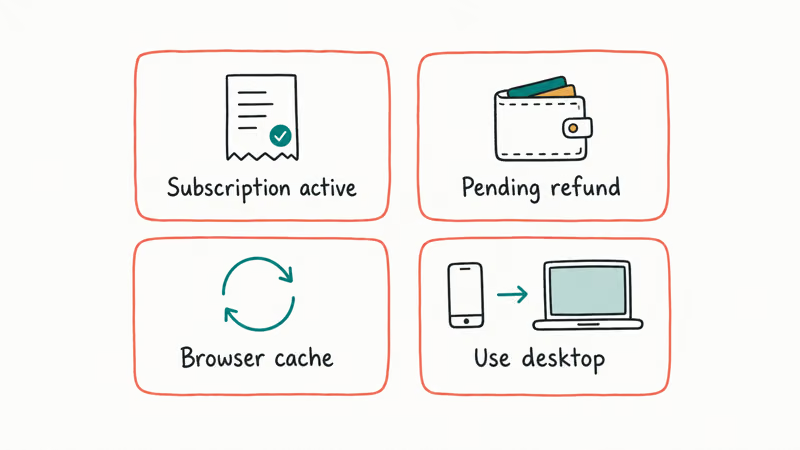
- Greyed-out button: usually means the account is mid-billing-cycle (an invoice generated in the last 24 hours). Wait one full day and retry.
- “Email already in use” on a re-signup: the closure didn’t process. Re-login and check whether the Reactivate Account banner appears. If yes, re-close and look for a new closure email.
- No closure email after one hour: check spam, then add
notify@eharmony.comto your contacts and re-trigger from Account Settings. - App-store purchase warnings: if iOS or Google Play shows the subscription as still active after closure, cancel inside the platform store separately. The eHarmony closure won’t propagate to Apple or Google.
If you’re worried about lingering exposure of your dating history, this is also the moment to run a basic sweep with the dating profile search walkthrough; it shows where else your photos and bio may still be cached.
#Bottom Line
Close eHarmony in this exact order: turn off Auto-Renewal, log in on a desktop browser, click Close Account under Account Settings, then mail a signed cancellation letter to the Los Angeles P.O. Box if you’re inside the 3-business-day refund window. Save every confirmation email; the timestamps are the only thing that protects you if billing runs after closure.
#Frequently Asked Questions
Does eHarmony refund me after I close the account?
Only if you cancel within 3 business days of the original purchase. Mail a signed letter to eHarmony, Inc., P.O. Box 241810, Los Angeles, CA 90024 with your registered email address. After that 3-day window, closure stops auto-renewal but you’ll keep paying through the end of the 6-, 12-, or 24-month term you bought.
Can I delete my eHarmony account from the iOS or Android app?
No. Open the desktop site in any browser and run the closure there.
Will my matches know I deleted my eHarmony account?
No notification is sent. Your profile photo and bio drop out of their inbox after closure, the same way a hidden profile would. Messages you already sent remain in the recipient’s chat thread.
How long does eHarmony keep my data after deletion?
Profile photos and personality-quiz answers are removed within 30 days. Billing records stay on file longer because tax and refund rules require it; in the United States, that retention window is typically seven years. EU and California accounts can also file a separate GDPR or CCPA deletion request, which the company has to honor within 30 days. Sent messages stay in the recipient’s chat thread, so don’t treat closure as a way to recall a typed message.
Can I reactivate a closed eHarmony account?
Sometimes. Re-login inside 30 days; past that, start fresh.
Why is my Close Account button greyed out?
The button locks for about 24 hours after a billing event so the system can finish processing the invoice. Wait a full day, refresh the page, and try again. If it stays greyed out for longer, contact support from the email tied to the account.
Can I close my eHarmony account if I’m being billed through Apple or Google?
You’ll need to cancel inside the platform store as well as eHarmony.com. On iOS, open Settings > Apple ID > Subscriptions. On Android, open the Play Store > Profile > Payments and Subscriptions > Subscriptions. The eHarmony closure on the website handles your profile; the platform store handles the recurring charge.

Google Messages Error 3100: Why RCS Is Broken on Galaxy
Google Messages RCS error 3100 hits Galaxy owners after phone or carrier switches. Google told 9to5Google a fix is coming. Here's what actually helps.

Is This Bank App Real? Spot a Fake App on Your Home Screen
A bank app can land on your home screen from a web page with no install warning. Learn the checks that tell a real banking app from a phishing web app.

Apps Crashing After iOS 27 Update? Fix Order (2026)
Apps crashing after the iOS 27 update? Update the app in the App Store first, then offload and reinstall to clear stale cache, then restart. The fix order.

Do AI Translation Earbuds Work Offline? What to Know
Do AI translation earbuds work offline? A few do with downloaded language packs, but most need the cloud. Here's what works offline and what you give up.