How to Know if Your WhatsApp Is Hacked: Signs and Fixes
Spot the signs of a hacked WhatsApp account and recover it fast. Covers linked devices, verification codes, spyware detection, and prevention tips.
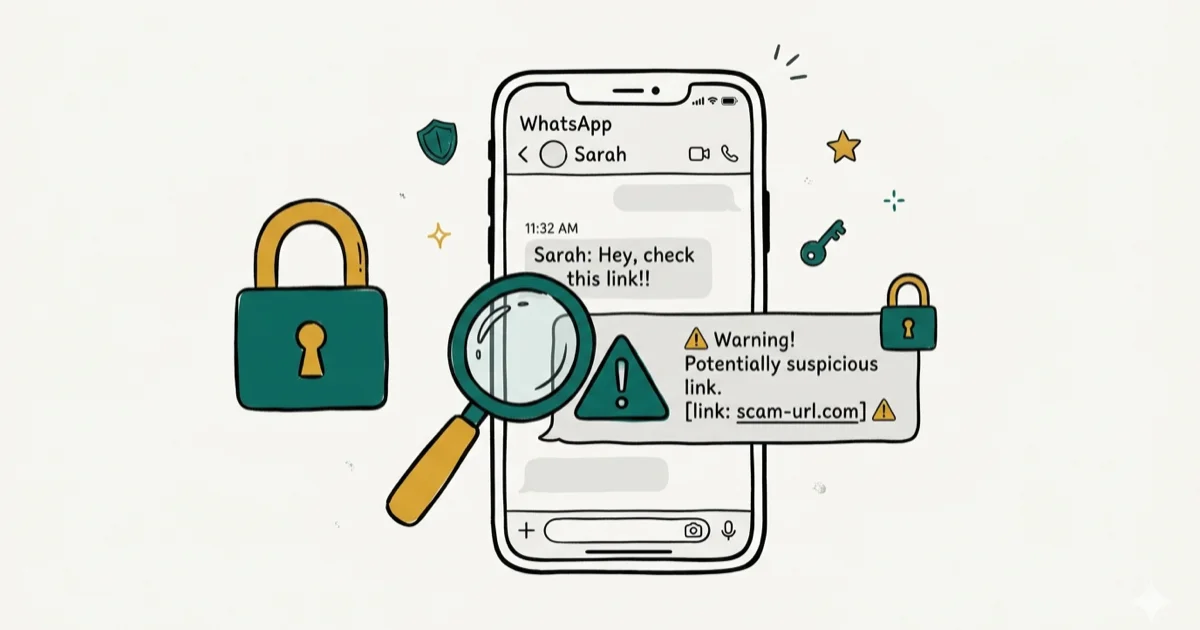
Quick AnswerCheck Settings > Linked Devices for unknown sessions, look for messages you didn't send, and watch for verification codes you didn't request. If anything looks wrong, log out all linked devices, reinstall WhatsApp, and enable two-step verification.
Someone messing with your WhatsApp account can expose private conversations, contacts, and personal data. Use these checks to spot a compromised WhatsApp account on your own device and lock it back down.
Check Settings>Linked Devicesweekly to catch unauthorized sessions early- Unrequested SMS verification codes mean someone is trying to register your number on another phone
- Messages you didn’t send, unexpected profile changes, and read receipts on unopened chats point to a breach
- Two-step verification blocks remote account takeovers that rely on SIM swapping or stolen codes
- Unusual battery drain and data spikes tied to WhatsApp can indicate background spyware
#How to Check if Your WhatsApp Has Been Hacked
Start with WhatsApp’s own built-in security tools. These take about 30 seconds and catch the most common types of unauthorized access.
#Check Linked Devices
Open WhatsApp, then go to Settings > Linked Devices (iPhone) or tap the three-dot menu and select Linked Devices (Android). You’ll see a list of every computer and browser session connected to your account. If there’s a device you don’t recognize, someone else is reading your messages in real time.
Tap the unknown device and select Log Out immediately.
#Look for Messages You Didn’t Send
Scroll through your recent chats. Check for outgoing messages, links, or media you didn’t send. Hackers who gain access to WhatsApp accounts often use them to send phishing links to the victim’s contacts, exploiting their trust in you.
Ask your close contacts whether they’ve received anything odd from your number recently.
#Watch for Unrequested Verification Codes
If you receive a WhatsApp SMS verification code that you didn’t request, someone is actively trying to register your phone number on a different device. Don’t share this code with anyone. WhatsApp will never ask you for it.
#Check for Profile Changes
Look at your display name, profile photo, status, and About section. If anything has changed without your input, someone else has been in your account. These changes are small but easy to miss.
#What Causes a WhatsApp Account to Get Hacked?
Understanding how attacks happen helps you prevent them. Here are common methods attackers use.
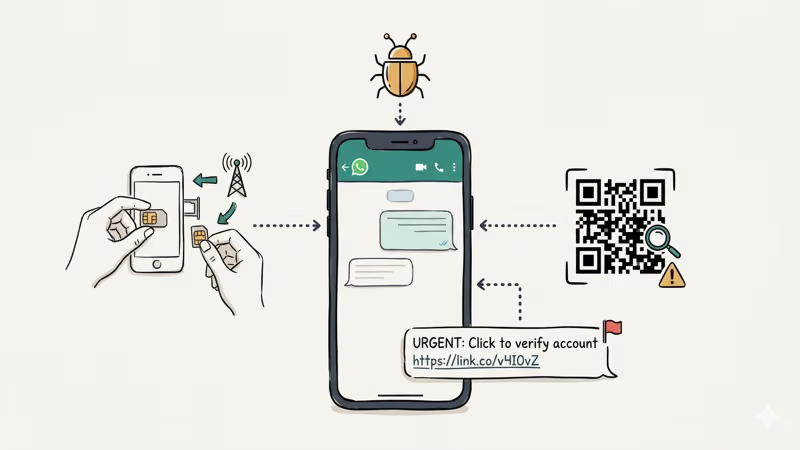
#SIM Swapping
A hacker calls your carrier and convinces them to transfer your number to a new SIM card. Once they control your number, they receive the WhatsApp verification code and register your account on their phone. According to the FBI’s Internet Crime Complaint Center, it received 1,611 SIM swapping complaints in 2021, with adjusted losses of more than $68 million.
#Spyware Installation
Spyware apps like Pegasus and commercial monitoring tools can read WhatsApp messages, view media, and even activate your camera. Some require physical access to install, while others exploit zero-click vulnerabilities. If you suspect spyware on your iPhone, our guide on how to detect spyware on iPhone walks through every detection method.
#WhatsApp Web Session Hijacking
Someone who borrows your phone briefly can scan a QR code on their computer and gain ongoing access to all your chats through WhatsApp Web. The session stays active even after your phone is returned.
#Social Engineering
This is the most common method by far, and it requires zero technical skill. Someone posing as a friend or WhatsApp support asks you to forward a six-digit verification code you just received via SMS. That code is the key to your account, and handing it over means instant loss of access. The attacker then registers your number on their device and you get kicked out of your own WhatsApp.
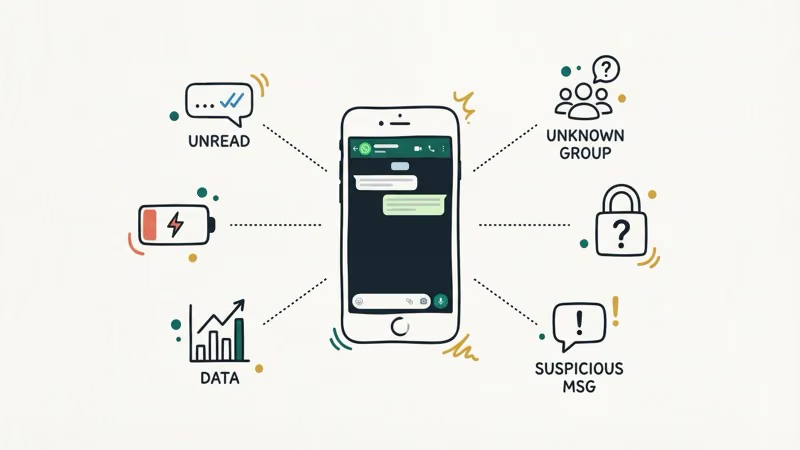
#6 Warning Signs Your WhatsApp Is Compromised
Beyond the checks above, these secondary indicators can confirm a breach.
-
Read receipts on unopened chats. Blue check marks appear on messages you never opened. Someone else read them first.
-
Unknown group activity. You’ve been added to groups you didn’t join, or removed from groups you were in. Watch for messages in those groups that reference things you supposedly said but have no memory of.
-
Battery drain tied to WhatsApp. Go to your phone’s battery settings and check per-app usage. A compromised session or spyware can increase WhatsApp’s battery use, so treat unusual per-app battery drain as a warning sign.
-
Data usage spikes. Your messages and media may be mirrored to another device if WhatsApp is suddenly transferring far more data than normal.
-
Two-step verification you didn’t enable. You’re asked for a PIN you never set up when logging in. This means a hacker enabled 2FA on your account specifically to lock you out and maintain control, which is a deliberate escalation well beyond passive snooping that shows the attacker intends to keep your account permanently.
-
Contacts reporting suspicious messages. Friends or family mention requests for money or strange links from your number.
#How Do You Recover a Hacked WhatsApp Account?
Act fast. The longer someone has access, the more damage they can do. These steps apply to your own account only.
#Step 1: Log Out All Linked Devices
Open WhatsApp on your phone. Go to Settings > Linked Devices and tap each device, then select Log Out. This cuts off anyone accessing your chats through WhatsApp Web or the desktop app. Do this first.
#Step 2: Reinstall and Re-verify
Uninstall WhatsApp, reinstall it from the App Store or Google Play, then enter your phone number and verify it with the SMS code sent to you. WhatsApp only allows one phone as the primary device at a time, so completing this verification automatically logs out anyone else who registered your number on their phone.
#Step 3: Enable Two-Step Verification
Go to Settings > Account > Two-step Verification and set a six-digit PIN. Add your email for recovery.
#Step 4: Scan for Spyware
Run a full scan with a mobile security app like Malwarebytes or Bitdefender. If spyware is the root cause, removing the WhatsApp session alone won’t solve the problem because the attacker can still see everything on your device through the spyware itself. For a deeper check, read our guide on what to dial to see if your phone is hacked.
#Step 5: Notify Your Contacts
Tell your contacts your account was compromised and warn them not to click any links they received from you during the breach.
#Step 6: Contact WhatsApp Support
If you can’t regain access, email support@whatsapp.com with the subject line “Lost/Stolen: Please deactivate my account” and your phone number in international format. According to WhatsApp’s official FAQ, you have 30 days to reactivate before your data is permanently deleted.
#How to Protect Your WhatsApp From Being Hacked
Prevention takes less time than recovery. These steps protect your own account.
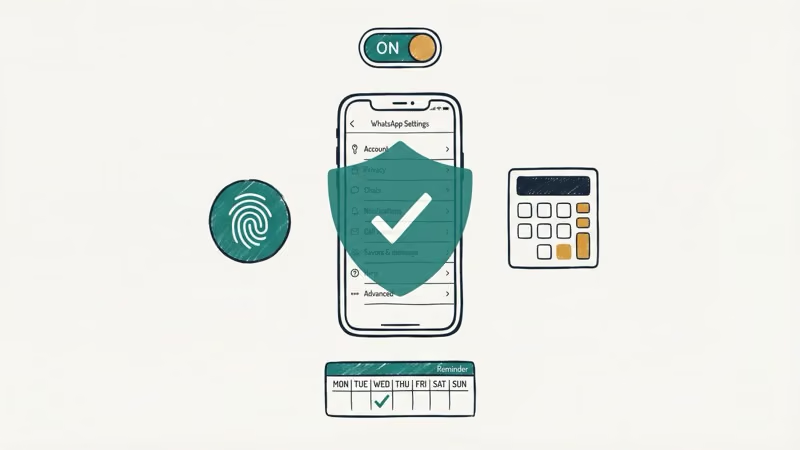
Enable two-step verification. Do this first. It’s the single most effective defense against remote account takeovers.
Set a SIM PIN. Go to your phone’s settings and enable SIM lock. This prevents someone from using your SIM in another phone without knowing the PIN, which is exactly how SIM swap attacks work. Apple’s support page explains the process for iPhone, and Android users can find the option under Settings > Security > SIM lock.
Lock WhatsApp with biometrics. Enable fingerprint or Face ID lock under Settings > Privacy > Screen Lock. This stops anyone with brief physical access to your phone from opening your chats, even if your phone is unlocked.
Check linked devices weekly. This catches unauthorized sessions before they sit unnoticed.
Don’t share verification codes. No legitimate service will ask for your six-digit SMS code, and that includes WhatsApp itself. If someone claiming to be WhatsApp support asks for it, that’s a scam.
Keep your apps updated. Google’s Play Store support page confirms that enabling auto-updates on Android is the fastest way to stay current with security patches. WhatsApp regularly patches vulnerabilities that attackers actively exploit, so delaying updates by even a few weeks can leave you exposed.
Be cautious on public Wi-Fi. Use a VPN if you need to message on an unsecured network.
If you’re worried about broader phone security beyond WhatsApp, check whether someone can see you through your phone camera and learn about phone cloning risks.
#WhatsApp Encryption and Its Limits
WhatsApp’s end-to-end encryption protects messages while they travel between devices. WhatsApp itself can’t read them.
But encryption doesn’t cover everything. It won’t help if someone has physical access to your unlocked phone, if spyware is installed on your device, or if an attacker gains access through the Linked Devices feature. Encryption protects the pipe, not the endpoints. Think of it this way: a locked front door doesn’t help if someone already has your house key.
Two-step verification, biometric locks, and regular device checks fill the gaps that encryption can’t.
A note on legality: Accessing someone else’s WhatsApp account without their consent is illegal under federal and state wiretapping laws in most countries, including the U.S. Computer Fraud and Abuse Act (CFAA) and similar statutes. This guide covers protecting and recovering your own account only. If you suspect someone is spying on your phone, there are legal steps you can take to detect and remove monitoring software.
#Bottom Line
Check your linked devices right now. That single step catches the most common WhatsApp account compromise pattern. If you find anything suspicious, reinstall WhatsApp, re-verify your number, and enable two-step verification.
For deeper phone security, learn how to tell if your phone is monitored or check our SIM card data recovery guide.
#Frequently Asked Questions
Can someone hack my WhatsApp without touching my phone?
Yes. SIM swapping, spyware with zero-click exploits, and social engineering attacks that trick you into sharing verification codes all work remotely. Two-step verification is your best defense because it requires a PIN that only exists in your head.
Will reinstalling WhatsApp remove a hacker?
Reinstalling and re-verifying your phone number logs out anyone using your account on another primary device. But it won’t remove spyware from your phone. If spyware is the root cause, you’ll also need to run an antivirus scan or do a factory reset.
Can someone read my WhatsApp messages from another device?
Yes, through the Linked Devices feature. Remove unknown devices under Settings > Linked Devices.
Does WhatsApp notify me if someone logs in from a new device?
WhatsApp sends a notification when a new device is linked to your account. However, if your phone is unlocked and unattended, someone could dismiss that notification before you see it. Checking linked devices manually is more reliable.
Can WhatsApp be hacked through a video call?
In 2019, a WhatsApp voice call vulnerability allowed Pegasus spyware installation through missed calls, but WhatsApp patched it quickly. Standard video calls today are end-to-end encrypted and safe under normal circumstances, and exploits like the 2019 one are extremely rare and typically used only against high-profile targets like journalists and politicians. Keeping your app updated is your best protection against any newly discovered vulnerabilities.
What should I do if I keep getting WhatsApp verification codes I didn’t request?
Don’t share the code with anyone. Someone is repeatedly trying to register your number on their device. Enable two-step verification if you haven’t already, and contact your carrier to add extra security to your account. If the codes don’t stop, consider reporting the harassment to local authorities.
How do I know if spyware is reading my WhatsApp messages?
Watch for unusual battery drain, increased data usage, and your phone running hot when idle. A mobile security scan with Malwarebytes or Bitdefender can detect most commercial spyware.
Is it illegal to read someone else’s WhatsApp messages?
Yes, in most jurisdictions. The U.S. Computer Fraud and Abuse Act makes unauthorized access a federal crime with penalties including fines and imprisonment.

Google Messages Error 3100: Why RCS Is Broken on Galaxy
Google Messages RCS error 3100 hits Galaxy owners after phone or carrier switches. Google told 9to5Google a fix is coming. Here's what actually helps.

Is This Bank App Real? Spot a Fake App on Your Home Screen
A bank app can land on your home screen from a web page with no install warning. Learn the checks that tell a real banking app from a phishing web app.

Apps Crashing After iOS 27 Update? Fix Order (2026)
Apps crashing after the iOS 27 update? Update the app in the App Store first, then offload and reinstall to clear stale cache, then restart. The fix order.

Do AI Translation Earbuds Work Offline? What to Know
Do AI translation earbuds work offline? A few do with downloaded language packs, but most need the cloud. Here's what works offline and what you give up.