How to Unfreeze Your Venmo Account: Step-by-Step Guide
Learn how to unfreeze your Venmo account step by step. Find out why accounts get frozen and how to resolve issues with Venmo support quickly.
Quick AnswerCheck your email for a message from Venmo explaining the freeze, then contact Venmo support through the app or at venmo.com/contact. Verify your identity and resolve any outstanding issues they flag.
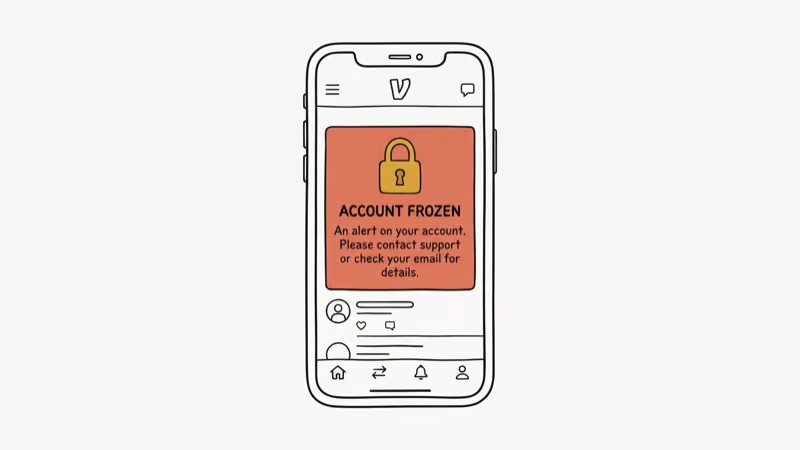
A frozen Venmo account blocks you from sending and receiving money until the issue is resolved. Venmo freezes accounts for specific, documented reasons, and the fix usually comes down to one of three things: clearing a negative balance, verifying your identity, or contacting support about a flag on your account.
- Venmo may freeze accounts due to failed payments, suspicious activity, identity verification failures, or user agreement violations.
- Check your email first, since Venmo sends a message explaining the reason for the freeze and what to do.
- Address any negative balances promptly using a debit card, which clears the fastest.
- Be prepared to verify your identity with a government-issued ID and proof of address if requested.
- Contact Venmo support by phone at (855) 812-4430, available 8 a.m. to 8 p.m. CT, seven days a week.
#Why Did Venmo Freeze Your Account?
Venmo freezes accounts for four main reasons. Knowing which one applies to you points you to the right fix.
Failed or negative balance payments: A bounced payment freezes the account until you clear the balance. This is the most common cause.
Suspicious activity: Unusual transaction patterns, rapid changes to account details, or large transfers that don’t match typical account behavior can trigger an automatic freeze. Venmo’s fraud detection runs continuously in the background.
Identity verification failures: Venmo is required by US financial regulations to verify user identities for accounts that exceed certain transaction thresholds. According to Venmo’s identity verification policy, users who don’t complete verification when required will have their accounts suspended until documentation is provided.
User agreement violations: Using a personal Venmo account for business transactions, being under 18, or sending payments for prohibited goods or services all violate Venmo’s terms. These freezes are the most serious category, they often require direct contact with the compliance team rather than a quick in-app fix, and in some cases they end in permanent suspension that no amount of documentation will reverse.
#Steps to Unfreeze a Venmo Account
Here are the steps to work through, in order:
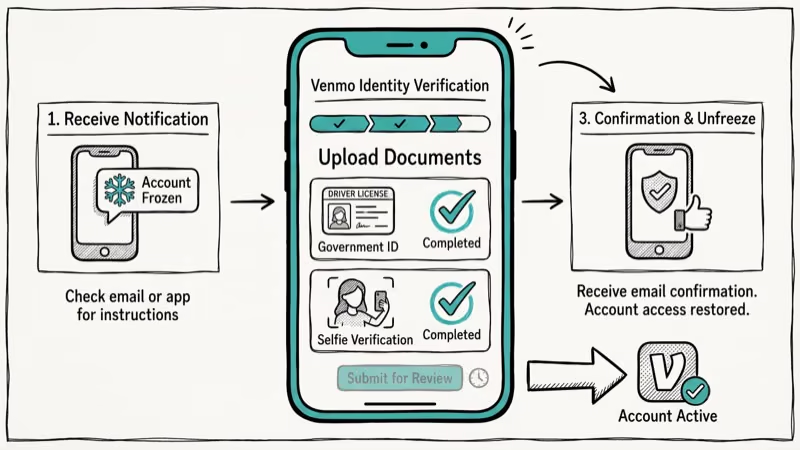
Step 1: Check your email. Venmo always sends an email explaining the freeze. Check both your inbox and spam folder for a message from Venmo. The email usually specifies the reason and what you need to do.
Step 2: Clear any negative balance. If the freeze is due to a failed payment, go to the Venmo app and resolve the negative balance. Using a linked debit card is the fastest option, typically clearing within minutes. Bank transfers take 3 to 5 business days. You can also make partial payments if you can’t clear the full amount at once.
Step 3: Verify your identity. If Venmo requests ID verification, submit the required documents through the app. You’ll typically need a government-issued photo ID (driver’s license or passport) and proof of address (utility bill or bank statement). Document review usually takes a few business days, and clear, high-resolution photos tend to move through review faster than blurry scans.
Step 4: Contact Venmo support. If the email doesn’t arrive or the issue isn’t clear, contact support directly:
- Phone: (855) 812-4430, available 8 a.m. to 8 p.m. CT, seven days a week
- In-app chat: Go to
Me>Settings>Get Help>Contact Us - Support ticket: Submit at help.venmo.com
According to Venmo’s support center, phone support provides the fastest resolution for account freezes, with many issues resolved during the call or shortly after for cases requiring further review.
#Typical Unfreeze Timelines
The timeline depends on the reason:
Negative balance cleared with debit card: Typically same day or within a few hours.
Identity verification: ID review usually takes a few business days. Submitting clear, high-quality document photos speeds this up.
Suspicious activity review: Usually 1 to 5 business days. If you plan to travel internationally or make a large, out-of-pattern transfer, it pays to contact support beforehand and flag the activity, because a proactive heads-up is almost always faster to clear than a freeze you have to dispute after the fact.
User agreement violations: These take longer and may require direct communication with Venmo’s compliance team. In serious cases, the account may not be reinstated.
#How Do You Prevent Future Venmo Account Freezes?
A few habits prevent most freezes:
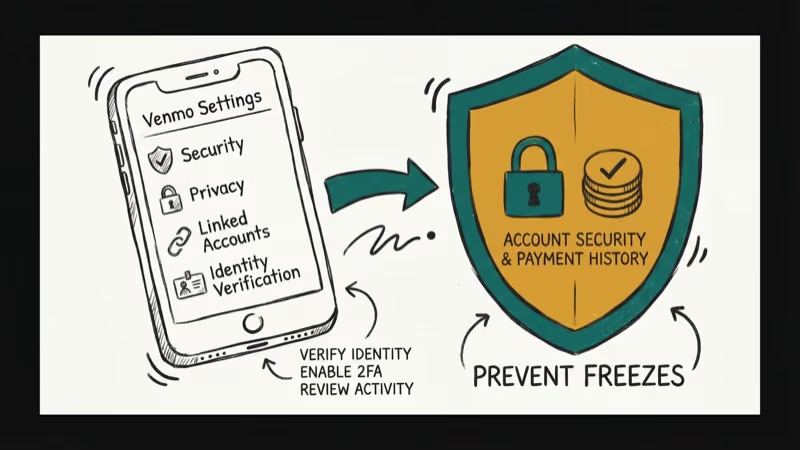
Keep enough funds in your linked accounts. Venmo gives no warning before a payment bounces, so enable low-balance alerts in your bank app to catch a shortfall before it triggers a freeze.
Enable two-factor authentication. Go to Me > Settings > Security. Two-factor authentication significantly reduces suspicious activity flags. According to Venmo’s security best practices, enabling 2FA is the single most effective step to prevent unauthorized access that triggers fraud detection.
Don’t use a personal account for business. Venmo’s terms require a business account for regular sales. This misuse is one of the harder violations to reverse.
Respond to verification requests quickly. Submit any requested documents before the email’s deadline. Delays only extend the freeze.
For other digital payment issues, explore these related guides:
- Avoiding PayPal chargebacks covers similar account protection practices that also apply to Venmo.
- Using your Venmo balance to pay walks through spending a balance for specific purchases.
- Apple Pay troubleshooting helps iPhone users handle broader payment issues across apps.
- Changing your iPhone payment method explains how to swap cards or banks tied to your wallet.
#Scams That Trigger or Exploit a Frozen Account
Some freezes start with a scam, not a billing slip. A fake “account locked” text links to a phishing page that steals your login.
According to the FTC’s guidance on mobile payment apps, money sent through an app like Venmo behaves like cash and is very hard to recover, so the agency recommends protecting your account with a PIN or multi-factor authentication and confirming any payment request through a known phone number.
Never resolve a freeze by clicking a link in an unexpected message. Learning to spot a phishing email helps here, and setting up a trusted 2FA authenticator app makes a stolen password far less useful to an attacker.
#What Happens to Money in a Frozen Account
A freeze locks the balance in place rather than seizing it. Your existing funds stay in the account, but you can’t withdraw, send, or spend them until access is restored.
If the freeze stems from a confirmed policy violation, Venmo may hold the balance for a review period before releasing it. While you wait, you can route purchases through another card by changing the payment method on your iPhone, and if a payment dispute is involved, knowing how to block someone on PayPal covers similar steps for cutting off an unwanted sender.
#Bottom Line
Most Venmo account freezes come down to one of three things: a negative balance, an identity verification request, or a fraud flag from unusual activity. Check your email first, then clear any balance owed and submit identity documents if requested. If neither of those applies, call Venmo support at (855) 812-4430 for the fastest path to resolution. Respond quickly to any requests since every day you delay extends the freeze.
#Frequently Asked Questions
Can I receive payments when my account is frozen?
No. A frozen account blocks both sending and receiving money until the issue is fully resolved and Venmo reinstates access.
How long does it take to unfreeze a Venmo account?
Anywhere from a few hours to several days depending on the reason. Negative balance resolutions clear fastest (same day with a debit card). Identity verification usually takes a few business days. Fraud reviews can take longer.
Will Venmo delete my account if it’s frozen for too long?
Venmo doesn’t automatically delete frozen accounts, but if you fail to respond to a freeze notice or don’t resolve the underlying issue, they may eventually close the account permanently. Their standard process sends multiple follow-up emails before escalating.
Can I have a second Venmo account while my first is frozen?
Each Venmo account requires a unique phone number. While technically possible with a different number, using a second account to circumvent a freeze violates Venmo’s terms of service and risks both accounts being suspended.
Why won’t Venmo tell me specifically why my account was frozen?
In some fraud or compliance cases, Venmo may not disclose the exact reason in the initial email. This is intentional to prevent users from gaming the system. Calling support is usually the best way to get more detail.
Can I still pay in stores with a frozen Venmo account?
No. Venmo’s card and payment features are suspended along with the main account. You won’t be able to use your Venmo card or Venmo-linked payments until the freeze is lifted.
What if Venmo’s decision to freeze my account is wrong?
Contact support directly and ask them to review the decision. Have documentation ready that supports your case, such as proof of address, transaction history from your bank, or any other evidence that your account activity is legitimate.

Google Messages Error 3100: Why RCS Is Broken on Galaxy
Google Messages RCS error 3100 hits Galaxy owners after phone or carrier switches. Google told 9to5Google a fix is coming. Here's what actually helps.

Is This Bank App Real? Spot a Fake App on Your Home Screen
A bank app can land on your home screen from a web page with no install warning. Learn the checks that tell a real banking app from a phishing web app.

Apps Crashing After iOS 27 Update? Fix Order (2026)
Apps crashing after the iOS 27 update? Update the app in the App Store first, then offload and reinstall to clear stale cache, then restart. The fix order.

Do AI Translation Earbuds Work Offline? What to Know
Do AI translation earbuds work offline? A few do with downloaded language packs, but most need the cloud. Here's what works offline and what you give up.