How to Unmute Someone on Instagram: 4 Quick Methods
Unmute Instagram accounts in 4 ways: profile Following button, Settings > Muted Accounts, grayed stories, or DMs. Works on iOS and Android 2026.
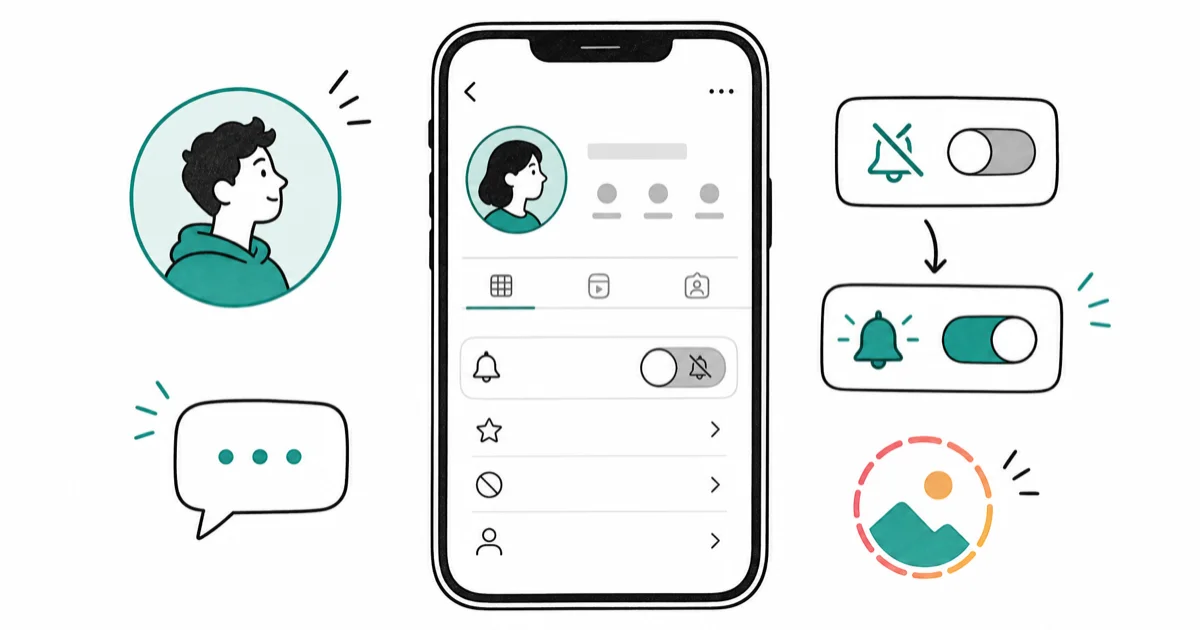
Quick AnswerTap Following on their profile, select Mute, then toggle off Posts, Stories, or Messages to unmute them.
You muted someone on Instagram but now want to see their content again. Go to their profile, tap Following, select Mute, and toggle off the content types you want to unmute.
- All unmuting happens through the Following button on someone’s profile, with no separate unmute menu existing anywhere else in the app interface
- Instagram never notifies users when you mute or unmute them, keeping your actions private
- Grayed-out stories at the end of your feed indicate muted accounts you can quickly unmute with a long press gesture
Settings>Privacy>Muted Accountsshows everyone you’ve muted across posts, stories, and messages- DM muting and post muting work independently
#How to Unmute Someone on Instagram
Instagram’s mute feature lets you hide content without unfollowing. These methods apply to posts, stories, messages, and calls in the mobile app.
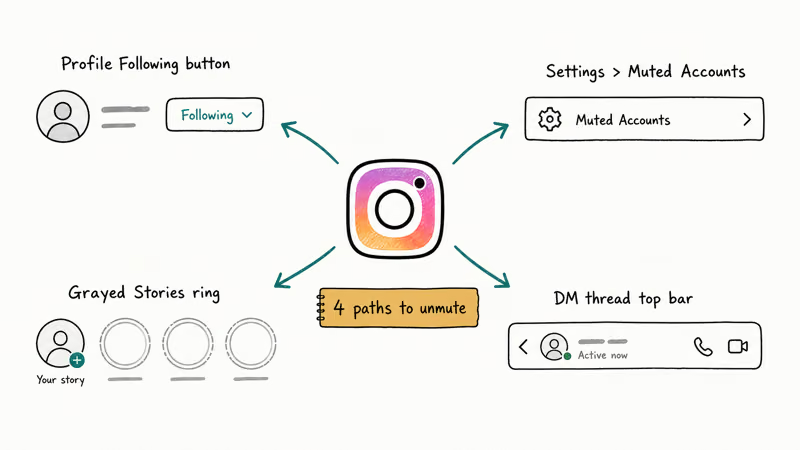
#Method 1: From Their Profile
Fastest method when you know their username.
- Open Instagram and search for their profile
- Tap the Following button below their bio
- Select Mute from the dropdown menu
- Toggle off any combination of Posts, Stories, or Messages to restore their content in your feed
According to Instagram’s Help Center, Meta confirms that each content type operates independently.
#Method 2: Through Settings
Use this method when you want to see all your muted accounts at once.
- Go to your profile and tap the menu icon (three horizontal lines) in the top right corner
- Navigate through Settings > Privacy > Muted Accounts
- Find and tap the account you want to unmute from the list
- Toggle off Posts, Stories, or Messages as needed to restore their content visibility
#Method 3: From Grayed-Out Stories
Muted accounts’ stories appear grayed out at the end of your stories feed.
- Scroll to the end of your Stories feed
- Long press the grayed-out profile picture
- Select Unmute from the popup menu
This method only unmutes stories. You’ll need to use Method 1 for posts or messages.
#Method 4: From Direct Messages
For conversations where you’ve muted notifications:
- Open Instagram Direct Messages
- Find the conversation with the muted person
- Tap their name at the top of the chat
- Toggle off “Mute Messages” or “Mute Call Notifications”
If your Instagram DMs aren’t working properly, check the guide on fixing Instagram direct messages not working.
#Unmuting Effects and Timeline
When you unmute someone on Instagram:
- New content appears: You’ll see their future posts and stories in your feed
- No notifications sent: They won’t know you unmuted them
- Old content stays hidden: Past posts from when they were muted don’t reappear
- Instant effect: Changes take effect immediately
#Why Can’t You Unmute Someone on Instagram?
Common unmuting issues and fixes:
App needs updating Update Instagram to the latest version from your device’s app store, as older versions sometimes have mute and unmute functionality bugs that prevent proper operation.
Already unmuted
Double-check if they’re actually muted by going to Settings > Privacy > Muted Accounts.
Account restrictions If Instagram has restricted certain activities to protect the community, some mute controls might be temporarily disabled.
Regional limitations Some Instagram features vary by country. If a mute or unmute control is missing, update the app and check again from the same account before assuming the feature disappeared globally.
#Instagram Unmuting Speed
Instagram unmuting takes effect as soon as you toggle the mute control off. New stories can appear on the next feed refresh.
#Managing Your Muted Accounts List
Instagram doesn’t publish a cap on how many accounts you can mute or unmute, and in practice the list can keep older muted accounts until you unmute them. According to Tom’s Guide’s how to mute someone on Instagram, muting uses 2 separate sliders for posts and stories, so you can unmute one type while keeping the other muted.
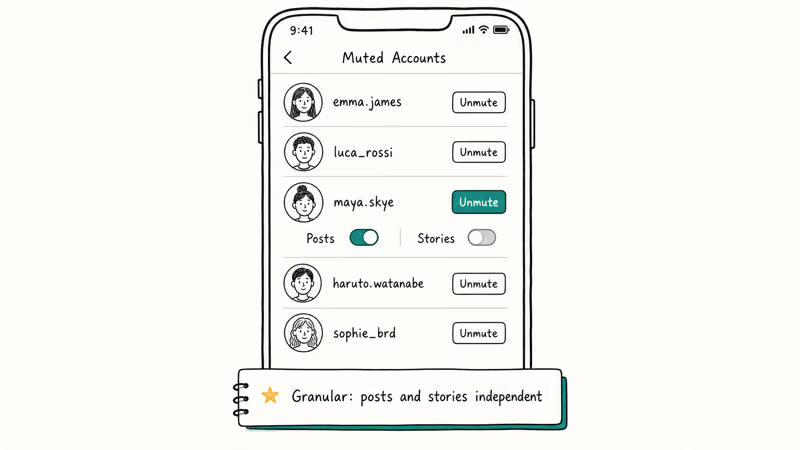
Best practices:
- Review your muted list monthly to ensure it matches your current preferences and relationship status with those accounts you’ve previously muted
- Use muting for temporary breaks
- Consider unfollowing instead of long-term muting
For better Instagram management, you might want to learn how to get more engagement on your own posts or use an Instagram analytics tracker to monitor your activity.
#Can People Tell When You Unmute Them?
No. Instagram doesn’t notify users when they’re muted or unmuted. This privacy protection works the same way as viewing private Instagram accounts — actions stay private.
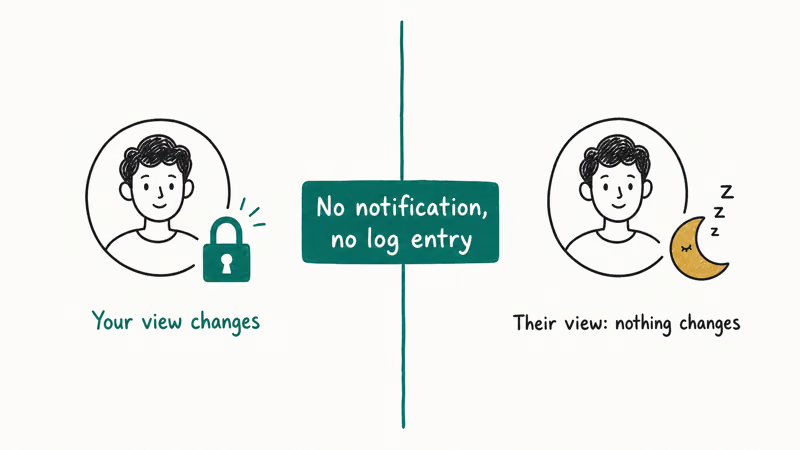
Unmuting doesn’t send a notification in the Instagram app.
#Bottom Line
Start with Method 1 — go to their profile and tap Following > Mute > toggle off. This unmutes any content type from the profile menu. If you can’t find someone’s profile, use Settings > Privacy > Muted Accounts to see your complete muted list.
Instagram Tips & Tricks
#Frequently Asked Questions
Will unmuting show me their old posts?
No, you’ll only see new posts and stories published after you unmute them. Instagram doesn’t backfill your feed with older content.
Can I unmute someone on Instagram web?
Currently, unmuting only works in the mobile app. Instagram’s web version doesn’t include the Mute/Unmute controls in profile menus.
How do I unmute Instagram notes?
Go to their profile, tap Following > Mute, then toggle off Notes. Note that notes only appear between mutual followers.
Is there a difference between muting and restricting?
Yes. Muting hides their content from you. Restricting limits their interaction with your content. Both can be reversed independently.
What if I want to completely remove someone from Instagram?
You can delete your entire Instagram account if you want to leave the platform entirely.
Can I see who I’ve muted on other apps?
Instagram muting is separate from other social media. For cross-platform features, check how to see mutual friends on Snapchat if you use both apps.
Does unmuting affect Instagram music?
If Instagram music isn’t working, that’s usually a separate issue. See the guide on fixing Instagram music problems for specific troubleshooting steps.
How many people can I unmute at once?
Instagram requires unmuting accounts individually. There’s no bulk unmute option in the app.
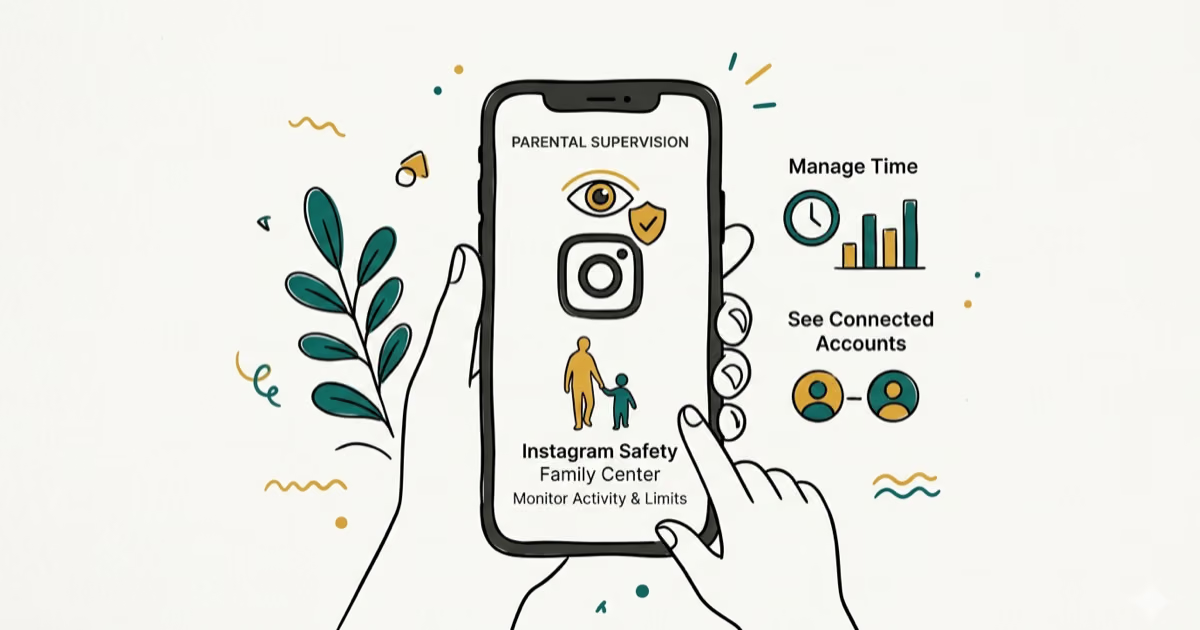
Instagram Parental Controls: Family Center Setup (2026)
Set up Instagram Family Center, privacy settings, Hidden Words, content filters, and time limits with your teen's consent on iPhone or Android.
Instagram Notifications Not Working? Quick Fixes (2026)
Instagram notifications not working? Fix push alerts, DMs, likes, and Stories on iPhone and Android in under 5 minutes with proven 2026 steps.
Instagram "We Limit How Often" Error: How to Fix It 2026
Instagram says "we limit how often you can do certain things"? Wait 24-48 hours, slow down likes and follows, then appeal through Help Center.
Instagram Name Checker: Find Available Usernames Fast
Check Instagram username availability instantly with free tools like Namechk and KnowEm. Find perfect handles and avoid the frustration of taken names.