How to Recover Deleted Instagram Messages on Your Account
Recover what remains after an Instagram chat disappears, distinguish Delete from Unsend, export current data, and avoid false recovery promises.
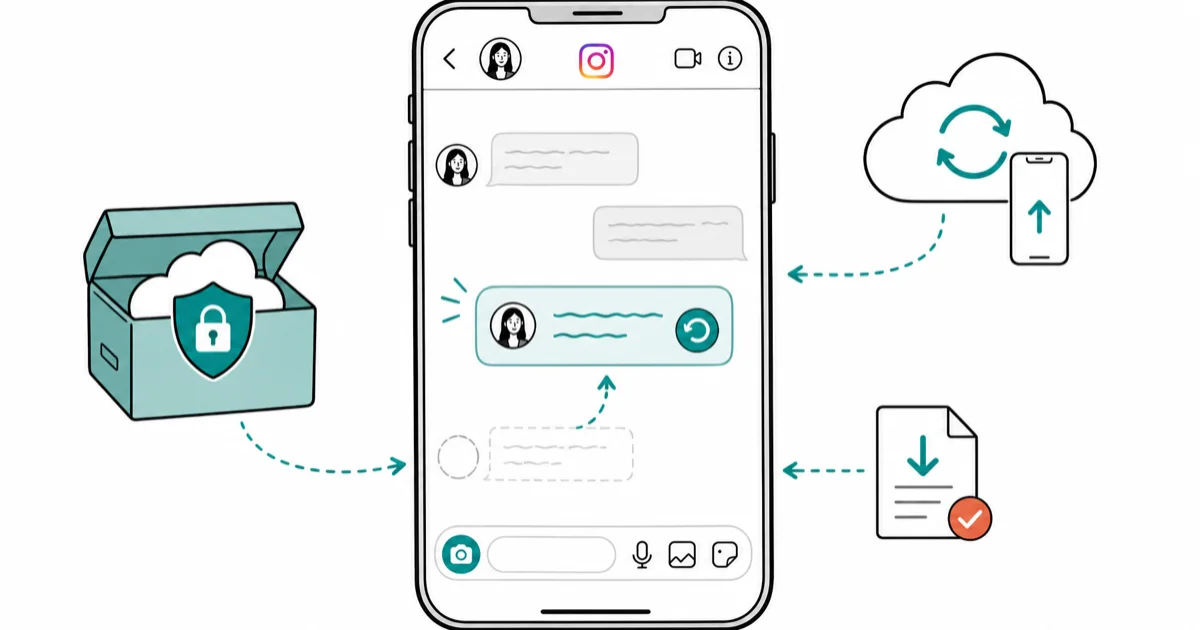
Quick AnswerFirst identify whether you deleted a chat from your inbox or unsent a message. Check copies that already exist, such as the other participant’s thread, screenshots, an earlier export, or saved notifications. Don’t erase an iPhone or buy a recovery app based on an unsupported Instagram DM promise.
You deleted an Instagram chat or unsent a message and want it back on your own account. The honest recovery path depends on which action happened and whether another copy still exists. A device backup, an account-data export, and Instagram’s live inbox are different stores; none should be described as a guaranteed server-side undelete.
This guide covers only your account, devices, exports, and backups. It never asks for another person’s password or session token.
- Deleting a conversation from your inbox and unsending a message are different actions. Start by identifying which one occurred.
- Ask the other participant for a screenshot or forwarded copy if their side of the conversation still exists.
- Exported account data can preserve information Meta currently makes available; don’t treat a new export request as a historical undelete command.
- Meta’s March 2026 product update says it’s removing the opt-in end-to-end-encryption option from Instagram. The Secure Storage backup described on that page is a Messenger feature, not a current Instagram recovery route.
- Apple’s backup-restore page explains how to restore an entire device. It doesn’t say that doing so restores deleted Instagram DMs.
#What Is the Difference Between Delete and Unsend?
Instagram uses different controls for a conversation and an individual message. If you deleted a chat from your inbox, the other participant may still have their copy. If you unsent a message, it’s removed from the conversation rather than merely hidden from your inbox.
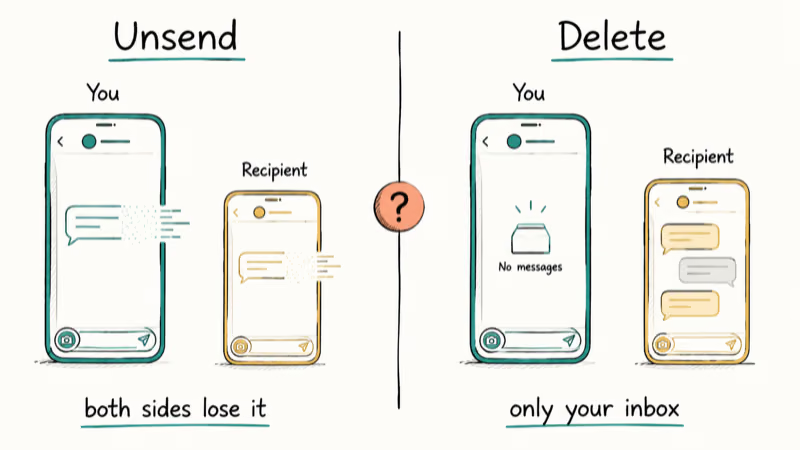
Use what you can still observe in the app:
- Open Instagram and search for the account or group.
- Check whether the conversation is absent, present but missing one message, or present on another device.
- Ask the other participant whether the thread is still visible to them.
- Save any remaining copy before changing devices, reinstalling the app, or clearing app data.
If the other participant still has the thread, ask them to forward the relevant text, send screenshots, or copy the information you need. That’s a surviving copy, not a restoration of your deleted inbox entry.
#Is Instagram Secure Storage Still a Recovery Route?
The old version of this article said end-to-end encryption became the default for Instagram DMs in late 2023 and that Instagram Secure Storage made nightly PIN-protected backups. Meta’s current product notice does not support those claims.
According to Meta’s March 9, 2026 update, very few people opted into end-to-end-encrypted DMs on Instagram, so Meta is removing that option from Instagram in the coming months. On the same page, the Secure Storage section is explicitly titled “End-to-End Encrypted Backups on Messenger” and describes Messenger conversation recovery.
That means the Messenger PIN, recovery-code, nightly-sync, and “Restore previous chats” instructions can’t be presented as a current Instagram undelete workflow. If your Instagram app displays a region- or account-specific recovery prompt, follow the text in your own app, but don’t rely on the former Messenger Secure Storage path copied into Instagram advice.
#What an Instagram Data Export Can and Cannot Do
An account export is worth checking because it can give you a durable copy of information that’s currently available for your account. It’s not proof that Meta keeps a restorable history of every deleted conversation.
In Instagram or Accounts Center, look under Your information and permissions for the option to export your information. If the interface lets you select categories, include messages and choose a readable format. Menu wording and availability can vary, so use the options shown on your account rather than an old screenshot.
After the export is ready:
- keep the original archive unchanged;
- extract a working copy on your own computer;
- search the messages data for the username and distinctive words from the conversation; and
- record the export date so you know what snapshot you checked.
If the conversation isn’t in the archive, the archive didn’t recover it. Don’t pay anyone to “unlock” it.
Exports are most useful when created before a loss. A screenshot, saved attachment, forwarded message, or older export can be a surviving record even when the live thread no longer appears.
#Do Not Restore an iPhone Solely for Instagram DMs
The previous citation at this point used Apple support ID 108795 and called it an iCloud Backup article. That ID is actually Find People and Pets in Photos on your iPhone or iPad, so it can’t support any backup or Instagram claim.
According to Apple’s device backup restore guide, an iPhone or iPad can be restored from iCloud or a computer backup. For an already configured device, Apple says you must erase its content before using the iCloud restore flow, then choose a dated backup during setup. The computer path similarly lets you select Restore Backup and choose by date.
A whole-device restore doesn’t prove Instagram’s service will repopulate deleted DMs. Apple doesn’t make that promise.
Only use device restore when you independently need to recover the broader device state and accept the erase-and-restore consequences. Before that kind of operation, preserve current photos, files, authenticator access, and other recent data. Our iCloud backup file guide explains the broader backup boundary, but it isn’t a shortcut to a deleted Instagram thread.
#Android and Notification History
An Android device backup is also not an Instagram undelete service. Restoring the app, login state, or preferences doesn’t prove that missing message content survives in the backup.
Notification history can sometimes preserve a notification that appeared before the loss. According to Google’s current Pixel notification history guide, the feature must be enabled first and keeps dismissed notifications from the last 24 hours. Open Settings > Notifications > Notification history to check it.
Keep the scope exact:
- the cited page is for Pixel phones, not every Android skin;
- notification history must have been enabled before you needed it;
- it preserves notifications, not an entire Instagram message database; and
- another Android manufacturer may use a different path or offer no equivalent history.
If a notification contains the text you need, save it immediately. Don’t clear notification history or app data until you finish checking.
#Third-Party Instagram Recovery Tools
No current official source opened for this correction proves that Tenorshare UltData, Wondershare Dr.Fone, iStaunch, DMpro, or another recovery product can restore a deleted Instagram DM. Remove the marketing layers and evaluate what the tool can actually access.
A local utility may inspect a device or backup you own. That’s not the same as recovering content from Instagram’s service. Stop if a tool:
- asks for another person’s Instagram password;
- requests your Instagram session token or browser cookie;
- claims it can recover any deleted DM without an existing copy;
- asks you to disable account security; or
- shows “scan results” before it has accessed a real device or backup.
Our Instagram hack-tool warning covers the credential and session-token scams that often hide behind recovery wording. Never give a recovery site the authentication material it would need to take over your account.
If your problem is that messages are not loading or sending rather than deleted, use the Instagram DM troubleshooting guide instead. A connection or account problem can make an existing thread look missing without creating a data-recovery case.
#A Safe Recovery Checklist
Work from the least destructive copy to the most disruptive action:
- Check the live chat and search for the participant or group.
- Check another device that was already signed in, without clearing its app data.
- Ask the other participant for any copy still visible to them.
- Review screenshots, saved attachments, notes, and account exports created before the loss.
- On a supported Android device, check previously enabled notification history.
- Request a current account export as an inventory, not an undelete guarantee.
- Avoid whole-device restore unless you have a separate device-recovery reason and understand that Apple does not promise Instagram DM recovery.
If you can’t access your own Instagram account, recover the account first. The forgot Instagram password guide covers that separate problem, while our hacked Instagram account guide covers a suspected takeover. Message recovery advice is meaningless until you control the account and can inspect its current data.
#How to Preserve Important Instagram Conversations
For information you need to retain, create a copy while it’s still visible:
- save important attachments outside Instagram;
- take screenshots that include enough context to understand the exchange;
- request periodic account exports when the option is available;
- keep export archives encrypted on a device you control; and
- record essential agreements or contact details in a system designed for long-term storage.
Don’t base this routine on the former claim that Instagram Secure Storage makes nightly backups. Meta’s current announcement places Secure Storage on Messenger and says the Instagram encrypted-DM option is being removed.
#Bottom Line
Recovering an Instagram message means finding a copy that still exists: the other participant’s thread, a screenshot, a saved attachment, a prior export, or a notification that was already recorded. A new data export can show what is available now, but it isn’t a universal undelete tool.
The corrected Apple citation matters because a page about People & Pets was previously used as an iCloud Backup source. Apple 118105 verifies whole-device restore steps and the need to erase an already configured device for iCloud restore; it does not verify that deleted Instagram DMs return. Don’t risk current device data on that unsupported promise.
Instagram Tips & Tricks
#Frequently Asked Questions
Can I recover an Instagram chat deleted years ago?
Only if a copy still exists somewhere you can lawfully access, such as the other participant’s inbox, an old screenshot, a saved attachment, or an earlier account export. The current sources opened for this correction don’t establish a general Instagram undelete service.
What if I unsent one message by mistake?
Check whether anyone saved the information before it was unsent. Don’t expect a new account export, phone restore, or recovery app to reconstruct a message that’s absent from every available copy.
Will reinstalling Instagram bring deleted messages back?
Reinstalling can fix an app malfunction, but it isn’t a documented deleted-message recovery method. Before reinstalling, check any signed-in device and save what remains.
Can an iCloud backup restore deleted Instagram DMs?
Apple’s support page documents restoring the device from iCloud or a computer backup. It doesn’t say Instagram DMs deleted from the account will return, so don’t erase an iPhone solely on that expectation.
Is Instagram Secure Storage still the recovery path?
The current Meta page opened for this correction describes Secure Storage under Messenger and says the opt-in encrypted-DM option is being removed from Instagram. The former Instagram PIN-and-nightly-backup instructions should not be used as current guidance.
Can a data-recovery app decrypt Instagram messages?
No official source opened for this correction supports that promise. A tool may inspect accessible files in a device or backup you own, but that doesn’t give it a deleted server-side conversation or another person’s data.
Should I ask Instagram Support to restore the chat?
You can report an app or account problem through Instagram’s support flow, but preserve any existing copies first and don’t assume support has a historical undelete control. Describe whether you deleted a conversation, unsent a message, or simply can’t load the inbox.
Instagram Parental Controls: Family Center Setup (2026)
Set up Instagram Family Center, privacy settings, Hidden Words, content filters, and time limits with your teen's consent on iPhone or Android.
Instagram Notifications Not Working? Quick Fixes (2026)
Instagram notifications not working? Fix push alerts, DMs, likes, and Stories on iPhone and Android in under 5 minutes with proven 2026 steps.
Instagram "We Limit How Often" Error: How to Fix It 2026
Instagram says "we limit how often you can do certain things"? Wait 24-48 hours, slow down likes and follows, then appeal through Help Center.
Instagram Name Checker: Find Available Usernames Fast
Check Instagram username availability instantly with free tools like Namechk and KnowEm. Find perfect handles and avoid the frustration of taken names.