Samsung SmartTag 2 vs Original AirTag: Which Tracker Wins?
Samsung SmartTag 2 vs original AirTag compared on phone compatibility, finding networks, UWB precision, battery, water resistance, and setup.
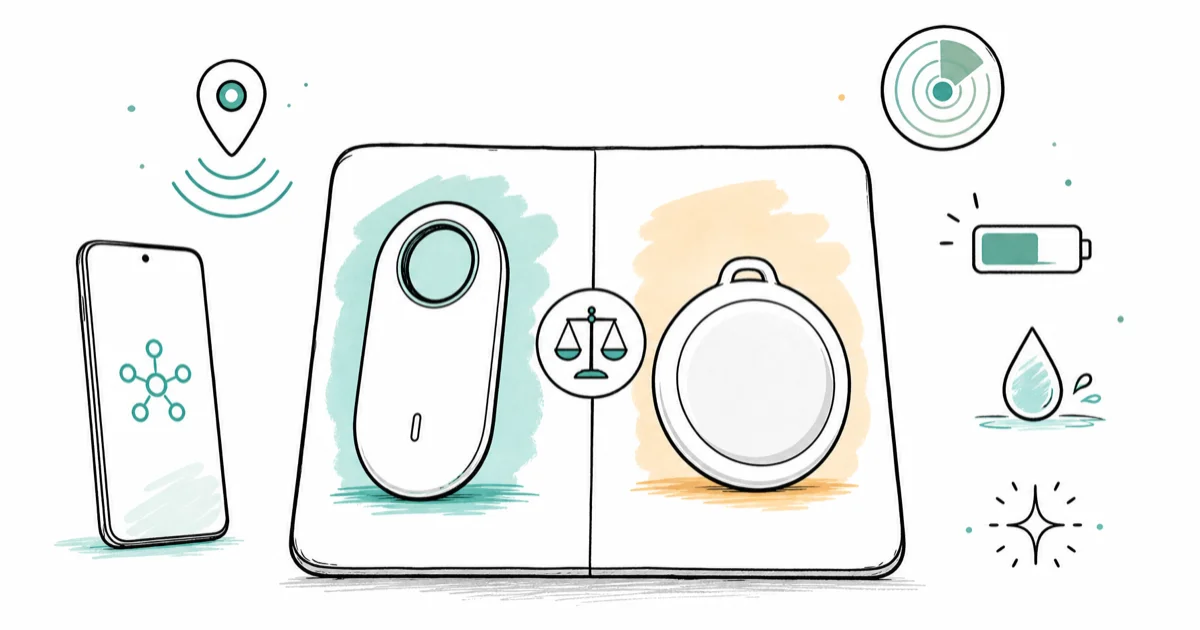
Quick AnswerYour phone decides. SmartTag 2 only works with Galaxy on SmartThings Find; the original AirTag only works with iPhone on Find My.
This comparison covers Samsung SmartTag 2 and the original Apple AirTag sold under ASIN B0933BVK6T. The phone ecosystem decides the result before most hardware differences matter.
- SmartTag 2 only pairs with Samsung Galaxy phones running SmartThings Find; it has no iPhone app
- AirTag only pairs with iPhones on the Find My network; it shows up as Unknown Accessory on Android
- Both trackers use UWB precision finding, but only on UWB-equipped Galaxy and iPhone models
- Apple rates AirTag at IP67, while Samsung rates SmartTag 2 at IP67 with a built-in keyring hole
- Battery is replaceable on both (CR2032), and Samsung claims up to 700 days in Power Saving mode
#Why Phone Compatibility Decides Everything
Cross-platform support is the headline, and neither tracker has it. SmartTag 2 needs a Samsung Galaxy phone running SmartThings Find. There’s no iOS app at all. AirTag needs an iPhone running Apple’s Find My, and the Find My app isn’t available on Android.
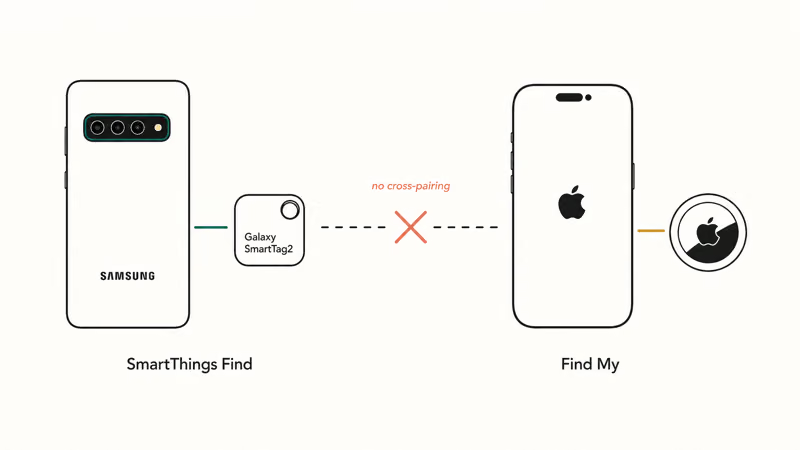
You can still detect the other side’s tag if it’s moving with you. iPhones warn you about unknown AirTags or Find My-network accessories, and recent Galaxy phones do the same for SmartTags.
Apple and Google rolled out a shared unwanted-tracker standard in 2024. The standard helps with stalking protection but won’t let you set up the other ecosystem’s tag.
If you mix devices in your household, that’s a real limitation. A family with both iPhones and Galaxies can’t share a single tracker brand across all members and have everyone get full functionality. The simplest approach is to buy whichever tag matches each person’s primary phone.
#How the Two Finding Networks Compare
Both trackers piggyback on a crowd-sourced network of phones owned by other users. When any compatible phone walks past your lost tag, it anonymously reports the location back to you.
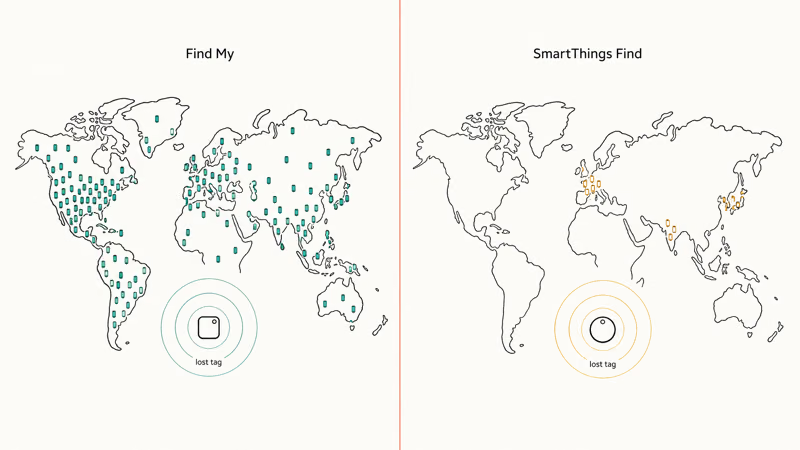
Apple’s Find My network is huge. Samsung’s is meaningful inside the Galaxy ecosystem. According to Apple’s Find My overview, the network draws on over a billion iPhones, iPads, and Macs worldwide. Samsung does not publish a directly comparable active-device total for SmartThings Find, so coverage varies with the number of participating Galaxy devices nearby.
In a quiet suburban area, an AirTag usually updates faster than a SmartTag 2, because more iPhones pass by. In dense, mixed-phone areas that gap shrinks. Neither tag crosses platforms, so if you need one that works on both, compare AirTag against Tile instead.
At home, both tags use direct Bluetooth or UWB rather than network relays.
#What UWB Precision Finding Actually Does
Both SmartTag 2 and AirTag include UWB hardware for close-range directional guidance on a compatible phone. The phone shows an arrow and a distance readout that update as you move.
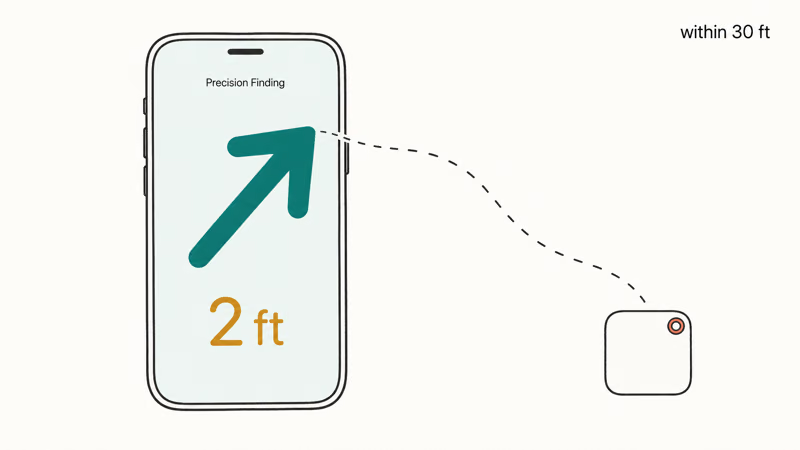
This only works on UWB-equipped phones. Apple supports Precision Finding on UWB-capable iPhones beginning with the iPhone 11 family; models without UWB, including iPhone SE and the later iPhone 16e and 17e, fall back to non-directional finding. According to Samsung’s official SmartTag 2 compatibility list, UWB Compass View works with Plus and Ultra variants in the Galaxy S24 family. The base Galaxy S24 does not have UWB; the S24+ and S24 Ultra do.
On a compatible UWB Galaxy phone, SmartThings Find can show direction and distance to SmartTag 2. AirTag provides the same category of close-range guidance on a compatible UWB iPhone, but neither manufacturer publishes a directly comparable accuracy figure for this pair.
If your phone lacks UWB, you fall back to a beeping speaker and an approximate Bluetooth signal strength reading. That still works. It feels noticeably less magical.
#Battery, Water, and Sound: A Spec Snapshot
Both tags use a standard CR2032 coin-cell battery you can swap yourself. Apple says AirTag lasts about a year on a single battery. Samsung says SmartTag 2 lasts up to 500 days in Normal mode and up to 700 days in Power Saving mode, according to its SmartTag 2 product page.
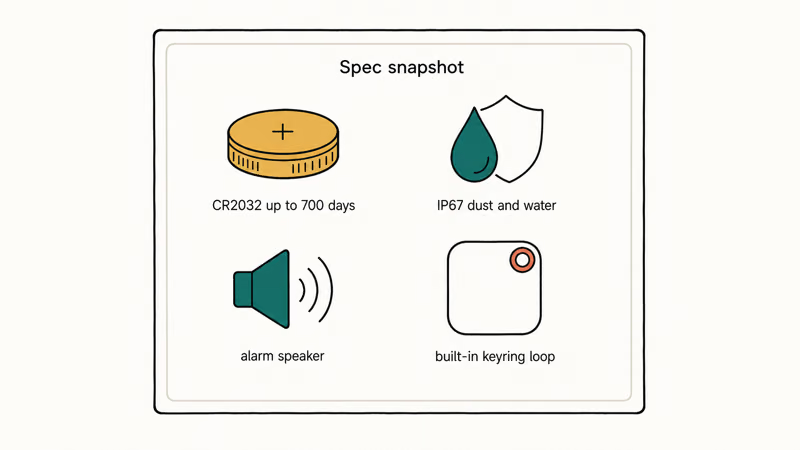
| Feature | Samsung SmartTag 2 | Original Apple AirTag |
|---|---|---|
| Phone ecosystem | Galaxy only | iPhone only |
| Finding network | SmartThings Find | Find My |
| Battery (replaceable) | CR2032, up to 700 days (Power Saving) | CR2032, about 1 year |
| Water/dust rating | IP67 | IP67 |
| UWB precision finding | Yes, on UWB Galaxy phones | Yes, on iPhone 11 and later |
| Built-in keyring hole | Yes | No (accessory required) |
| Speaker | Built-in, multi-pattern alarm | Built-in, single tone |
Comparison of Samsung SmartTag 2 and original Apple AirTag core features
Water resistance is identical at IP67. Both shrug off sweat, rain, and an accidental quick dunk in a puddle. Neither is rated for swimming or extended submersion. Both have built-in speakers, and Samsung offers selectable ringtone patterns through SmartThings Find.
Form factor is where Samsung lands a small win. SmartTag 2 has a keyring hole molded into the body, so you loop it onto keys directly. AirTag is a smooth disc that needs a case or keychain accessory (sold separately), with options from cheap silicone sleeves up to designer leather.
#Each Tracker in Detail
Here is how each tag looks today, with current pricing on Amazon and the key trade-offs for each.
#Samsung Galaxy SmartTag 2
The SmartTag 2 is the longer-battery, larger-bodied pick of the pair, and the only one that gives Galaxy owners a built-in keyring hole. UWB and the 700-day Power Saving battery are the headline upgrades over the original SmartTag.
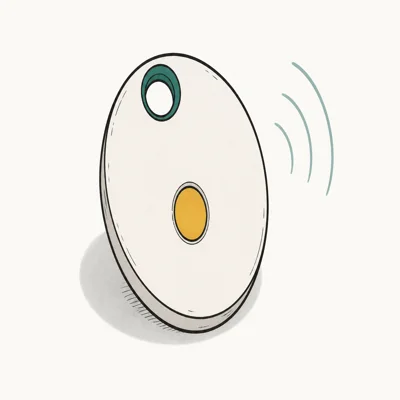
- Up to 700 days on a single CR2032 in Power Saving mode
- Built-in keyring hole, no case needed for keys
- UWB Compass View on UWB Galaxy phones
Last updated on May 26, 2026
As an Amazon Associate fone.tips earns from qualifying purchases. Prices and availability on Amazon are accurate as of the date above and subject to change.
- Up to 700 days in Samsung's Power Saving mode
- Keyring hole molded into the body, no separate accessory
- UWB precision finding on supported Galaxy phones
- IP67 dust and water rating, multi-pattern alarm
- Galaxy phones only, no iOS or Pixel support
- UWB requires a UWB-capable Galaxy (S21+ and newer flagships)
- Larger and chunkier than AirTag
#Original Apple AirTag
The original AirTag is the simpler-looking, slightly smaller disc with the Find My relay network behind it.
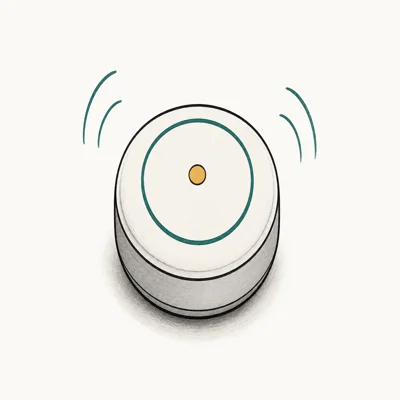
- Find My taps over a billion Apple devices worldwide
- Precision Finding via U1 on iPhone 11 and later
- One-tap setup near any iPhone, no separate account
Last updated on May 26, 2026
As an Amazon Associate fone.tips earns from qualifying purchases. Prices and availability on Amazon are accurate as of the date above and subject to change.
- Largest crowd-sourced finding network of any tracker
- Precision Finding feels instant on UWB iPhones
- Smaller, lighter disc that hides in pockets and bags
- One-tap setup with any iPhone signed into iCloud
- iPhone only, no Android setup or full tracking
- No keyring hole, accessory required for most use cases
- Rated battery life trails SmartTag 2 by months
#Are These Trackers Safe From Being Used to Stalk You?
This is the most-asked question, and the honest answer is both companies have spent years tightening the protections.
If an unfamiliar AirTag travels with you, your iPhone shows an Item Safety Alert and the tag eventually starts beeping on its own. Google’s current Find My Device page is the live source for Android lost-device and tracker-network behavior. Samsung built similar Unknown Tag alerts into SmartThings Find for unwanted SmartTags.
If you suspect a tag is on you, our guide to how to find an AirTag tracking you walks through the iPhone and Android steps. No system is bulletproof. A tag with the speaker physically disabled (rare but possible) can be harder to detect. If you ever feel unsafe, contact local law enforcement.
Families can share a tag within its native ecosystem, allowing multiple members to locate the same item.
#Which Tracker Should You Buy?
Use the table below as a fast filter, then read on for the edge cases.
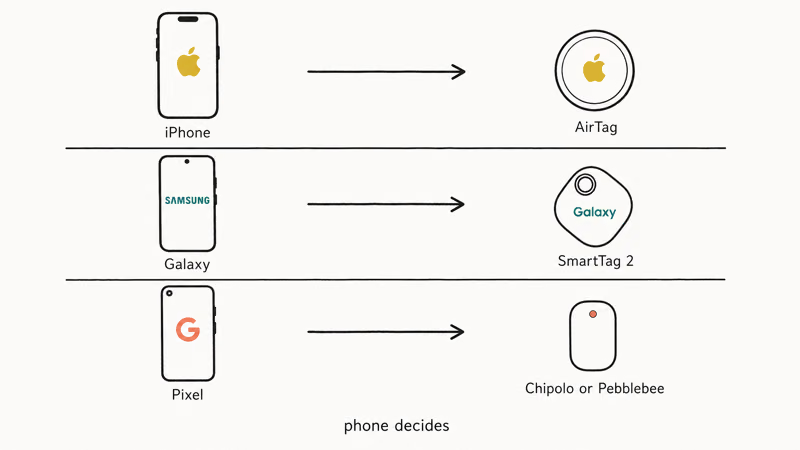
| Your phone | Recommended tracker | Why |
|---|---|---|
| iPhone (any model since 2018) | AirTag | Find My is the only finding network available to you |
| Galaxy S, Note, Z Fold, or Z Flip (recent) | SmartTag 2 | SmartThings Find is the only finding network available to you |
| Google Pixel | Use Google’s Find My Device + a Chipolo or Pebblebee tracker (not these two) | Neither AirTag nor SmartTag 2 supports Pixel as primary phone |
| Mixed-platform household | Buy whichever matches each person’s daily phone | Cross-ecosystem use is not supported by either tag |
If you also need to track a fully offline device, you’re limited to whatever location the tag last reported before it went dark. Neither AirTag nor SmartTag 2 has cellular or GPS. For active-GPS trackers with their own SIM, see our micro GPS tracking device roundup.
For a broader Android-friendly comparison including Chipolo and Pebblebee, our best Bluetooth tracker for Android guide pits the alternatives side by side. If you’ve already lost the phone itself, the steps in how to track a lost phone cover both iOS and Android.
#Where to Buy and What to Pay
Both tags are sold direct from the brand and through major retailers like Best Buy, Target, and Amazon, and street prices shift constantly with seasonal promotions and bundle deals. As a rough tier, both sit in the budget-to-mid tracker range: a single unit costs less than a typical pair of wireless earbuds, while two-packs and four-packs drop the per-unit price enough to make tagging several items worthwhile.
Buy in multipacks if you plan to tag more than one item. A two-pack covers keys and a backpack. A four-pack adds two more slots. Check current pricing before checkout.
If you only want to find a phone you already own, you don’t need a tracker at all. For smaller items that don’t fit a tag, our how to find airpod case only guide covers a related recovery path.
#Bottom Line
Galaxy phone, buy SmartTag 2. iPhone, buy AirTag. The phone in your pocket decides this comparison, not range, not loudness, not the keyring hole.
Both tags do the same core job inside their own ecosystem, and neither one helps you if you switch sides. Pixel and other non-Galaxy Android users should skip both and look at Chipolo or Pebblebee on Google’s Find My Device network, since SmartTag 2 won’t pair with them and AirTag won’t unlock its full feature set.
#Frequently Asked Questions
Does Samsung SmartTag 2 work with iPhone?
No. SmartTag 2 has no iOS app and can’t be paired with an iPhone. Your iPhone will only warn you that an unknown tracker is moving with you, thanks to the cross-platform unwanted-tracker standard Apple and Google adopted in 2024.
Does AirTag work with Android phones?
Not for setup. AirTag pairing requires an iPhone or iPad on the Find My network. Android can scan for unknown AirTags via Google’s safety tools, but won’t configure your own.
Which has better range?
Neither manufacturer publishes a directly comparable real-world Bluetooth range for this pair. Range varies with obstacles and radio conditions; once the owner phone loses a direct connection, each tag relies on nearby devices in its crowd-sourced network.
Are SmartTag 2 and AirTag waterproof?
Both carry an IP67 rating, which means they survive dust and brief immersion in shallow water. You can leave them on keys that get rained on, dropped in puddles, or sweated against in a gym bag. Neither tag is rated for swimming, prolonged submersion, or saltwater.
Can someone use these to track me without permission?
It’s possible but harder than it used to be. Apple and Samsung have built unknown-tracker alerts into their phones, and Google added the same protection on Android in 2024. If a stranger’s tag travels with you for an extended period, your phone should warn you. Disabling a tag once you find one is straightforward: open the tag, pop out the battery, and contact local law enforcement if you have safety concerns.
Which should I buy for a Galaxy phone?
Samsung SmartTag 2 is the only option that gives you full setup, precision finding, and SmartThings Find network coverage on a Galaxy phone. An AirTag paired through someone else’s iPhone is not a real alternative because you can’t actively locate it from your Galaxy device.
Which should I buy for an iPhone?
Buy AirTag. It’s the only tracker that integrates natively with Find My, supports Precision Finding through your iPhone’s U1 chip on iPhone 11 and later, and shows up in the same app you already use to track your other Apple devices.
How long does the battery last?
Both tags use a CR2032 coin-cell battery that you can replace yourself in seconds. Apple states AirTag lasts about a year of typical use. Samsung claims SmartTag 2 lasts up to 500 days in normal use and up to 700 days in Power Saving mode. Heavy use of precision finding and frequent alarms shortens battery life on either tag.

Best Laptop for Running LLMs in 2026: Memory Comes First
The best laptop for running LLMs is a memory purchase first. Compare MacBook unified memory against NVIDIA laptop VRAM, and see what each tier really runs.

Pixel 11 vs Pixel 10: What Changed and Who Should Upgrade
Pixel 11 vs Pixel 10: same screen and camera resolution, new Tensor G6, 25W wireless, and Gemini Intelligence. Here is who should actually upgrade.

Best Power Bank for iPad in 2026: Pro, Air, and Mini
Best power bank for iPad in 2026. Compare mAh tiers and USB-C PD wattage for iPad Pro, Air, and mini, plus airline Wh math, cables, and travel tips.

Best Power Bank With Built-In Cable: Top 2026 Picks
Best power bank with built-in cable picks for 2026. Compare single USB-C, multi-connector, and retractable laptop banks, plus airline Wh math.