Top Alternatives to Google Chromecast in 2026
Explore the best Google Chromecast alternatives in 2026, including Roku, Fire TV Stick, Apple TV, and more. Compare features, pricing, and streaming quality.
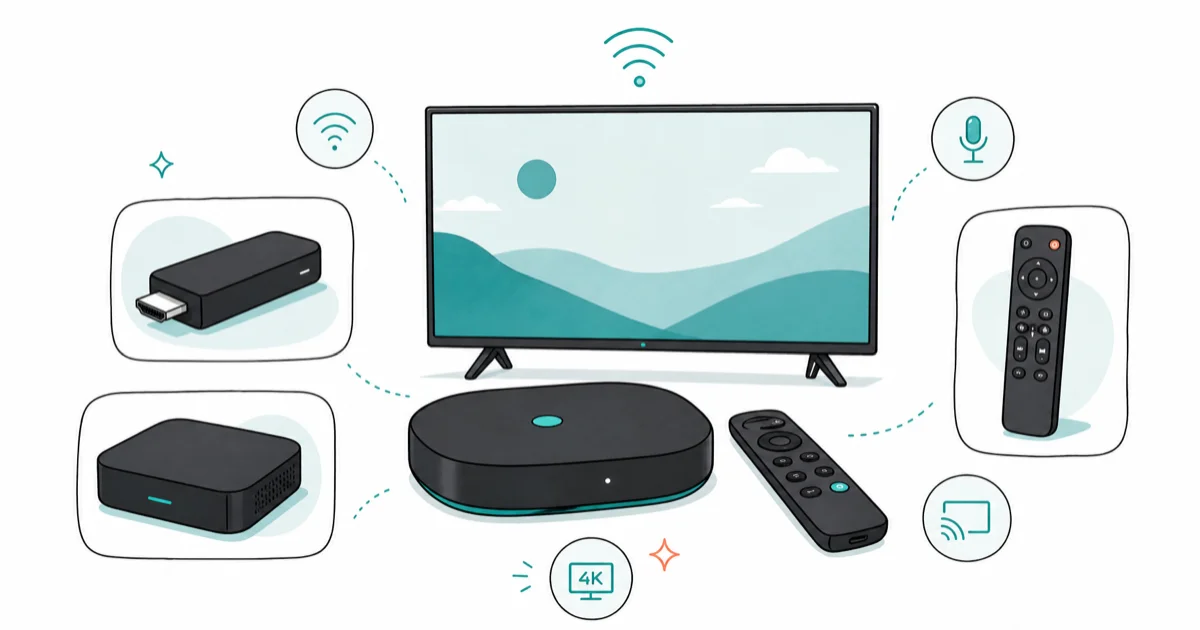
Quick AnswerThe best Chromecast alternatives are Roku Streaming Stick, Amazon Fire TV Stick, Apple TV 4K, and NVIDIA Shield TV, each offering unique features like dedicated remotes, 4K HDR, and voice control.
Google Chromecast has long been a popular choice for streaming content to your TV. Its versatility allows users to stream Netflix, watch Disney Plus, and even cast Twitch streams directly to their television. However, it’s not the only option on the market.
As technology advances and consumer needs evolve, several compelling alternatives have emerged, each with its own unique features and benefits. In this comprehensive guide, we’ll explore the top alternatives to Google Chromecast, helping you find the perfect streaming solution for your needs.
- The Roku Streaming Stick 4K supports 4K, Dolby Vision, HDR10+, and long-range Wi-Fi while providing access to Roku’s app ecosystem
- Amazon Fire TV Stick integrates directly with Alexa for voice control and gives Prime Video subscribers a smooth viewing experience
- Apple TV 4K is the best option for iPhone and Mac users because it supports AirPlay 2, HomeKit, and iCloud Photo Library natively
- NVIDIA Shield TV doubles as an Android gaming device and supports Google Assistant, making it the most versatile option for gamers
- Chromecast requires a smartphone to control all streaming, while dedicated boxes like Roku and Fire TV include physical remotes out of the box
#Introduction: Why Consider Chromecast Alternatives?
While Google Chromecast offers a simple and affordable way to stream content, it may not be the ideal solution for everyone. Some users may prefer a device with a dedicated remote, a bigger app ecosystem, or advanced features like 4K HDR streaming. Others might be looking for better integration with specific ecosystems, such as Apple or Amazon. By exploring alternatives, you can find a streaming device that better aligns with your specific needs and preferences.
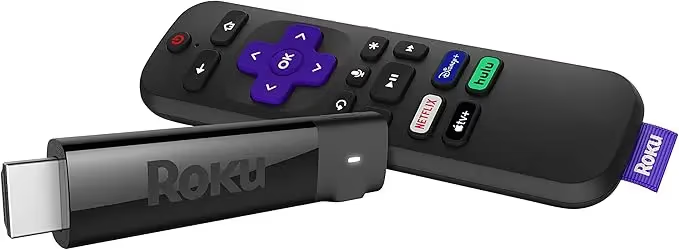
When considering Chromecast alternatives, key factors to keep in mind include:
- Streaming quality (1080p, 4K, HDR support)
- Content availability and app ecosystem
- Ease of use and interface design
- Compatibility with your existing devices
- Additional features (gaming capabilities, voice control, etc.)
- Price and value for money
Here are the top alternatives to Google Chromecast available in 2026.
#1. Roku Streaming Stick 4K
The Roku Streaming Stick 4K stands out as a popular and reliable alternative to Google Chromecast, offering a user-friendly interface and extensive app support. According to Roku’s product page, the current stick supports 4K, Dolby Vision, HDR10+, and a long-range Wi-Fi receiver in a compact HDMI design.
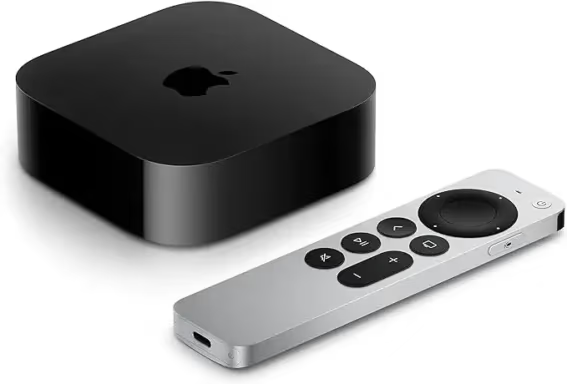
#Key Features:
- 4K HDR streaming capability
- Voice-controlled remote
- Access to thousands of channels via Roku Channel Store
- Supports Apple AirPlay
- Dolby Vision and HDR10+ support
#Pros:
- Affordable price point
- Easy setup and intuitive interface
- Vast content library
- Portable design
#Cons:
- No Ethernet port for wired connection
- No advanced gaming features
#Ideal for:
Users who want a simple, affordable streaming solution with access to a wide range of content and don’t need advanced gaming features.
As an Amazon Associate fone.tips earns from qualifying purchases. Prices and availability on Amazon are subject to change.
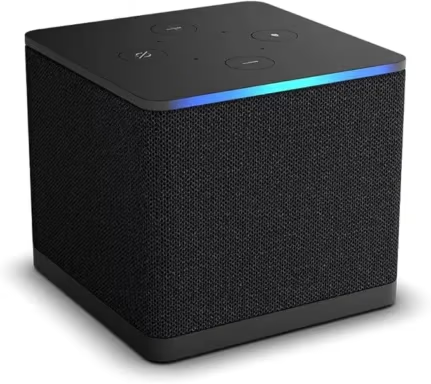
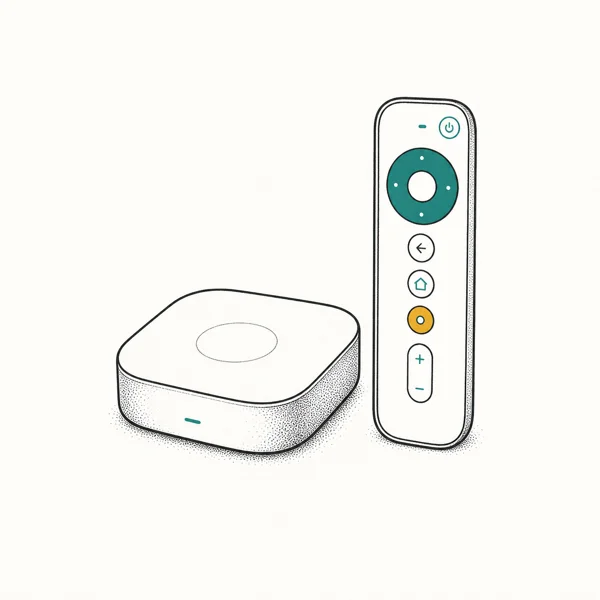
#2. Apple TV 4K
For those deeply embedded in the Apple ecosystem, the Apple TV 4K offers a smooth streaming experience with high-quality visuals and audio. According to Apple’s Apple TV 4K technical specifications, the box includes HDMI 2.1, Wi-Fi 6, Bluetooth 5.0, and an A15 Bionic chip, with a 4K and HDR TV required for 4K/HDR streaming. It’s worth noting that while Chromecast allows for Apple Music streaming from iPhone, Apple TV provides a more integrated experience for Apple users.
#Key Features:
- 4K HDR and Dolby Vision support
- Dolby Atmos audio
- Powered by A15 Bionic chip
- Integration with Apple services (Apple TV+, Apple Arcade, etc.)
- Siri remote with touch-sensitive controls
#Pros:
- Excellent performance and speed
- Tight integration with Apple devices
- High-quality audio and video output
- Access to Apple Arcade for gaming
#Cons:
- Higher price point compared to other options
- Limited appeal for non-Apple users
#Ideal for:
Apple enthusiasts who want the best integration with their existing devices and services, and those who prioritize high-quality streaming and gaming capabilities.
As an Amazon Associate fone.tips earns from qualifying purchases. Prices and availability on Amazon are subject to change.
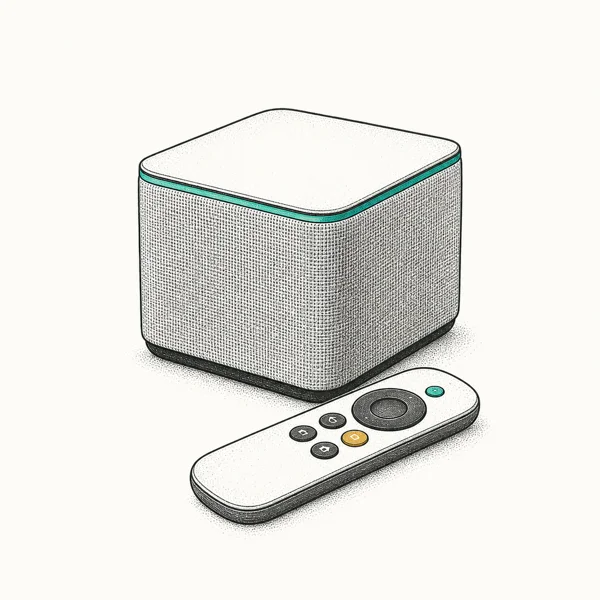
#3. Amazon Fire TV Cube
The Amazon Fire TV Cube combines streaming capabilities with smart home control, offering a versatile solution for tech-savvy users. It’s also the only device in this roundup with Wi-Fi 6E, and its HDMI input lets it control a cable or satellite box directly.
#Key Features:
- 4K Ultra HD and HDR support
- Built-in Alexa for voice control
- Hands-free TV control
- Supports Dolby Vision and Dolby Atmos
- HDMI input for controlling cable/satellite boxes
#Pros:
- Powerful voice control capabilities
- Doubles as a smart home hub
- Fast performance for streaming and app navigation
- Wide range of supported streaming services
#Cons:
- More expensive than basic streaming sticks
- Interface can be Amazon-centric
#Ideal for:
Users who want a powerful streaming device with smart home capabilities and don’t mind being tied into the Amazon ecosystem.
As an Amazon Associate fone.tips earns from qualifying purchases. Prices and availability on Amazon are subject to change.
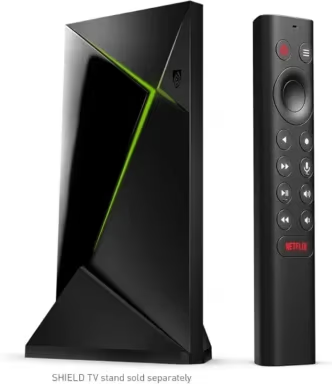
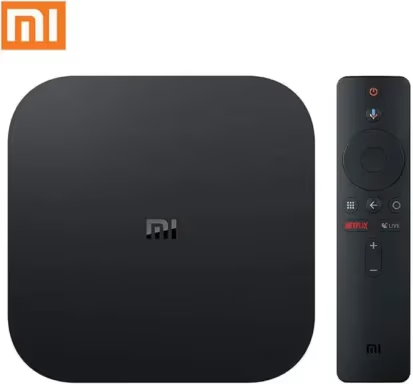
#4. Nvidia Shield TV
For the ultimate Android TV experience with a focus on gaming, the Nvidia Shield TV is hard to beat. According to NVIDIA’s SHIELD TV specs, it supports 4K HDR, Dolby Vision HDR, HDR10, AI-enhanced upscaling up to 4K at 30 FPS, and GeForce NOW 4K HDR cloud gaming with a compatible controller or keyboard and mouse.
#Key Features:
- 4K HDR streaming with AI upscaling
- GeForce Now cloud gaming support
- Dolby Vision and Dolby Atmos compatibility
- Powerful Tegra X1+ processor
- Built-in Google Assistant
#Pros:
- Excellent performance for streaming and gaming
- Advanced AI upscaling for improved video quality
- Versatile as both a media streamer and gaming device
- Expandable storage via microSD card slot
#Cons:
- Higher price point
- Overkill for users who don’t need gaming features
#Ideal for:
Tech enthusiasts and gamers who want a powerful, versatile streaming device with top-notch performance and gaming capabilities.
As an Amazon Associate fone.tips earns from qualifying purchases. Prices and availability on Amazon are subject to change.
#5. Xiaomi TV Box S (3rd Gen)
The Xiaomi TV Box S (3rd Gen) offers a comprehensive Google TV experience at an affordable price point. Per the Amazon listing, the current generation adds Wi-Fi 6, HDMI 2.1, 32GB of storage, and Dolby Vision plus Dolby Atmos and DTS
decoding.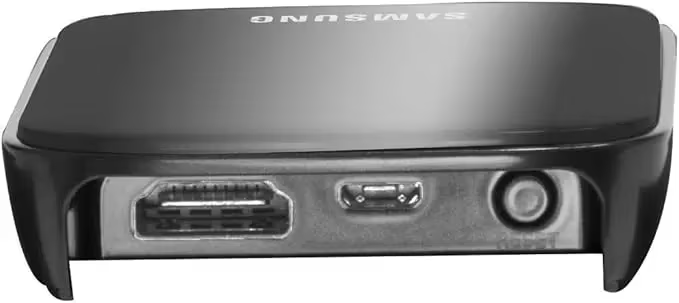
#Key Features:
- 4K streaming with Dolby Vision and HDR10+ support
- Built-in Chromecast functionality
- Google Assistant integration
- Access to apps through Google TV
- Wi-Fi 6, HDMI 2.1, and Bluetooth remote with voice control
#Pros:
- Affordable price for 4K streaming
- Clean Google TV interface
- 32GB of internal storage, generous for the price class
- Compact design
#Cons:
- 2GB of RAM is modest next to the Shield TV or Apple TV 4K
- USB port is limited to USB 2.0
#Ideal for:
Budget-conscious users who want 4K streaming capabilities and access to the Google TV ecosystem without breaking the bank.
#6. Samsung AllShare Cast
For Samsung device users, AllShare Cast offered easy screen mirroring and media sharing capabilities. Availability note: Samsung has discontinued the AllShare Cast hardware dongle, and its screen-mirroring role has been folded into Smart View, which is built into current Galaxy phones and Samsung TVs. You’ll only find AllShare Cast adapters second-hand today, so treat this as a legacy option rather than a current purchase.

#Key Features:
- Easy screen mirroring from Samsung devices
- Support for streaming photos, videos, and music
- Compact, portable design
- 1080p video streaming capability
#Pros:
- Simple setup process for Samsung users
- No need for additional apps or hardware
- Portable and easy to use in different locations
#Cons:
- Limited compatibility (primarily for Samsung devices)
- No 4K streaming support
#Ideal for:
Samsung smartphone and tablet users who already own an AllShare Cast dongle. If you’re buying today, use the Smart View mirroring built into your Galaxy device or pick one of the dedicated streamers above instead.
#7. AllCast
AllCast is a software-based solution that allows you to stream content from your mobile devices to your TV without additional hardware. It provides a flexible alternative for users who want lighter integrations:
- For VLC playback, see our guide on the best video players.
- For Safari sharing, see how to cast Safari to Chromecast.
#Key Features:
- Works with both Android and iOS devices
- Supports streaming to various devices (Smart TVs, gaming consoles, etc.)
- Can stream local media files and photos
- Free version available with premium upgrade option
#Pros:
- No need for additional hardware
- Versatile compatibility with different receiving devices
- Easy to use for quick media sharing
#Cons:
- Free version includes ads
- May not support all file formats
- Requires a compatible smart TV or receiving device
#Ideal for:
Users who want a flexible, software-based solution for occasional streaming from their mobile devices to their TV without investing in additional hardware.
#Comparison Table
Feature
Roku Streaming Stick 4K
Apple TV 4K
Amazon Fire TV Cube
Nvidia Shield TV
Xiaomi TV Box S
Samsung AllShare Cast
AllCast
4K HDR Support
Yes
Yes
Yes
Yes
Yes
No
Depends on TV
Voice Control
Yes
Yes (Siri)
Yes (Alexa)
Yes (Google Assistant)
Yes (Google Assistant)
No
No
Gaming Focus
No
Moderate
Moderate
High
Low
No
No
Ecosystem
Roku OS
Apple
Amazon
Android TV
Android TV
Samsung
Cross-platform
#Which Factors Matter When Choosing a Chromecast Alternative?
When selecting the right Chromecast alternative for you, consider the following factors:
- Streaming Quality: If you have a 4K TV, prioritize devices that offer 4K HDR streaming for the best visual experience.
- Content Availability: Check which streaming services and apps are supported by each device to ensure your favorites are available.
- Ecosystem Compatibility: Consider how well the device will integrate with your existing smartphones, tablets, and smart home devices.
- Additional Features: Think about whether you need gaming capabilities, voice control, or other advanced features.
- Price: Balance the features you need with your budget to find the best value for your requirements.
#Frequently Asked Questions
Can I use these alternatives with non-smart TVs?
Yes, most of these devices can be used with any TV that has an HDMI port. The streaming device plugs into the HDMI input and supplies its own operating system and apps, turning the TV into a smart display.
Do I need a separate streaming service subscription?
The devices themselves don’t require subscriptions, but you’ll need to subscribe to services like Netflix, Hulu, or Amazon Prime Video to access most premium content. Several free, ad-supported channels are also available on every major platform.
Can these devices replace my cable subscription?
Many users find that streaming devices, combined with live TV services like YouTube TV or Sling, can effectively replace traditional cable subscriptions while costing less per month.
Can I stream Twitch on these devices like I can with Chromecast?
Yes, many of these alternatives support Twitch streaming. Some, like the Amazon Fire TV Cube, even offer enhanced features for Twitch users such as voice search and a dedicated app.
Which alternative is best for 4K HDR content?
The Apple TV 4K and Nvidia Shield TV currently offer the strongest 4K HDR support, including Dolby Vision and Dolby Atmos passthrough. The Roku Streaming Stick 4K is a budget-friendly pick that also covers Dolby Vision and HDR10+.
Do any of these devices work without Wi-Fi?
Most require Wi-Fi for streaming, but the Nvidia Shield TV includes a wired Gigabit Ethernet port for more reliable connections. Apple TV 4K offers Ethernet only on the 128GB Wi-Fi + Ethernet model; the 64GB model linked above is Wi-Fi only. AllCast on a phone or tablet can also work over a local mobile hotspot in a pinch.
Will my voice remote work across different apps?
Yes. The Roku, Fire TV, Apple TV, and Nvidia Shield voice remotes all search across multiple installed apps at once, so you can ask for a show and see results from Netflix, Disney+, and Prime Video together.
#Conclusion
As we’ve explored, there are numerous compelling alternatives to Google Chromecast available in 2026. Whether you’re looking for a budget-friendly option like the Roku Streaming Stick 4K or Xiaomi TV Box S, a premium experience with the Apple TV 4K or Nvidia Shield TV, or a software solution like AllCast, there’s an option to suit every need and budget.
Consider your specific requirements, such as streaming quality, content preferences, and ecosystem compatibility, to choose the device that will provide the best streaming experience for you. While Chromecast offers great features like the ability to stream Netflix or watch Disney Plus, these alternatives can provide additional functionality or better suit your specific needs.
With the right Chromecast alternative, you can enhance your home entertainment setup and enjoy uninterrupted access to a world of content on your TV.

Google Messages Error 3100: Why RCS Is Broken on Galaxy
Google Messages RCS error 3100 hits Galaxy owners after phone or carrier switches. Google told 9to5Google a fix is coming. Here's what actually helps.

Is This Bank App Real? Spot a Fake App on Your Home Screen
A bank app can land on your home screen from a web page with no install warning. Learn the checks that tell a real banking app from a phishing web app.

Apps Crashing After iOS 27 Update? Fix Order (2026)
Apps crashing after the iOS 27 update? Update the app in the App Store first, then offload and reinstall to clear stale cache, then restart. The fix order.

Do AI Translation Earbuds Work Offline? What to Know
Do AI translation earbuds work offline? A few do with downloaded language packs, but most need the cloud. Here's what works offline and what you give up.