How to Cash Out on DoorDash: A Comprehensive Guide
Learn how to get paid through DoorDash Crimson, Fast Pay, or weekly Direct Deposit. Compare payout timing, fees, and eligibility for Dashers.
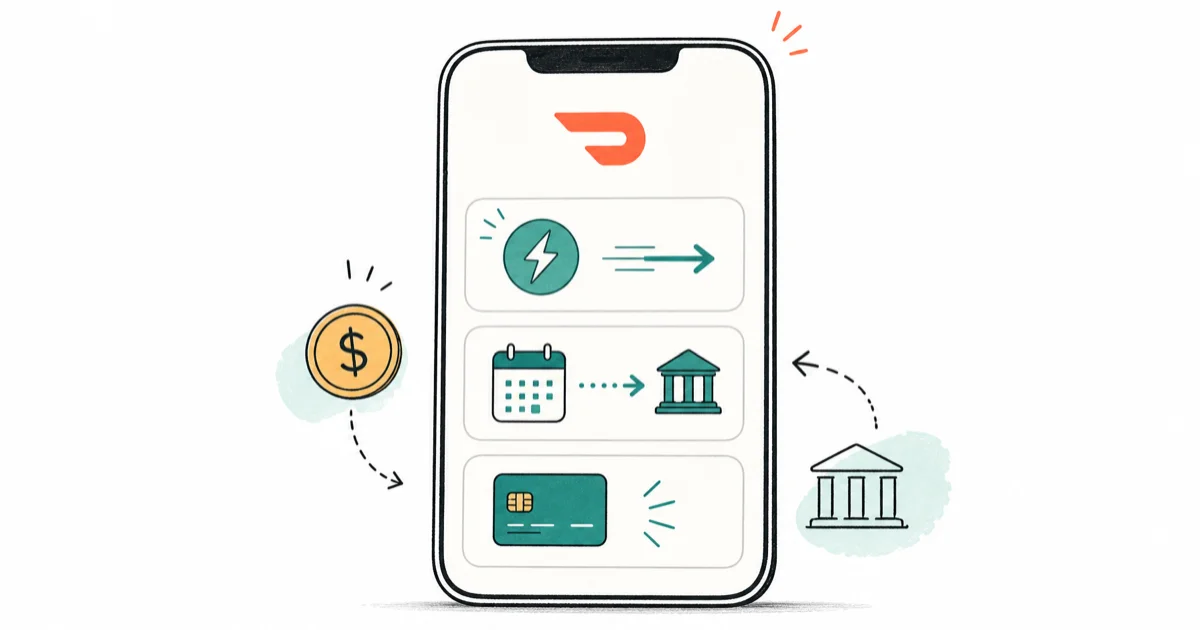
Quick AnswerChoose DoorDash Crimson for no-fee payouts after every dash, use Fast Pay for a $1.99 daily cash-out, or get free weekly Direct Deposits.
DoorDash offers weekly Direct Deposit, daily Fast Pay, and DoorDash Crimson. Each option has different fees, timing, and eligibility rules. DasherDirect is no longer a current payout method: DoorDash ended that program on April 1, 2025.
- DoorDash offers weekly Direct Deposit, Fast Pay, and DoorDash Crimson.
- Fast Pay requires completing at least 25 deliveries, being active for 14 days, and having a debit card on file for 7 days before you can use it.
- DoorDash Crimson sends eligible earnings to a personal banking account after every dash at no fee.
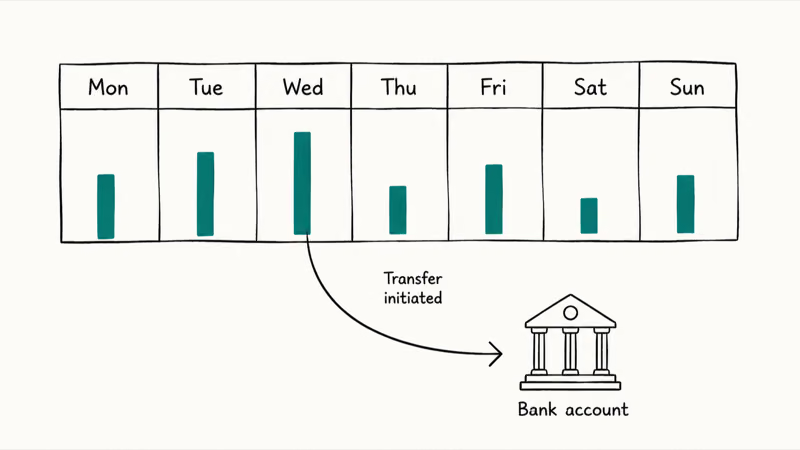
- Direct Deposit processes earnings from Monday through Sunday and typically arrives in your bank account by Wednesday night with no fees.
- Setting aside 25-30% of each payout for self-employment taxes is recommended, as DoorDash drivers are independent contractors.
#What Are the Three Ways to Cash Out on DoorDash?
DoorDash offers three primary methods for drivers to access their earnings: According to DoorDash’s Fast Pay help page, Fast Pay lets eligible U.S. and Canada Dashers cash out earnings daily for a $1.99 fee instead of waiting for weekly direct deposit.
- Direct Deposit
- Fast Pay
- DoorDash Crimson
Pick the method that fits your cash-flow needs.
#Direct Deposit: The Standard Payout Method
Direct Deposit is the default payment method for DoorDash drivers. Here’s what you need to know:
#How Direct Deposit Works
- Earnings from Monday through Sunday are automatically deposited into your linked bank account
- Payments are processed on Monday and usually arrive by Wednesday night
- Zero fees
#Setting Up Direct Deposit
- Open the Dasher app and go to the Earnings tab.
- Tap on ‘Submit Bank Details’.
- Enter your bank account and routing numbers.
- Double-check all information for accuracy.
Pro Tip: You can link various accounts for direct deposit, including checking accounts, Cash App, and some prepaid cards. According to DoorDash’s official support documentation, direct deposit is the most reliable method with no processing fees.
#Fast Pay: Instant Access to Earnings
Fast Pay lets eligible drivers cash out daily for a fee.
#Fast Pay Requirements
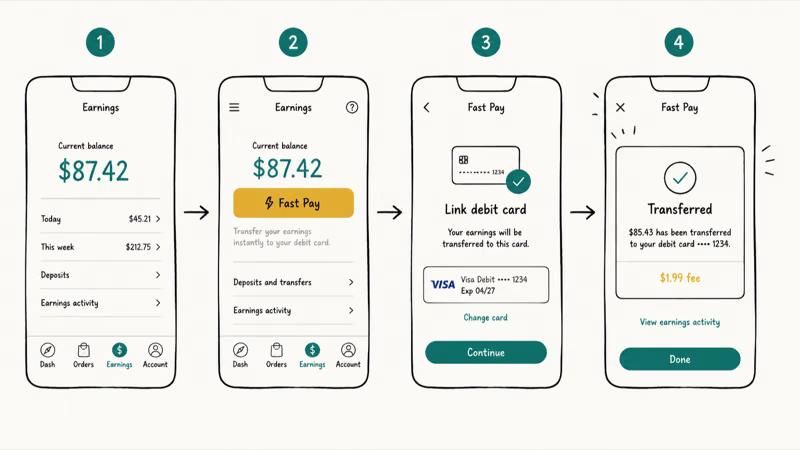
Fast Pay eligibility requirements are straightforward: complete at least 25 deliveries, maintain an active account for 14 days minimum, and have a debit card on file for seven days.
#How to Set Up and Use Fast Pay
- Go to the Earnings section in the Dasher app.
- Tap the bank icon and select Fast Pay.
- Enter your debit card details.
- Wait for the 7-day processing period to complete.
- Once activated, you can cash out daily by tapping “Cash Out” in the Earnings tab.
#Fees and Transfer Times
- Each Fast Pay transaction costs $1.99
- Funds transfer within minutes to your debit card
- Daily usage limit: one transaction per day
Note: Fast Pay is currently available in the U.S., Canada, and Australia, with specific bank requirements for each country. Transfer timing can vary slightly based on your banking institution and time zone.
If you’re experiencing issues with Fast Pay, check out our troubleshooting guide: DoorDash Fast Pay Not Working
#DoorDash Crimson: No-Fee Pay After Every Dash
According to DoorDash’s Crimson FAQ, Crimson is a personal banking account with a Visa debit card. Once approved, your DoorDash earnings are paid to the account after every dash at no fee. DoorDash’s payout documentation states that the DasherDirect program ended on April 1, 2025.
#Features of DoorDash Crimson
- Eligible earnings usually arrive in the Crimson account within seconds after every dash.
- Earnings deposits have no fee.
- The card can earn cash back on qualifying gas and EV charging purchases, subject to the offer terms shown in the Crimson Hub.
- You can withdraw cash without a fee at more than 40,000 MoneyPass ATMs nationwide.
#Setting Up DoorDash Crimson
- Go to the Earnings tab in your Dasher app.
- Tap DoorDash Crimson and follow the application prompts. Applying has no fee or credit check, but successful identity verification is required.
- After approval, use the virtual card in the Dasher app while you wait 7-10 business days for the physical card.
- Activate the physical card and set up your PIN after it arrives.
#Using Crimson in the Dasher App
- Check your available balance and transactions from the Earnings tab.
- Pay bills, send funds, or transfer money to another bank account.
- Find participating MoneyPass ATMs.
- Manage the virtual and physical cards without downloading a separate app.
#Which DoorDash Payout Method Is Fastest?
Feature
Direct Deposit
Fast Pay
DoorDash Crimson
Payout Frequency
Weekly
Daily
After each dash
Fees
None
$1.99 per transaction
None for deposits
Speed
2-3 business days
Minutes
Usually within seconds
Additional Benefits
None
None
Gas and EV charging cash back offers
Choose the option that best aligns with your financial needs and cash flow preferences.
#Troubleshooting Common Cash Out Issues
#Fast Pay Problems
- Ensure you meet all eligibility requirements.
- Check that your earnings are not still pending from recent dashes.
- Verify you have sufficient funds to cover the $1.99 fee.
#Direct Deposit Delays
- Confirm your bank details are correct in the Dasher app.
- Be aware that bank holidays can affect processing times.
- Contact DoorDash support if your payment is more than 5 business days late.
#DoorDash Crimson Card Issues
- If your card is lost or stolen, immediately lock it through the app and contact support.
- For declined transactions, check your balance and ensure the card is activated.
- Contact DoorDash Crimson support for persistent account or card problems.
#Best Practices for Managing DoorDash Earnings
- Track Your Income: Keep detailed records of your earnings, expenses, and mileage for tax purposes.
- Budget Wisely: Consider setting aside a portion of each payout for taxes and vehicle maintenance.
- Maximize Earnings: Take advantage of peak pay periods and promotions to increase your income.
- Plan for Taxes: As an independent contractor, you’re responsible for paying self-employment taxes. According to the IRS Gig Economy Tax Center, gig economy income is taxable even when it isn’t reported on an information return. Set aside part of each payout and check whether you need estimated tax payments.
- Separate Business and Personal Finances: Consider using a separate bank account or your DoorDash Crimson account exclusively for DoorDash earnings to simplify bookkeeping.
#Additional DoorDash Tips and Tricks
To make the most of your DoorDash experience, consider these additional tips:
- Dashing in Different Areas: Did you know you can DoorDash in another state? This can be useful when traveling or exploring new markets.
- Optimize Your Starting Point: Learn how to change your starting point on DoorDash to maximize your earning potential in different areas.
- Know Your Delivery Hours: Understand what time DoorDash stops delivering in your area to plan your shifts effectively.
- Managing Payment Methods: If needed, find out how to remove a payment method from DoorDash to keep your account up-to-date.
- Handling Order Issues: Sometimes you may need to cancel a DoorDash order. Knowing the proper procedure can help maintain your good standing with the platform.
#Bottom Line
For no-fee access after every dash, choose DoorDash Crimson if you’re eligible and want a separate banking account. Fast Pay works if you prefer your existing debit card and don’t mind the $1.99 daily cash-out fee. Direct Deposit fits drivers who want automatic weekly payments to an existing bank account. The FTC recommends checking how a gig platform pays workers and which charges it deducts before choosing an option.
Bottom line recommendation: Crimson for no-fee payouts after every dash, Fast Pay for daily transfers to a debit card, or Direct Deposit for free weekly payments.
#Frequently Asked Questions
How long does it take to get paid on DoorDash?
DoorDash Crimson is the fastest current option because eligible earnings are paid after every dash, usually within seconds and at no fee. Fast Pay cashes out daily for $1.99, while weekly Direct Deposit takes 2-3 business days to reach your bank.
Can you cash out multiple times per day on DoorDash?
Fast Pay is limited to once per day. If you’re approved for DoorDash Crimson, earnings are deposited after every dash instead of through a manual cash-out.
What’s the minimum amount to cash out on DoorDash?
DoorDash’s current help pages don’t publish one universal minimum for every payout method. Check the amount and eligibility shown in the Dasher app before confirming a Fast Pay cash-out; Crimson deposits eligible earnings automatically after every dash.
Do you pay taxes on DoorDash earnings?
Yes, absolutely. DoorDash drivers are independent contractors and must pay self-employment taxes on all earnings throughout the year. DoorDash reports your annual earnings on Form 1099-NEC if you earn more than $600, but you’re responsible for taxes even below this threshold. Most tax experts recommend setting aside 25-30% of each payout to cover tax obligations and avoid surprises during tax season.
What happens if Fast Pay isn’t working?
Check eligibility first. Ensure you meet all requirements and that your debit card is active. If problems persist, contact DoorDash support through the Dasher app or try using Direct Deposit as an alternative.
Can you change your payout method anytime?
Go to Earnings > View payout details > Change payout method. The app will show the current methods available for your account; Fast Pay is available with weekly Direct Deposit, while an approved Crimson account receives payouts after every dash.

Google Messages Error 3100: Why RCS Is Broken on Galaxy
Google Messages RCS error 3100 hits Galaxy owners after phone or carrier switches. Google told 9to5Google a fix is coming. Here's what actually helps.

Is This Bank App Real? Spot a Fake App on Your Home Screen
A bank app can land on your home screen from a web page with no install warning. Learn the checks that tell a real banking app from a phishing web app.

Apps Crashing After iOS 27 Update? Fix Order (2026)
Apps crashing after the iOS 27 update? Update the app in the App Store first, then offload and reinstall to clear stale cache, then restart. The fix order.

Do AI Translation Earbuds Work Offline? What to Know
Do AI translation earbuds work offline? A few do with downloaded language packs, but most need the cloud. Here's what works offline and what you give up.