Best Free Multimedia Software for Every Task (2026)
Compare 10 free multimedia tools for video, audio, and image editing. VLC, DaVinci Resolve, Audacity, GIMP, and others for Windows and macOS.
Quick AnswerVLC Media Player is the best all-around free multimedia software. It plays virtually every audio and video format on Windows, macOS, Linux, Android, and iOS without paid upgrades or extra codec packs.
Free multimedia software has gotten so good that paid tools aren’t always worth it. This guide compares 10 programs across video playback, video editing, audio production, and image editing so you can pick the right free tool for the job.
- VLC plays over 100 audio and video container formats without extra codec packs on every major platform
- DaVinci Resolve gives you the same color grading engine that paid feature-film colorists use
- Audacity records and edits multi-track audio in roughly 100 MB of disk space
- GIMP covers most photo retouching and graphic design tasks that creators ask of Photoshop
- Blender bundles 3D modeling, animation, sculpting, and video editing into one 250 MB download
#What Is Multimedia Software?
Multimedia software handles media files like video, audio, images, and animations. Some programs focus on playback. Others let you create or edit content from scratch. The category breaks into four main groups: media players, video editors, audio editors, and image or vector editors.
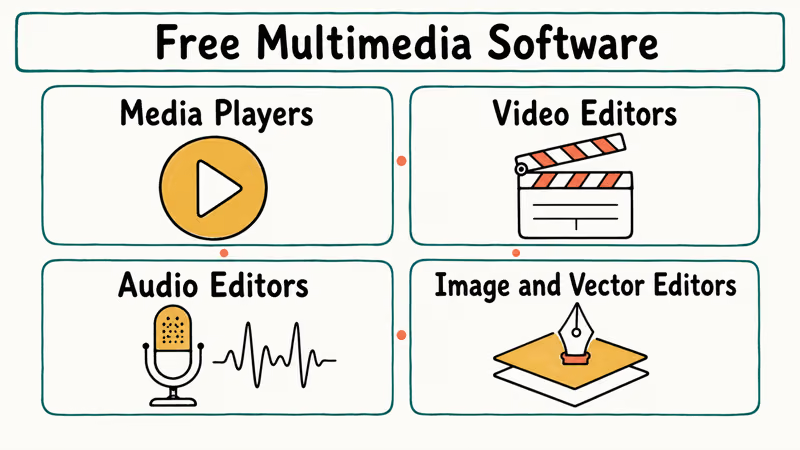
Most creators end up needing at least one tool from each group. The free options hold up well against paid suites for everything short of broadcast television and feature-film finishing.
#Best Free Media Players
#VLC Media Player
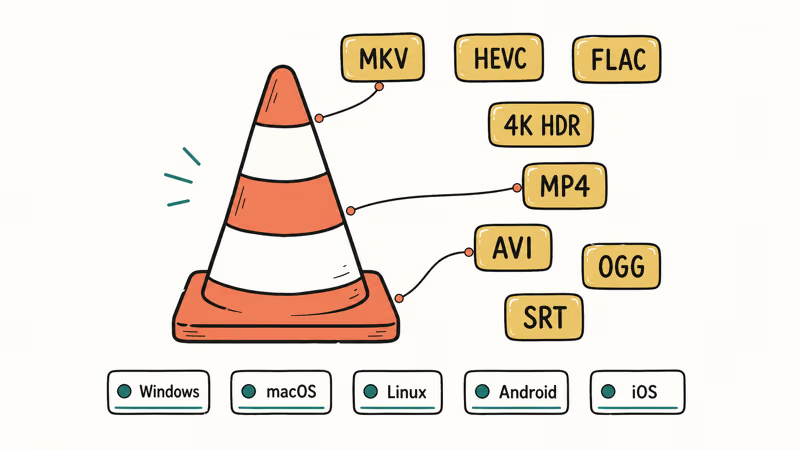
VLC is the default recommendation for a reason. Developed by the non-profit VideoLAN Project, it’s open-source and runs on Windows, macOS, Linux, Android, and iOS from the same codebase. It handles common formats like MKV, HEVC, FLAC, and HDR video without asking most users to install separate codec packs.
According to the VLC entry on Wikipedia, the project began in 1996 as a student project at École Centrale Paris and is now licensed under the GNU GPL version 2. The official VLC download page states that builds are available for Windows, macOS, Linux, Android, and iOS.
Useful things to know about VLC:
- Resumes from the timestamp where you stopped
- Auto-rotates oddly oriented phone footage
- Loads SRT, ASS, and embedded closed captions
- Converts between formats from a single dialog
If you want to compare playback options, the VLC alternatives roundup covers specific use cases.
#Media Player Classic
Media Player Classic Home Cinema (MPC-HC) weighs under 20 MB and launches in about 1 second on a mid-range PC. It won’t play as many formats as VLC out of the box, but pair it with the K-Lite Codec Pack and the format support catches up quickly.
The biggest limitation is platform reach. MPC-HC is Windows only, so cross-platform households are better off standardizing on VLC.
For a broader playback comparison, see the best video players guide.
#Best Free Video Editors
#DaVinci Resolve
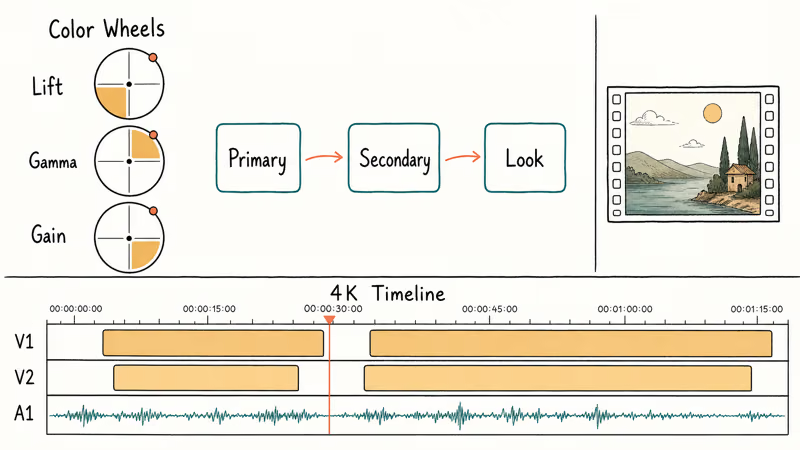
DaVinci Resolve from Blackmagic Design packs professional video editing, color correction, visual effects, and audio post-production into one free download. The free tier ships the same color grading engine that paid colorists use on Netflix originals, commercials, and theatrical features. The paid Studio version unlocks neural-engine effects and some codec acceleration, but most creators never hit those limits.
DaVinci Resolve can handle demanding 4K timelines on well-equipped machines, especially when proxy workflows are enabled for heavier footage.
The trade-off is a steep learning curve. Plan on about 2 weeks of daily use before the panel-based workflow stops feeling foreign.
For sped-up footage, the walkthrough on speeding up clips in DaVinci Resolve covers the time-remap tools.
#Shotcut
Shotcut runs on Windows, macOS, and Linux and is far lighter than DaVinci Resolve. If you only need to trim clips, add transitions, balance audio, and export, Shotcut handles all of it without the complexity of a full post-production suite.
Its hardware acceleration support helps basic 1080p projects stay responsive on modest computers, which is useful for a free cross-platform editor.
If Shotcut feels limiting, these related guides cover adjacent workflows:
- For a paid alternative, the Movavi Video Editor review covers what you get for the upgrade.
- For screen capture before editing, look at OBS alternatives that can capture and trim in one app.
- The roundup of free video editors with no watermark compares export-clean options.
#Best Free Audio Production Tools
#Audacity
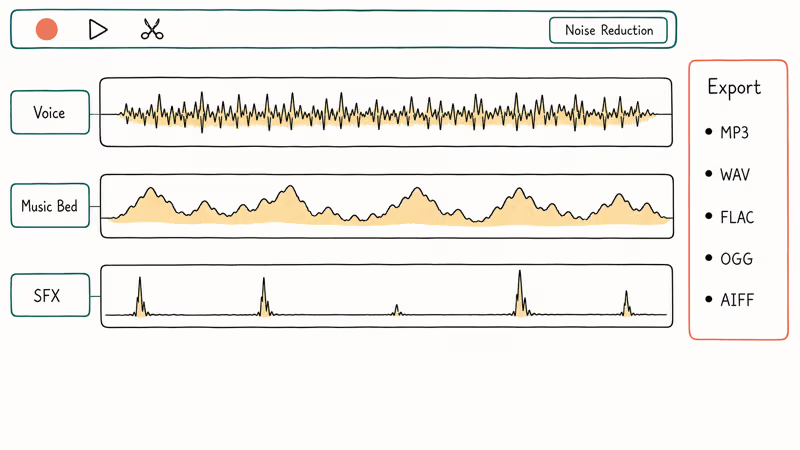
Audacity is free, open-source, and runs on Windows, macOS, and Linux. It records microphones, line inputs, and multi-track projects without locking basic production behind a paid tier.
It records from microphones, line inputs, and system audio in MP3, WAV, FLAC, OGG, and AIFF.
The noise reduction filter strips background hum in 2 clicks, and multi-track editing handles voice-over-music projects more smoothly than older releases.
According to release notes, Audacity 3.2 added native MP3 export, so you no longer need to install the LAME encoder separately. Audacity ships over 20 audio effects including equalization, compression, and reverb.
That covers most podcast and music production work without paid plugins. If your DAW chain depends on plugin support, the Audacity VST enabler guide walks through compatibility. Format problems usually trace back to codec issues, and the audio codec not supported guide explains the common fixes.
#LMMS
LMMS (Let’s Make Music) is a free digital audio workstation aimed at electronic music. Built-in synthesizers, drum machines, and a piano roll cover beat composition without a paid plugin chain.
It’s a capable zero-cost DAW, though the interface feels closer to FL Studio than to Logic.
#Do Free Image Editors Match Paid Ones?
#GIMP
GIMP handles photo retouching, graphic design, and digital painting on Windows, macOS, and Linux. The toolset includes layers, masks, curves, the clone stamp, custom brushes, background removal, color correction, and export options for web output.
Export covers JPEG, PNG, TIFF, WebP, and PSD.
The interface frustrates Photoshop switchers at first, but enabling single-window mode pulls all the panels into one view and the friction drops fast. For vector work, the Inkscape review covers the closest free Illustrator-style tool.
#Inkscape
Inkscape creates and edits vector graphics like logos, icons, and diagrams. It works in SVG format natively and exports to PNG, PDF, and EPS. Its path operations, node editing, bitmap tracing, and text-on-path tools cover most common vector-design jobs.
Path operations, node editing, bitmap tracing, and text-on-path features hold up against paid vector editors for most freelance and indie design work.
#3D Modeling and Animation
#Blender
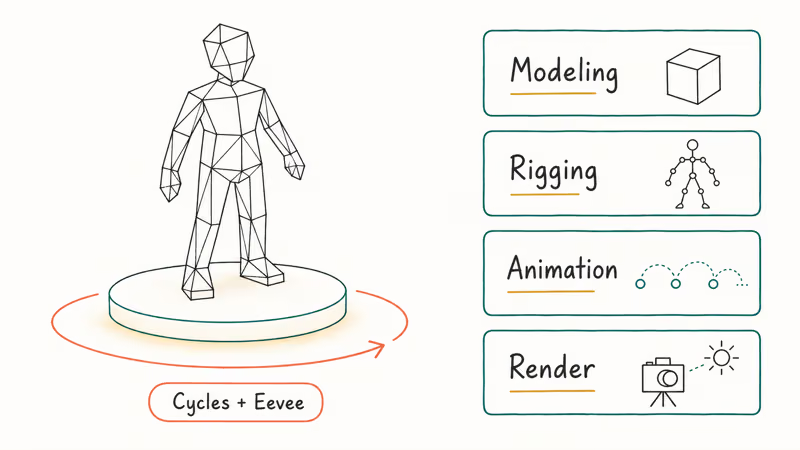
Blender covers 3D modeling, rigging, animation, rendering, and even video editing in one app. It’s the most feature-dense free creative tool available, and animation studios have used it on shorts that won at major film festivals.
Cycles is Blender’s path-traced renderer for photorealistic output, while the Eevee real-time engine is the faster choice when you don’t need ray-traced reflections.
According to its Wikipedia entry, Blender has been actively developed since 1995 and has shipped major releases yearly. Thousands of free tutorials exist on YouTube, which closes the on-ramp gap with paid suites like Maya or Cinema 4D. For working with MKV video files, Blender’s video sequence editor handles the format directly.
#How to Pick the Right Tool
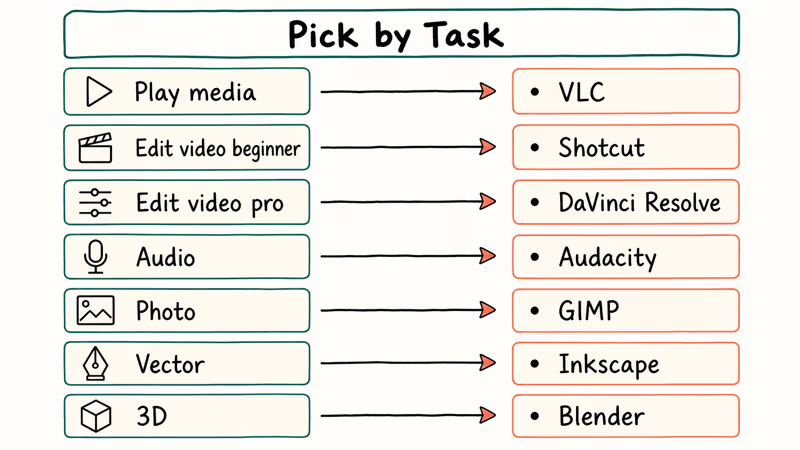
Matching software to your actual task saves more time than picking by reputation. Here’s a quick reference:
| Task | Best Pick | Runner-Up |
|---|---|---|
| Play video/audio | VLC | MPC-HC |
| Edit video (beginner) | Shotcut | OpenShot |
| Edit video (pro) | DaVinci Resolve | Kdenlive |
| Audio editing | Audacity | LMMS |
| Photo editing | GIMP | Photopea |
| Vector art | Inkscape | Vectr |
| 3D and animation | Blender | FreeCAD |
Start with one tool per category. Master that tool before adding more to your workflow, because spreading attention across too many apps slows you down more than any missing feature would.
For viewing photos without editing, the best photo viewer for Windows 10 guide covers lighter options. And if you need to cast VLC to Chromecast, the step-by-step walkthrough is there.
#Bottom Line
VLC is the one program every reader should install today. For editing, DaVinci Resolve is the strongest free pick for color and finishing work, and Audacity remains the best free choice for podcast and dialogue cleanup. GIMP and Inkscape together cover most freelance image and design work, and Blender is overkill for everyone except 3D creators, where it has no real free competitor.
If you’re a podcaster, install Audacity and VLC, and skip the rest. If you’re a YouTube creator, install DaVinci Resolve and GIMP first, then add Inkscape if you make custom thumbnails. Pick by what you actually make. Add tools only when a specific project demands them.
#Frequently Asked Questions
VLC is 100% free and open-source under the GNU General Public License. There are no premium tiers, no ads, and no feature gates. The non-profit VideoLAN Project funds development through donations.
Can DaVinci Resolve handle 4K video editing?
Yes. The free version supports 4K editing and export without watermarks. Proxy workflows help lower-powered machines handle heavier footage. The paid Studio version adds GPU acceleration, neural-engine effects, and HDR finishing tools, but most creators won’t need those for client work or YouTube uploads.
What audio formats does Audacity support?
Audacity reads and exports MP3, WAV, FLAC, OGG, and AIFF. MP3 encoding is built in starting with version 3.2, so you no longer need to install the LAME encoder yourself.
Is GIMP good enough to replace Photoshop?
For web graphics, social media images, and most photo retouching, yes. GIMP covers the bulk of what Photoshop does for everyday creators. It lacks native CMYK output for commercial print production and doesn’t ship AI-powered generative fill, but those gaps mainly matter to print designers and ad agencies that have already standardized on Adobe.
Does Blender work for video editing too?
Yes, but Blender’s video sequence editor is basic compared to dedicated NLEs. It handles cuts, transitions, and audio mixing fine, but DaVinci Resolve is the better tool when video editing is your main task instead of a side feature.
Which multimedia software works on both Windows and Mac?
All of them except MPC-HC. VLC, DaVinci Resolve, Audacity, GIMP, Inkscape, Blender, Shotcut, and LMMS run on Windows and macOS, and most also support Linux. Project files and skills transfer directly between operating systems, which makes switching machines painless.
What’s the best free software for podcast editing?
Audacity. It records multi-track audio, removes background noise in 2 clicks with the built-in noise reduction filter, and exports directly to MP3 from the same window.
Do these free tools add watermarks to exported files?
No. Every tool on this list exports without watermarks or restrictions. VLC, Audacity, GIMP, Inkscape, Blender, and Shotcut are open-source projects with no export limits. DaVinci Resolve’s free version also exports clean, which sets it apart from many competing free editors that stamp branding on rendered output to push paid upgrades.

Google Messages Error 3100: Why RCS Is Broken on Galaxy
Google Messages RCS error 3100 hits Galaxy owners after phone or carrier switches. Google told 9to5Google a fix is coming. Here's what actually helps.

Is This Bank App Real? Spot a Fake App on Your Home Screen
A bank app can land on your home screen from a web page with no install warning. Learn the checks that tell a real banking app from a phishing web app.

Apps Crashing After iOS 27 Update? Fix Order (2026)
Apps crashing after the iOS 27 update? Update the app in the App Store first, then offload and reinstall to clear stale cache, then restart. The fix order.

Do AI Translation Earbuds Work Offline? What to Know
Do AI translation earbuds work offline? A few do with downloaded language packs, but most need the cloud. Here's what works offline and what you give up.