In today’s digital age, videos have become an integral part of our lives, capturing precious moments and conveying important information. However, the frustration of encountering a corrupted or damaged video file can be immense. Whether it’s a cherished family memory or crucial work-related footage, losing access to a video can be devastating. Fortunately, video repair tools offer a solution to this common problem. In this comprehensive guide, we’ll explore the best video repair tools available in 2026, helping you recover and restore your valuable video content.
#Understanding Video Corruption and Repair
Before diving into the tools, it’s crucial to understand why video files become corrupted and the importance of video repair tools.
#Common Causes of Video File Corruption
- Incomplete downloads or transfers
- Sudden power outages during recording or saving
- Software crashes or improper shutdown
- Virus or malware infections
- Physical damage to storage devices
- File system errors
#Why Video Repair Tools Are Essential
Video repair tools are specialized software designed to analyze and fix various types of video corruption. They can:
- Reconstruct damaged file headers
- Fix frame and data stream issues
- Repair audio-video synchronization problems
- Restore playability to otherwise inaccessible files
By using these tools, you can often salvage videos that would otherwise be lost, saving time, money, and irreplaceable memories.
#Top Free Video Repair Tools
For those looking for cost-effective solutions, several free video repair tools offer basic to moderate repair capabilities.
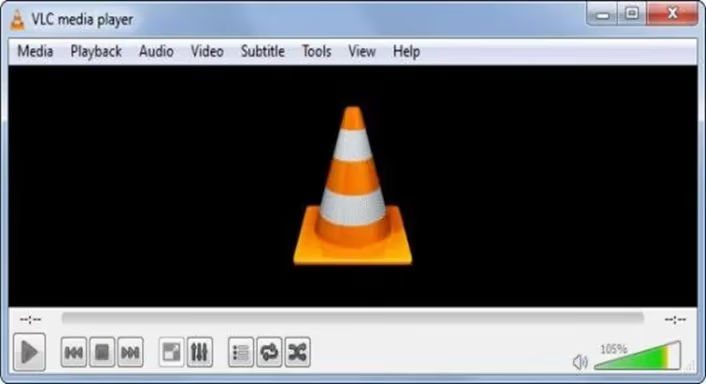
#1. VLC Media Player
VLC is not just a media player; it’s also a powerful tool for minor video repairs.
Key Features:
- Built-in repair function for AVI files
- Can fix minor corruption issues in various formats
- Free and open-source
Pros:
- Widely compatible across different operating systems
- User-friendly interface
- No file size limitations
Cons:
- Limited to basic repairs
- May not fix severely corrupted files
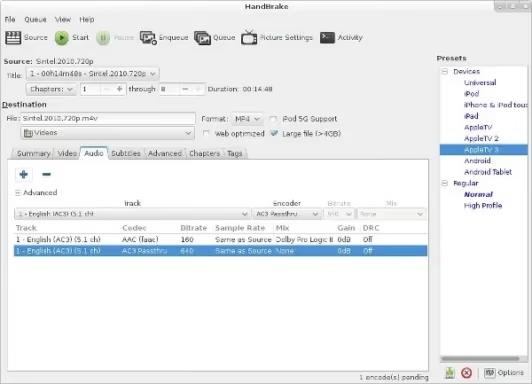
#2. Handbrake
Primarily known as a video converter, Handbrake can also help repair mildly corrupted videos.
Key Features:
- Re-encodes video files to fix minor issues
- Supports a wide range of input formats
- Open-source and free
Pros:
- Can improve video quality during repair
- Regular updates and community support
- Cross-platform compatibility
Cons:
- Not a dedicated repair tool
- May alter video quality or file size
#Leading Paid Video Repair Software
For more severe corruption issues or professional needs, paid video repair tools offer advanced features and higher success rates.
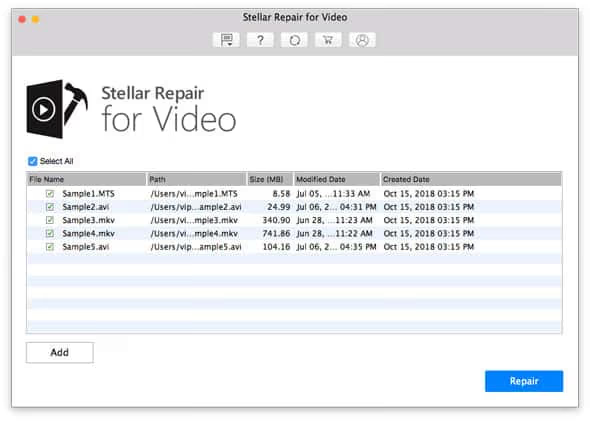
#1. Stellar Repair for Video
Stellar is a renowned name in the data recovery industry, and their video repair tool is no exception.
Key Features:
- Repairs severely corrupted video files
- Supports 17+ video formats
- Preview function before saving
Pros:
- High success rate for various corruption issues
- User-friendly interface
- Repairs multiple videos simultaneously
Cons:
- Relatively expensive
- Some features only available in the premium version
Download Stellar Repair for Video
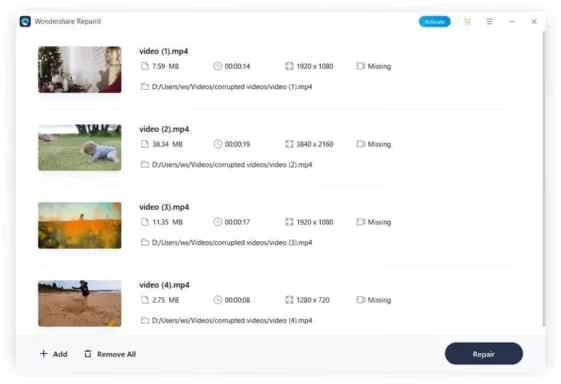
#2. Wondershare Repairit
Wondershare Repairit offers a comprehensive solution for video repair needs.
Key Features:
- Advanced and quick repair modes
- Supports over 10 video formats
- Batch processing capability
Pros:
- Intuitive interface suitable for all skill levels
- High success rate for various corruption types
- Regular updates and excellent customer support
Cons:
- Free trial has limitations
- Premium version can be costly for casual users
#Specific Video Format Repair Solutions
#MP4 Video Repair
MP4 is one of the most common video formats, and repairing corrupted MP4 files is a frequent need. Tools like MP4Fix can be particularly effective for this purpose. Learn more about MP4 video repair tools.
#MOV File Repair
For Mac users dealing with corrupted QuickTime MOV files, specialized tools and techniques are available. Discover how to repair MOV files on Mac.
#Troubleshooting Common Video Issues
#Fixing “The Media Could Not Be Played” Error
This common error can be frustrating but is often fixable. Find out how to resolve “The Media Could Not Be Played” error.
#Resolving iMovie Video Rendering Errors
iMovie users sometimes encounter rendering errors that can disrupt the editing process. Learn how to fix iMovie video rendering errors.
#Advanced Video Editing Techniques
#Combining Multiple Videos on One Screen in iMovie
For those looking to create more complex video compositions, iMovie offers the ability to display multiple videos on one screen. Explore how to put multiple videos on one screen in iMovie.
#Choosing the Right Video Repair Tool
Selecting the appropriate video repair tool depends on several factors:
- File Format Support: Ensure the tool supports your specific video format.
- Severity of Corruption: For minor issues, free tools may suffice. Severe corruption often requires paid solutions.
- Ease of Use: Consider your technical expertise and choose a tool with an interface you’re comfortable with.
- Features: Look for tools offering preview functions, batch processing, and support for your device’s file system.
- Price: Balance your budget with the tool’s capabilities and your repair needs.
- Customer Support: Reliable customer service can be crucial, especially for paid tools.
#Conclusion
Video repair tools are invaluable assets in our digital toolkit, capable of rescuing precious memories and important content from the brink of loss. Whether you opt for a free solution like VLC Media Player for minor issues or invest in a comprehensive tool like Stellar Repair for Video for more severe corruptions, there’s a solution for every need and budget.
Remember, the best approach to dealing with video file corruption is prevention. By handling your files carefully, maintaining regular backups, and using reliable recording devices, you can minimize the risk of corruption. However, when issues do arise, the tools and techniques discussed in this guide will help you recover your valuable video content effectively.
As technology continues to evolve, so do the capabilities of video repair tools. Stay informed about the latest developments in this field to ensure you always have the best solutions at your fingertips for preserving your digital memories and professional content.