Your Account Has Been Disabled in App Store and iTunes
Fix Apple disabled account errors with 5 proven step-by-step methods. Works on iOS 15+. Contact Apple Support for billing issues or security violations.
Quick AnswerReset your Apple ID password at iforgot.apple.com or contact Apple Support directly. Most disabled accounts result from failed password attempts, billing problems, or suspicious activity. The fix takes about 15 minutes in most cases.
Seeing “Your account has been disabled in App Store and iTunes” blocks access to all your purchased apps, music, and movies. This guide assumes you own the Apple ID and device in question. Start with Apple’s password reset flow, then contact Apple Support if billing or security review is involved.
- Password reset at iforgot.apple.com is the first step for security lockouts
- Billing problems require Apple Support contact
- Two-factor authentication helps prevent future security-related account flags
- Account reactivation timing depends on the cause and Apple’s review
- Purchase history remains safe during temporary account disabling
#Why Does Apple Disable Your Account?
Apple disables accounts to protect both users and their ecosystem from security threats.
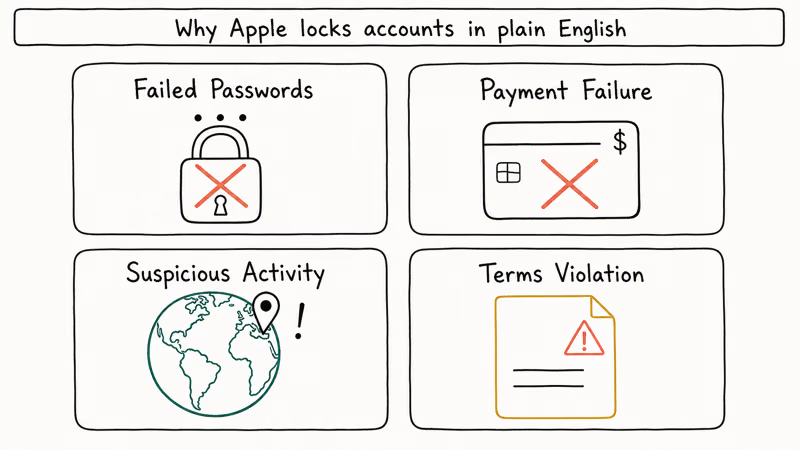
Security lockouts happen after 10 consecutive wrong password attempts within 24 hours. This protects against brute-force attacks targeting your account.
Payment failures trigger disabling when cards expire, reach spending limits, or show chargeback activity. Apple suspends purchasing until payment issues resolve completely, which can take several business days depending on your bank’s processing time.
Suspicious activity means unusual logins or bulk downloads that break your usual pattern.
Terms violations cover activities like review manipulation, app refund abuse, or sharing account credentials with multiple users. Repeat violations result in permanent disabling.
According to Apple’s HT102452 support guide, account disabling is a protective security measure, not a permanent punishment, and most accounts can be recovered by verifying your identity.
#Method 1: Reset Your Apple ID Password
Start here since this method works for security lockouts and suspicious activity flags:
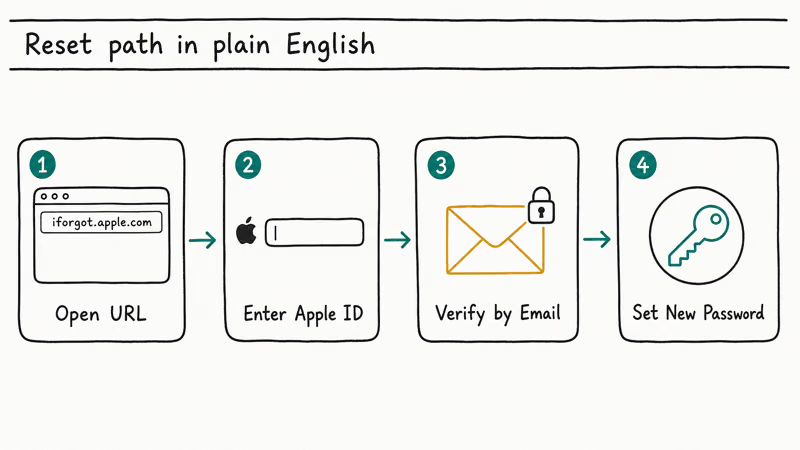
- Go to iforgot.apple.com in any browser
- Enter your Apple ID email address
- Select ”Reset password”
- Choose email verification or security questions
- Follow the instructions to create a new strong password
- Try signing into the App Store again
Time estimate: 5-10 minutes
After you reset the password, try signing into the App Store again. Use a password you haven’t used before, because Apple may reject recent passwords during reset.
#Method 2: Contact Apple Support Directly
Use this method for billing issues or when Method 1 doesn’t work:
- Visit getsupport.apple.com
- Select ”Apple ID”
- Choose ”Disabled Apple ID” from the issue list
- Pick phone call, chat, or email support
- Provide your Apple ID and payment method details
Time estimate: 20-45 minutes including wait time
Billing-related disabling can require manual review by Apple Support. Once support verifies the payment issue, timing depends on Apple’s review.
#How to Check if Your Account Is Actually Disabled
Sometimes the error appears due to temporary server issues rather than true account disabling:
- Try signing into appleid.apple.com directly
- Test iCloud.com access with your credentials
- Check if FaceTime and iMessage still work properly
- Attempt an App Store purchase on a different device or family member’s iPhone
If you can access Apple services outside the App Store, the issue might be device-specific.
#Method 3: Update Your Payment Information
For billing-related disabled accounts:
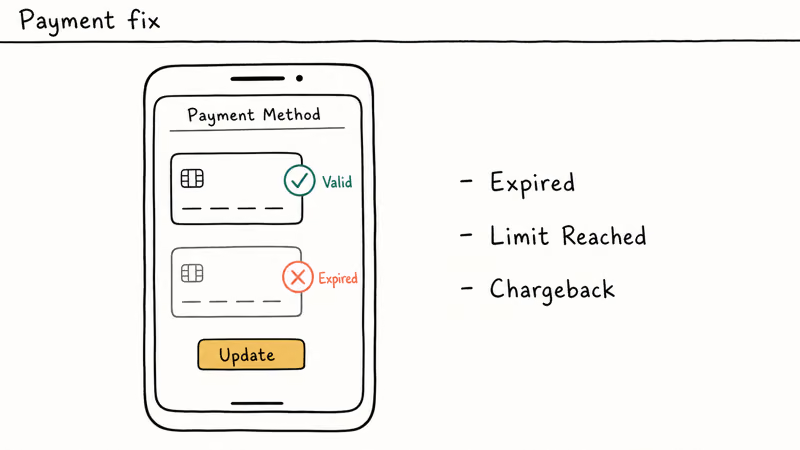
- Sign into appleid.apple.com
- Go to ”Payment & Shipping”
- Remove any expired or declined cards
- Add a new payment method
- Verify the billing address matches your card exactly
Important: A mismatched billing address can look like a fraud signal, so update it after a move or card change. For users with sign out is not available due to restrictions issues, this payment-information check can help rule out account-side restrictions.
#What Happens When Your Account Is Disabled?
App Store access: You can’t download new apps or update existing ones. Current apps continue working normally, but you might encounter App Store not downloading issues.
iTunes purchases: Music, movies, and books become inaccessible across all devices signed into your Apple ID. This can lead to iTunes can’t read the contents of your iPhone errors when trying to sync content.
iCloud services: May remain active or become restricted depending on the disabling reason, because a Media & Purchases disable is narrower than a full Apple Account lock. Family members using iCloud for Android may lose sync capabilities and hit authentication failures when they open shared albums or documents, so warn them before they assume their own accounts broke.
Family Sharing: Other family members lose access to your shared purchases until your account reactivates, which can disrupt their daily app usage, music listening, and movie watching across all their devices.
Apple’s account recovery page confirms that if you see “Your Media & Purchases account has been disabled,” you may be able to request reactivation by tapping Continue right from the alert, or through Apple Support.
#Method 4: Enable Two-Factor Authentication
This prevents most future disabling incidents:
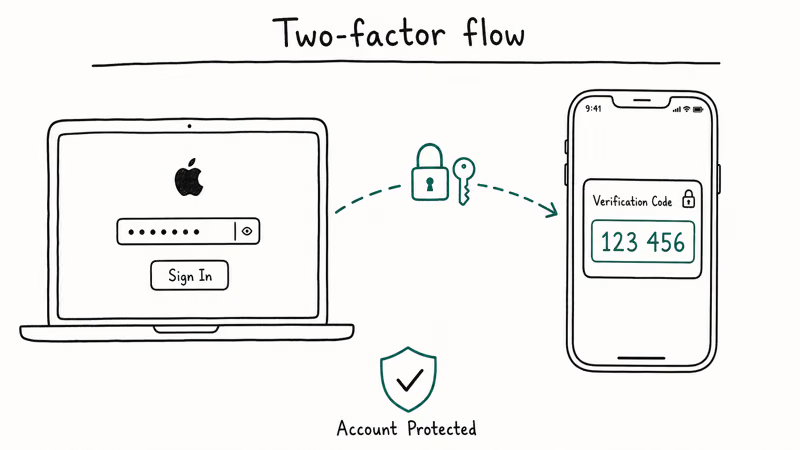
- Open Settings on your iPhone
- Tap [Your Name] > Sign-In & Security
- Select ”Two-Factor Authentication”
- Tap ”Continue” and follow the setup
- Add a trusted phone number
Apple’s security documentation confirms that accounts with two-factor authentication are far less likely to be flagged for security-related disabling. Users experiencing update unavailable with this Apple ID errors often find that enabling two-factor authentication resolves both issues.
#Method 5: Create Family Emergency Access
Set up account recovery contacts before problems occur:
- Go to Settings > [Your Name] > Sign-In & Security
- Select ”Account Recovery”
- Add a trusted family member or friend
- They receive a recovery key to help reactivate your account
This bypass works when you can’t access your email or phone number for standard password reset. Users experiencing Apple ID grayed out situations benefit most from this proactive setup.
#Bottom Line
Start with Method 1 (password reset) because it’s the right first step for security lockouts. For billing problems or persistent issues, contact Apple Support through Method 2. Enable two-factor authentication immediately after reactivation to prevent future incidents. Your purchases and data remain safe during temporary account disabling.
#Frequently Asked Questions
How long does Apple keep accounts disabled?
Security lockouts typically clear within 24 hours automatically. Billing issues remain disabled until payment problems resolve. Terms violations may require permanent appeal through Apple Support.
Can I access my purchases while disabled?
No, but your purchase history stays linked to your Apple ID. Everything returns once the account reactivates, including music, apps, and movies.
Will Apple delete my disabled account?
No. Apple preserves disabled accounts indefinitely unless you specifically request deletion.
Can I use iTunes gift cards on disabled accounts?
Gift card redemption works for most disabled accounts, but you can’t spend the balance until full reactivation.
What’s the difference between disabled and locked accounts?
Locked accounts need password resets only. Disabled accounts require Apple Support contact or specific resolution steps.
Can I prevent account disabling completely?
Two-factor authentication, current payment methods, and avoiding account sharing eliminate most disabling risks.
Does account disabling affect Apple Watch or AirPods?
Device syncing continues normally. Only App Store, iTunes, and some iCloud features won’t work properly.
How many wrong passwords disable an account?
Ten failed attempts in 24 hours triggers automatic security disabling.
Mac mini M6 vs M5 Pro: Which Model Should You Buy?
Mac mini M6 vs M5 Pro compared on price, memory, ports, displays, and real workloads. Find the better 2026 Mac mini for your desk and budget.
Apple Siri Settlement: Who Qualifies and How to Claim
Apple's $250 million Siri settlement covers iPhone 15 Pro and iPhone 16 models bought June 2024 to March 2025. See who qualifies and how claims work.
iOS 26.6.1 Security Update: What Apple Fixed and Who Gets It
Apple released iOS 26.6.1 on August 17 with 29 security fixes, including an IPSec interception bug. See what it patches, who gets it, and how to update.
iPhone Adaptive Power: How It Works and When to Use It
Learn how iPhone Adaptive Power works, which models support it, what it changes, and when Low Power Mode is still the better battery-saving choice.